10 Best Studio Audio Interfaces For Podcasting Of 2026
Studio Audio Interfaces For Podcasting — Reviews, Recommendations & Updated Buying Guide November 2026

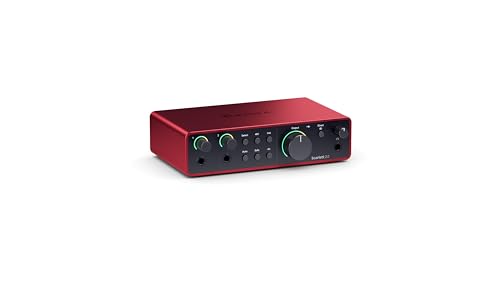
Focusrite Scarlett 2i2 4th Gen USB-C Audio Interface
Why We Love It


Focusrite Scarlett 3rd Gen Audio Interface
Why We Love It

Universal Audio Volt 276 USB Audio Interface
Why We Love It

Behringer U-Phoria Studio Pro Complete Recording Bundle With
Why We Love It

M-AUDIO M-Track Solo USB Audio Interface | XLR
Why We Love It

Focusrite Scarlett Solo Studio 4th Gen USB-C Audio Interface
Why We Love It

MAONO Audio Interface with DJ Mixer and Sound Card
Why We Love It

M-AUDIO M-Track Duo HD USB-C Audio Interface
Why We Love It

PreSonus Studio 2 Mic Pres
Why We Love It
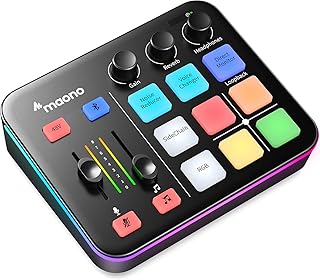
MAONO Gaming Audio Mixer
Why We Love It
Quick Pick
10 Best Studio Audio Interfaces For Podcasting Of 2026
Quick Pick
Focusrite Scarlett 2i2 4th Gen USB-C Audio Interface
Focusrite Scarlett 3rd Gen Audio Interface
Universal Audio Volt 276 USB Audio Interface
Behringer U-Phoria Studio Pro Complete Recording Bundle With High Definition Usb Audio Interface, Condenser Microphone, Headphones And More
M-AUDIO M-Track Solo USB Audio Interface | XLR, Line and DI Inputs, Professional Software Suite for Recording, Streaming, and Podcasting
Focusrite Scarlett Solo Studio 4th Gen USB-C Audio Interface Bundle
MAONO Audio Interface with DJ Mixer and Sound Card, Portable ALL-IN-ONE Podcast Production Studio with 3.5mm Microphone for Guitar, Live Youtube Streaming, PC, Recording Studio and Gaming(AU-AM200-S1)
M-AUDIO M-Track Duo HD USB-C Audio Interface
PreSonus Studio 2 Mic Pres - Line Outs 24C
MAONO Gaming Audio Mixer, Audio Interface with Pro-preamp, RGB, Bluetooth, Sound Effects for Live Streaming, Podcasting, Content Create, Gaming MaonoCaster G1 NEO (BLACK)
Buying Guide: Studio Audio Interfaces For Podcasting
📋 Table of Contents
1How many inputs do I actually need for podcasting?
For solo podcasting, a single XLR input is usually enough. If you plan to record guests or add instruments, look for at least two inputs. More inputs allow for future expansion without needing a separate mixer.
2Is USB or Thunderbolt better for my setup?
USB is widely compatible and sufficient for most podcasters, while Thunderbolt offers faster data transfer and lower latency for advanced setups. If you already have a Thunderbolt-equipped device, it can future-proof your interface.
3What preamp quality should I prioritize?
Look for interfaces with at least 40dB of clean gain and a low noise floor to capture clear, distortion-free audio. Higher-end models often use discrete preamps, which provide a warmer, more professional sound than basic chip-based ones.
4Do I need phantom power for podcasting?
Phantom power (48V) is only necessary if you're using condenser microphones. Dynamic mics used for podcasting typically don’t require it, but having the option is useful if you plan to experiment with different mic types later.
5What monitoring features are essential for a podcast?
A dedicated headphone output with level control and direct monitoring (zero-latency playback) are crucial for clear, real-time listening. Some interfaces also offer speaker outputs for studio monitors, which help you hear your audio more accurately.
How we choose
Our editors are people who genuinely love testing and writing about products. We compare each product's real-world usability and strengths, then distill what matters most into our own "Why We Love It" points — so you get an honest, at-a-glance sense of what counts before you buy.