10 Best Stream Decks For Streaming Of 2026
Stream Decks For Streaming — Reviews, Recommendations & Updated Buying Guide November 2026


FIFINE AmpliGame D6 Stream Controller with 15 Macro Keys
Why We Love It


Elgato Stream Deck +
Why We Love It

Elgato Stream Deck MK.2–Studio Controller
Why We Love It

Elgato Stream Deck Mini
Why We Love It

Elgato Stream Deck Neo
Why We Love It

Elgato Stream Deck Neo
Why We Love It
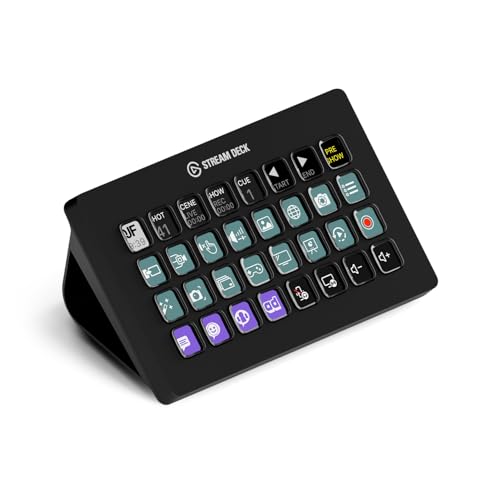
Elgato Stream Deck XL–Advanced Studio Controller
Why We Love It

Elgato Stream Deck + XL
Why We Love It

Elgato Stream Deck MK.2 White–Studio Controller
Why We Love It

Redragon SS551 Stream Controller All in One Macro Pad LCD
Why We Love It
Quick Pick
10 Best Stream Decks For Streaming Of 2026
Quick Pick
FIFINE AmpliGame D6 Stream Controller with 15 Macro Keys, Trigger Actions | Streaming Keyboard for OBS, Twitch/YouTube/Streamlabs, Shortcut Buttons Keypad, MAC and PC
Elgato Stream Deck +, Audio Mixer, Production Console and Studio Controller for Content Creators, Streaming, Gaming, with customizable touch strip dials and LCD keys, works with Mac and PC
elgato Stream Deck MK.2–Studio Controller, 15 Macro Keys, Trigger Actions in apps and Software Like OBS, Twitch, YouTube and More, Works with Mac and PC
Elgato Stream Deck Mini, 6 Customizable LCD Macro Keys
Elgato Stream Deck Neo, 8 Customizable Keys, 2 Touch Points
Elgato Stream Deck Neo, Black
elgato Stream Deck XL–Advanced Studio Controller, 32 Macro Keys, Activates Actions in apps and Software Such as OBS, Twitch, Youtube and Others, Works on Mac and PC
Elgato Stream Deck + XL – Customizable Control Platform With Macro Keys, Multifunction Dials, Touch Strip for Professional Systems & Production – USB-C for PC and Mac
Elgato Stream Deck MK.2 White–Studio Controller, 15 Macro Keys, Wi-Fi, Trigger Actions in apps and Software Like OBS, Twitch, YouTube and More, Works with Mac and PC
Redragon SS551 Stream Controller All in One Macro Pad LCD Buttons
Buying Guide: Stream Decks For Streaming
📋 Table of Contents
1How many customizable keys do I actually need?
Most stream decks have 8 to 16 keys, which is enough for basic streaming tasks like switching scenes or adjusting audio. If you run complex setups with overlays, transitions, and multiple apps, consider a model with 15 or more keys for better organization and efficiency.
2Does screen size and resolution matter for performance?
Yes — a 4.3-inch or 5-inch color touchscreen with at least 480p resolution makes it easier to preview and adjust visuals on the fly. Smaller or lower-resolution screens can make fine-tuning overlays or text difficult, especially in bright environments.
3Can I use it with both PC and Mac?
Most stream decks support both Windows and macOS, but check for software compatibility and driver support. Some advanced features may only work on one platform, so confirm your system is fully supported before purchasing.
4What software features should I look for?
Look for decks that integrate with popular streaming platforms and support plugins for OBS, Streamlabs, or vMix. Customizable key actions, macro support, and real-time feedback (like volume meters or scene thumbnails) can streamline your workflow and reduce errors during live streams.
5Are extra accessories worth buying?
A protective case and stand can help keep your deck safe and at a comfortable angle during long sessions. Some decks also support expansion modules or additional keypads, which are useful if you need more control options but avoid overbuying unless you plan to use them regularly.
How we choose
Our editors are people who genuinely love testing and writing about products. We compare each product's real-world usability and strengths, then distill what matters most into our own "Why We Love It" points — so you get an honest, at-a-glance sense of what counts before you buy.