10 Best Stream Deck Stream Controllers Of 2026
Stream Deck Stream Controllers — Reviews, Recommendations & Updated Buying Guide November 2026


Elgato Stream Deck MK.2–Studio Controller
Why We Love It


FIFINE AmpliGame D6 Stream Controller with 15 Macro Keys
Why We Love It

Elgato Stream Deck +
Why We Love It
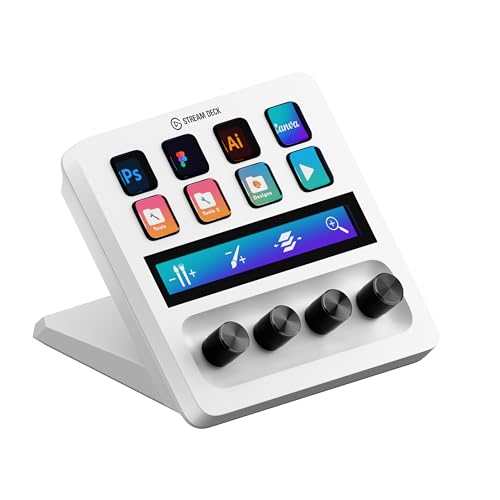
Elgato Stream Deck + White
Why We Love It

Elgato Stream Deck MK.2 White–Studio Controller
Why We Love It
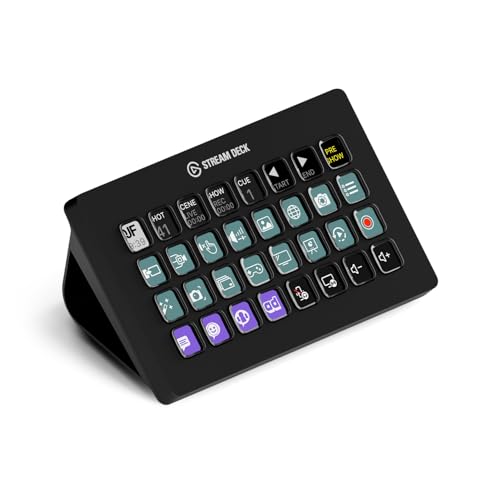
Elgato Stream Deck XL–Advanced Studio Controller
Why We Love It

Elgato Stream Deck Neo
Why We Love It

Elgato Stream Deck Mini
Why We Love It

Elgato Stream Deck + XL
Why We Love It

VSD N4 Pro Stream Controller Streaming Deck
Why We Love It
Quick Pick
10 Best Stream Deck Stream Controllers Of 2026
Quick Pick
elgato Stream Deck MK.2–Studio Controller, 15 Macro Keys, Trigger Actions in apps and Software Like OBS, Twitch, YouTube and More, Works with Mac and PC
FIFINE AmpliGame D6 Stream Controller with 15 Macro Keys, Trigger Actions | Streaming Keyboard for OBS, Twitch/YouTube/Streamlabs, Shortcut Buttons Keypad, MAC and PC
Elgato Stream Deck +, Audio Mixer, Production Console and Studio Controller for Content Creators, Streaming, Gaming, with customizable touch strip dials and LCD keys, works with Mac and PC
Elgato Stream Deck + White, Bluetooth Audio Mixer, Live Production and Studio Controller, Customizable Touch Bar, Control Knobs, LCD Keys, for Mac and PC
Elgato Stream Deck MK.2 White–Studio Controller, 15 Macro Keys, Wi-Fi, Trigger Actions in apps and Software Like OBS, Twitch, YouTube and More, Works with Mac and PC
elgato Stream Deck XL–Advanced Studio Controller, 32 Macro Keys, Activates Actions in apps and Software Such as OBS, Twitch, Youtube and Others, Works on Mac and PC
Elgato Stream Deck Neo, 8 Customizable Keys, 2 Touch Points
Elgato Stream Deck Mini, 6 Customizable LCD Macro Keys
Elgato Stream Deck + XL – Customizable Control Platform With Macro Keys, Multifunction Dials, Touch Strip for Professional Systems & Production – USB-C for PC and Mac
VSD N4 Pro Stream Controller Streaming Deck, Audio and Studio Controller
Buying Guide: Stream Deck Stream Controllers
📋 Table of Contents
1How many programmable macro keys do I actually need?
Most users find 12-24 macro keys sufficient for streaming and gaming, but if you automate complex workflows or use multiple software tools, look for keypads with 32+ keys. More keys mean less switching between profiles or layouts.
2Is a built-in LCD screen worth the extra cost?
LCD screens let you customise key labels and display real-time stats like FPS or timer counts, which is great for content creation. If you rely on visual feedback or stream with overlays, this feature adds value; otherwise, a basic LED-lit keypad may suffice.
3What connectivity options should I prioritize?
USB-C is ideal for modern devices and faster data transfer, while Bluetooth offers cable-free flexibility. If you switch between multiple devices, look for keypads with dual connectivity and good battery life (typically 10-30 hours).
4Can I use it with both PC and Mac?
Most keypads support both, but check for macOS-specific key remapping or software compatibility. Some models require additional drivers for full functionality on Mac, so look for 'cross-platform' or 'Mac-ready' in the description.
5What accessories are useful for streaming setups?
A detachable stand or wall mount improves visibility, and a carrying case is essential for travel. Some keypads include a foot pedal or extra buttons for media control, which can streamline your workflow during live streams or recordings.
How we choose
Our editors are people who genuinely love testing and writing about products. We compare each product's real-world usability and strengths, then distill what matters most into our own "Why We Love It" points — so you get an honest, at-a-glance sense of what counts before you buy.