10 Best Stream Controllers For Youtube Of 2026
Stream Controllers For Youtube — Reviews, Recommendations & Updated Buying Guide November 2026


FIFINE AmpliGame D6 Stream Controller with 15 Macro Keys
Why We Love It


Elgato Stream Deck MK.2–Studio Controller
Why We Love It

FIFINE AmpliGame D6 White Gaming Controller with 15 Shortcut
Why We Love It

Elgato Stream Deck MK.2 White–Studio Controller
Why We Love It
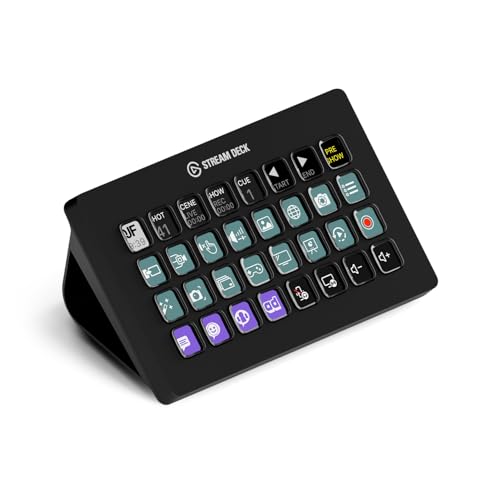
Elgato Stream Deck XL–Advanced Studio Controller
Why We Love It

Elgato Stream Deck +
Why We Love It
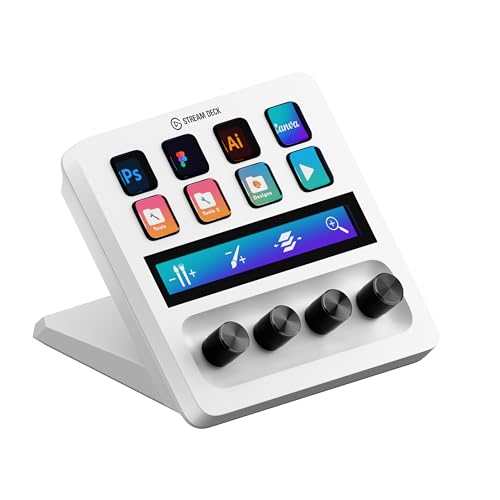
Elgato Stream Deck + White
Why We Love It

Macro Keypad
Why We Love It

LCD Stream Controller
Why We Love It
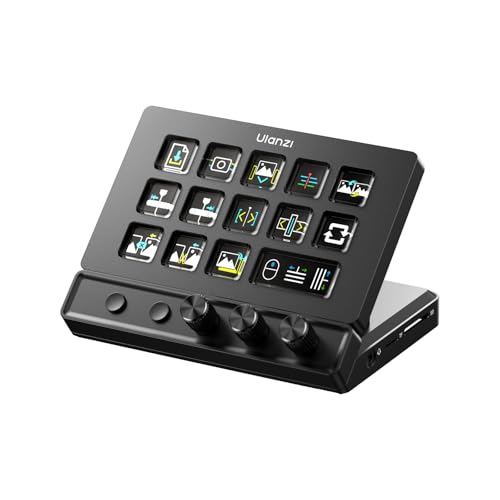
Ulanzi D200X 8-in-1 Stream Controller mit 3 Drehknopf 14
Why We Love It
Quick Pick
10 Best Stream Controllers For Youtube Of 2026
Quick Pick
FIFINE AmpliGame D6 Stream Controller with 15 Macro Keys, Trigger Actions | Streaming Keyboard for OBS, Twitch/YouTube/Streamlabs, Shortcut Buttons Keypad, MAC and PC
elgato Stream Deck MK.2–Studio Controller, 15 Macro Keys, Trigger Actions in apps and Software Like OBS, Twitch, YouTube and More, Works with Mac and PC
FIFINE AmpliGame D6 White Gaming Controller with 15 Shortcut Buttons
Elgato Stream Deck MK.2 White–Studio Controller, 15 Macro Keys, Wi-Fi, Trigger Actions in apps and Software Like OBS, Twitch, YouTube and More, Works with Mac and PC
elgato Stream Deck XL–Advanced Studio Controller, 32 Macro Keys, Activates Actions in apps and Software Such as OBS, Twitch, Youtube and Others, Works on Mac and PC
Elgato Stream Deck +, Audio Mixer, Production Console and Studio Controller for Content Creators, Streaming, Gaming, with customizable touch strip dials and LCD keys, works with Mac and PC
Elgato Stream Deck + White, Bluetooth Audio Mixer, Live Production and Studio Controller, Customizable Touch Bar, Control Knobs, LCD Keys, for Mac and PC
Macro Keypad, Stream Controller Deck Gaming Streaming Shortcut Keyboard, 18 Programmable Keys Customizable Visual AI Pad USB Soundboard for OBS, YouTube, Desk Office Setup, Laptop, PC, Mac
LCD Stream Controller, 15-Key Shortcut Console Desktop Stream Console Customise Touch Buttons OBS Stream Key All-in-One Stream Key Stream Setup Enhancer for OBS, Twitch, YouTube - Mac & PC Compatible
Ulanzi D200X 8-in-1 Stream Controller mit 3 Drehknopf 14 LCD-Makrotasten, Streamdeck mit Dockingstation, 4K HDMI, Audioanschluss, USB-C, kompatibel mit Mac/Windos, für OBS/Streaming/Editing/Fotografie
Buying Guide: Stream Controllers For Youtube
📋 Table of Contents
1What input methods are essential for YouTube streaming?
Look for at least one XLR and one 1/4" mic input, plus a 3.5mm aux for backup. Some models also include USB for webcam audio or direct streaming, which is handy for multi-platform use.
2How many channels do I actually need?
A 2-channel mixer is sufficient for solo vloggers or podcasters, while 4+ channels suit co-hosts, guests, or multi-mic setups. More channels add flexibility but can complicate the interface for beginners.
3Should I prioritize built-in effects or software integration?
Built-in EQ and compression are great for quick, on-the-go adjustments, but software integration (like with OBS or YouTube Studio) gives more control. Choose based on your editing workflow and technical comfort level.
4What about latency and audio quality for live streams?
Low-latency models (under 10ms) prevent audio delay during live Q&A or gameplay. For crisp, clear audio, aim for 24-bit/48kHz resolution, which is standard for professional-grade streaming setups.
5Are phantom power and USB output worth it for YouTube?
Phantom power (48V) is essential if you use condenser mics, which are popular for voice clarity. USB output lets you connect directly to your computer, simplifying setup and reducing the need for extra audio interfaces.
How we choose
Our editors are people who genuinely love testing and writing about products. We compare each product's real-world usability and strengths, then distill what matters most into our own "Why We Love It" points — so you get an honest, at-a-glance sense of what counts before you buy.