10 Best Stream Controllers For Twitch Of 2026
Stream Controllers For Twitch — Reviews, Recommendations & Updated Buying Guide November 2026


FIFINE AmpliGame D6 Stream Controller with 15 Macro Keys
Why We Love It


Elgato Stream Deck MK.2–Studio Controller
Why We Love It

Elgato Stream Deck MK.2 White–Studio Controller
Why We Love It
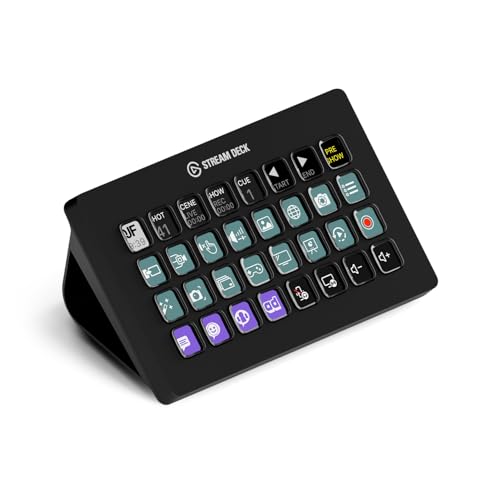
Elgato Stream Deck XL–Advanced Studio Controller
Why We Love It

Elgato Stream Deck +
Why We Love It
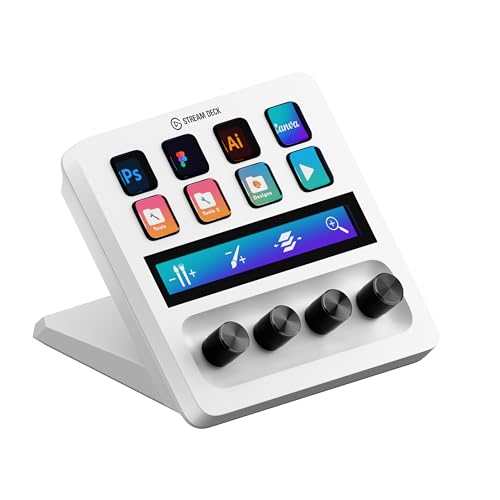
Elgato Stream Deck + White
Why We Love It

Elgato Stream Deck Pedal
Why We Love It

LCD Stream Controller
Why We Love It

Stream Controller
Why We Love It

FIFINE AmpliGame D6 White Gaming Controller with 15 Shortcut
Why We Love It
Quick Pick
10 Best Stream Controllers For Twitch Of 2026
Quick Pick
FIFINE AmpliGame D6 Stream Controller with 15 Macro Keys, Trigger Actions | Streaming Keyboard for OBS, Twitch/YouTube/Streamlabs, Shortcut Buttons Keypad, MAC and PC
elgato Stream Deck MK.2–Studio Controller, 15 Macro Keys, Trigger Actions in apps and Software Like OBS, Twitch, YouTube and More, Works with Mac and PC
Elgato Stream Deck MK.2 White–Studio Controller, 15 Macro Keys, Wi-Fi, Trigger Actions in apps and Software Like OBS, Twitch, YouTube and More, Works with Mac and PC
elgato Stream Deck XL–Advanced Studio Controller, 32 Macro Keys, Activates Actions in apps and Software Such as OBS, Twitch, Youtube and Others, Works on Mac and PC
Elgato Stream Deck +, Audio Mixer, Production Console and Studio Controller for Content Creators, Streaming, Gaming, with customizable touch strip dials and LCD keys, works with Mac and PC
Elgato Stream Deck + White, Bluetooth Audio Mixer, Live Production and Studio Controller, Customizable Touch Bar, Control Knobs, LCD Keys, for Mac and PC
Elgato Stream Deck Pedal, 3 Hands-Free Macro Footswitches
LCD Stream Controller, 15-Key Shortcut Console Desktop Stream Console Customise Touch Buttons OBS Stream Key All-in-One Stream Key Stream Setup Enhancer for OBS, Twitch, YouTube - Mac & PC Compatible
Stream Controller - SOOMFON Stream Studio Control Deck with 15 Key Layout Stream Deck, Controller for Live Content Creation, Pass Devices, Supports OBS/Twitch/YouTube, Supports Mac/PC, White
FIFINE AmpliGame D6 White Gaming Controller with 15 Shortcut Buttons
Buying Guide: Stream Controllers For Twitch
📋 Table of Contents
1What input types should I look for in a stream controller for Twitch?
Most stream controllers support USB, Bluetooth, and sometimes HDMI passthrough. USB is reliable for low-latency control, while Bluetooth offers cable-free convenience. HDMI passthrough is ideal if you want to use the controller with a console or PC and a monitor simultaneously.
2How many programmable buttons do I actually need?
For basic overlays and alerts, 12-16 buttons are usually enough. If you plan to automate complex scenes or manage multiple overlays, look for 20+ buttons with custom macros. More buttons mean more control, but can also increase clutter if not well organized.
3Is a built-in OLED screen worth the extra cost?
A small OLED screen lets you preview overlays, alerts, and scene transitions without switching to your main screen. It’s especially useful for on-the-go adjustments during a live stream. If you prefer using your main monitor for everything, it’s a nice-to-have but not essential.
4What software compatibility should I check before buying?
Ensure the controller works with popular streaming software like OBS, Streamlabs, or vMix. Some controllers come with proprietary software that simplifies setup, but it’s better to choose one that integrates smoothly with your existing tools and supports custom JSON or webhook integrations for Twitch.
5What accessories are essential for a smooth streaming setup?
A reliable USB-C to USB-A cable is a must, as well as a sturdy stand or mount to keep the controller visible and accessible. A backup battery or portable power bank is also useful for streaming on the go. Some users also find a carrying case or screen protector for the OLED display to be worth the investment.
How we choose
Our editors are people who genuinely love testing and writing about products. We compare each product's real-world usability and strengths, then distill what matters most into our own "Why We Love It" points — so you get an honest, at-a-glance sense of what counts before you buy.