10 Best Stream Controllers For Mac Of 2026
Stream Controllers For Mac — Reviews, Recommendations & Updated Buying Guide November 2026


FIFINE AmpliGame D6 Stream Controller with 15 Macro Keys
Why We Love It


Elgato Stream Deck MK.2–Studio Controller
Why We Love It

Elgato Stream Deck +
Why We Love It

FIFINE AmpliGame D6 White Gaming Controller with 15 Shortcut
Why We Love It

Elgato Stream Deck MK.2 White–Studio Controller
Why We Love It
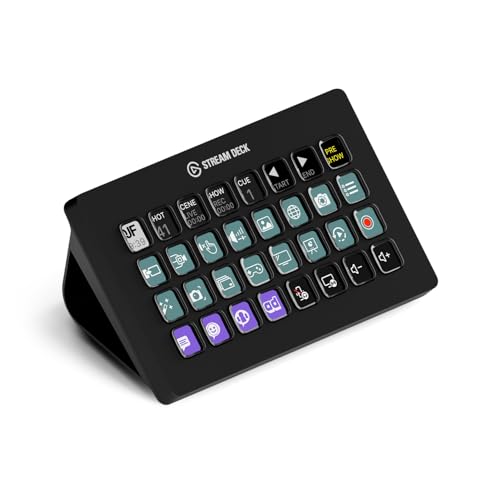
Elgato Stream Deck XL–Advanced Studio Controller
Why We Love It

LCD Stream Controller
Why We Love It
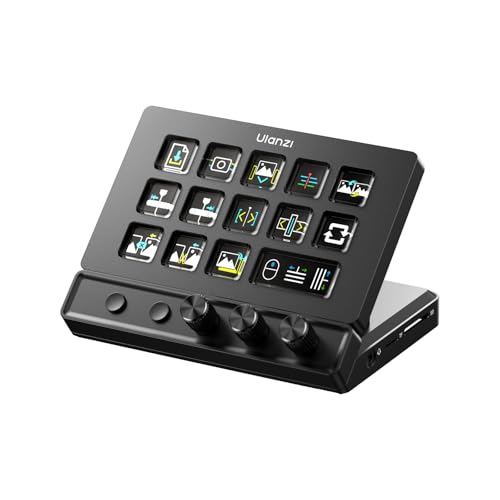
Ulanzi D200X 8-in-1 Stream Controller mit 3 Drehknopf 14
Why We Love It

Razer Stream Controller: All-In-One Keypad for Streaming
Why We Love It

Elgato Stream Deck Neo
Why We Love It
Quick Pick
10 Best Stream Controllers For Mac Of 2026
Quick Pick
FIFINE AmpliGame D6 Stream Controller with 15 Macro Keys, Trigger Actions | Streaming Keyboard for OBS, Twitch/YouTube/Streamlabs, Shortcut Buttons Keypad, MAC and PC
elgato Stream Deck MK.2–Studio Controller, 15 Macro Keys, Trigger Actions in apps and Software Like OBS, Twitch, YouTube and More, Works with Mac and PC
Elgato Stream Deck +, Audio Mixer, Production Console and Studio Controller for Content Creators, Streaming, Gaming, with customizable touch strip dials and LCD keys, works with Mac and PC
FIFINE AmpliGame D6 White Gaming Controller with 15 Shortcut Buttons
Elgato Stream Deck MK.2 White–Studio Controller, 15 Macro Keys, Wi-Fi, Trigger Actions in apps and Software Like OBS, Twitch, YouTube and More, Works with Mac and PC
elgato Stream Deck XL–Advanced Studio Controller, 32 Macro Keys, Activates Actions in apps and Software Such as OBS, Twitch, Youtube and Others, Works on Mac and PC
LCD Stream Controller, 15-Key Shortcut Console Desktop Stream Console Customise Touch Buttons OBS Stream Key All-in-One Stream Key Stream Setup Enhancer for OBS, Twitch, YouTube - Mac & PC Compatible
Ulanzi D200X 8-in-1 Stream Controller mit 3 Drehknopf 14 LCD-Makrotasten, Streamdeck mit Dockingstation, 4K HDMI, Audioanschluss, USB-C, kompatibel mit Mac/Windos, für OBS/Streaming/Editing/Fotografie
Razer Stream Controller: All-In-One Keypad for Streaming - 12 Haptic Switchblade Keys - 6 Tactile Analog Dials - 8 Programmable Buttons - Designed for PC & Mac Compatibility
Elgato Stream Deck Neo, 8 Customizable Keys, 2 Touch Points
Buying Guide: Stream Controllers For Mac
📋 Table of Contents
1What connection type is best for a Mac stream controller?
USB-C or Thunderbolt 3/4 is ideal for modern Macs, offering fast data transfer and stable performance. Avoid USB-A-only models unless you have an adapter, as they may limit speed and compatibility with newer Macs.
2How many inputs do I actually need for streaming?
Two to four inputs are standard for most streamers, allowing you to switch between your game, webcam, and overlays. If you plan to use multiple cameras or screens, look for models with at least six inputs to avoid limitations.
3Is a built-in capture card necessary for a Mac stream controller?
Yes, if you want to stream from a console or another PC. A built-in capture card eliminates the need for a separate device and simplifies setup, but ensure it supports the resolution and frame rate you plan to use.
4What software compatibility should I check for Mac use?
Look for controllers compatible with macOS and software like OBS or Streamlabs. Some models come with proprietary apps that may not work well on Mac, so always verify cross-platform support before buying.
5Are physical buttons or a touchscreen more useful for streaming?
Physical buttons are faster for quick scene changes and overlays, while touchscreens offer more flexibility for custom layouts. Choose based on your workflow — fast-paced streams favor buttons, while content creation suits touchscreens better.
How we choose
Our editors are people who genuinely love testing and writing about products. We compare each product's real-world usability and strengths, then distill what matters most into our own "Why We Love It" points — so you get an honest, at-a-glance sense of what counts before you buy.