10 Best Stream Controllers For Gaming Of 2026
Stream Controllers For Gaming — Reviews, Recommendations & Updated Buying Guide November 2026


FIFINE AmpliGame D6 Stream Controller with 15 Macro Keys
Why We Love It


Elgato Stream Deck +
Why We Love It

Elgato Stream Deck MK.2–Studio Controller
Why We Love It

FIFINE AmpliGame D6 White Gaming Controller with 15 Shortcut
Why We Love It

Macro Keypad
Why We Love It

Elgato Stream Deck MK.2 White–Studio Controller
Why We Love It
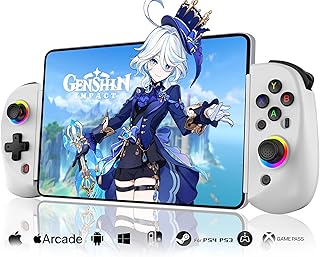
LCLALAY Wireless Controller for
Why We Love It
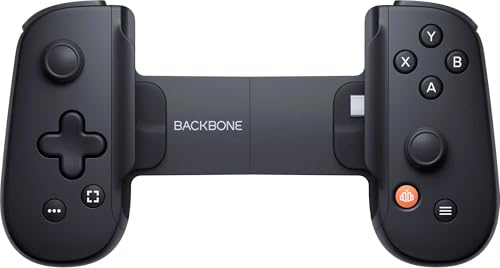
Backbone One Mobile Gaming Controller for Android Gen 2
Why We Love It

Mobile Cloud Gaming Controller for iPhone 16/15/14
Why We Love It

Razer Kishi V2 Mobile Gaming Controller for iPhone
Why We Love It
Quick Pick
10 Best Stream Controllers For Gaming Of 2026
Quick Pick
FIFINE AmpliGame D6 Stream Controller with 15 Macro Keys, Trigger Actions | Streaming Keyboard for OBS, Twitch/YouTube/Streamlabs, Shortcut Buttons Keypad, MAC and PC
Elgato Stream Deck +, Audio Mixer, Production Console and Studio Controller for Content Creators, Streaming, Gaming, with customizable touch strip dials and LCD keys, works with Mac and PC
elgato Stream Deck MK.2–Studio Controller, 15 Macro Keys, Trigger Actions in apps and Software Like OBS, Twitch, YouTube and More, Works with Mac and PC
FIFINE AmpliGame D6 White Gaming Controller with 15 Shortcut Buttons
Macro Keypad, Stream Controller Deck Gaming Streaming Shortcut Keyboard, 18 Programmable Keys Customizable Visual AI Pad USB Soundboard for OBS, YouTube, Desk Office Setup, Laptop, PC, Mac
Elgato Stream Deck MK.2 White–Studio Controller, 15 Macro Keys, Wi-Fi, Trigger Actions in apps and Software Like OBS, Twitch, YouTube and More, Works with Mac and PC
LCLALAY Wireless Controller for iPad/iPhone/Android(129-252mm), Phone Controller Support for Xbox Cloud/PS Remote Play, Mobile Gaming Controller with Hall Effects Joysticks for Switch/PS4, Direct Play
Backbone One Mobile Gaming Controller for Android Gen 2 - Black (USB-C)
Mobile Cloud Gaming Controller for iPhone 16/15/14, iPad, Android, PC, Switch, PS3/PS4, Gamepad Joystick with Turbo, Hall Effect Trigger, 6-Axis Gyro Sensor, Streaming for PS4/Xbox/PC - Black
Razer Kishi V2 Mobile Gaming Controller for iPhone (Lightning): Console Quality Controls - Universal Fit w/ Extendable Bridge - Stream PC, Xbox, PlayStation Games - Customizable Triggers - Ergonomic
Buying Guide: Stream Controllers For Gaming
📋 Table of Contents
1What input methods should a stream controller support?
Look for at least USB, Bluetooth, and HDMI passthrough to connect your console, PC, and audio devices. Some advanced models also support Wi-Fi and voice chat integration for a more streamlined setup.
2How many buttons or touch controls are enough for a streamer?
A minimum of 12 programmable buttons plus a touch screen or LCD panel gives flexibility for scene switching, overlays, and social media tools. More buttons can reduce the need for external software during live streams.
3Does a built-in mixer improve my streaming quality?
Yes — a built-in audio mixer with at least 2-3 channels (game, mic, and background music) lets you adjust levels on the fly without needing a separate device. Look for models with noise suppression and gain control for clearer audio.
4What streaming software compatibility should I check?
Ensure the controller works with popular platforms like OBS, Streamlabs, or vMix. Some controllers offer dedicated apps or plugins that simplify setup and automate common tasks during a live stream.
5Are extra accessories worth buying with a stream controller?
A second LCD panel or remote control can help manage overlays and scenes from a distance, while a carrying case is essential for mobile streamers. Avoid overbuying unless you need the extra functionality regularly.
How we choose
Our editors are people who genuinely love testing and writing about products. We compare each product's real-world usability and strengths, then distill what matters most into our own "Why We Love It" points — so you get an honest, at-a-glance sense of what counts before you buy.