10 Best Stream Controllers Of 2026
Stream Controllers — Reviews, Recommendations & Updated Buying Guide November 2026


FIFINE AmpliGame D6 Stream Controller with 15 Macro Keys
Why We Love It


Elgato Stream Deck MK.2–Studio Controller
Why We Love It

Elgato Stream Deck +
Why We Love It
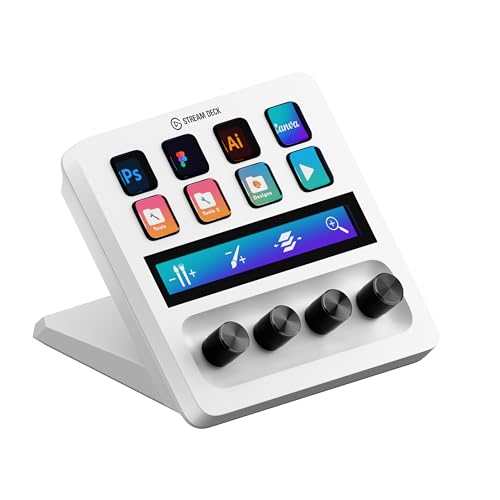
Elgato Stream Deck + White
Why We Love It
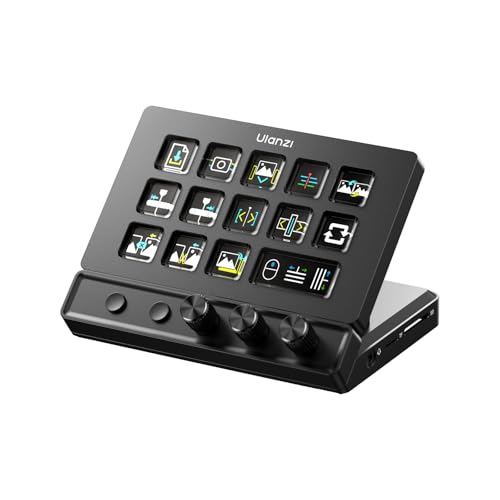
Ulanzi D200X 8-in-1 Stream Controller mit 3 Drehknopf 14
Why We Love It

Elgato Stream Deck MK.2 White–Studio Controller
Why We Love It

Razer Stream Controller: All-In-One Keypad for Streaming
Why We Love It
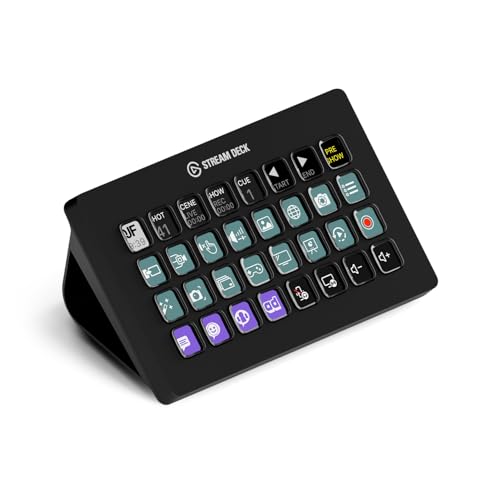
Elgato Stream Deck XL–Advanced Studio Controller
Why We Love It

LCD Stream Controller
Why We Love It

VSDINSIDE Macro Keypad
Why We Love It
Quick Pick
10 Best Stream Controllers Of 2026
Quick Pick
FIFINE AmpliGame D6 Stream Controller with 15 Macro Keys, Trigger Actions | Streaming Keyboard for OBS, Twitch/YouTube/Streamlabs, Shortcut Buttons Keypad, MAC and PC
elgato Stream Deck MK.2–Studio Controller, 15 Macro Keys, Trigger Actions in apps and Software Like OBS, Twitch, YouTube and More, Works with Mac and PC
Elgato Stream Deck +, Audio Mixer, Production Console and Studio Controller for Content Creators, Streaming, Gaming, with customizable touch strip dials and LCD keys, works with Mac and PC
Elgato Stream Deck + White, Bluetooth Audio Mixer, Live Production and Studio Controller, Customizable Touch Bar, Control Knobs, LCD Keys, for Mac and PC
Ulanzi D200X 8-in-1 Stream Controller mit 3 Drehknopf 14 LCD-Makrotasten, Streamdeck mit Dockingstation, 4K HDMI, Audioanschluss, USB-C, kompatibel mit Mac/Windos, für OBS/Streaming/Editing/Fotografie
Elgato Stream Deck MK.2 White–Studio Controller, 15 Macro Keys, Wi-Fi, Trigger Actions in apps and Software Like OBS, Twitch, YouTube and More, Works with Mac and PC
Razer Stream Controller: All-In-One Keypad for Streaming - 12 Haptic Switchblade Keys - 6 Tactile Analog Dials - 8 Programmable Buttons - Designed for PC & Mac Compatibility
elgato Stream Deck XL–Advanced Studio Controller, 32 Macro Keys, Activates Actions in apps and Software Such as OBS, Twitch, Youtube and Others, Works on Mac and PC
LCD Stream Controller, 15-Key Shortcut Console Desktop Stream Console Customise Touch Buttons OBS Stream Key All-in-One Stream Key Stream Setup Enhancer for OBS, Twitch, YouTube - Mac & PC Compatible
VSDINSIDE Macro Keypad, Stream Controller Deck with 18 Programmable Keys, Customizable Visual AI Pad, USB Soundboard for OBS, YouTube, Desk Office, Laptop, PC, Mac
Buying Guide: Stream Controllers
📋 Table of Contents
1What input options should I look for in a stream controller?
Most stream controllers support USB and Bluetooth for connecting to your PC or console. Look for models with both for flexibility, especially if you want to use the controller wirelessly with a mobile device or wired for low latency on a PC.
2How important is programmable button support?
Programmable buttons let you map complex commands or macros, which is essential for stream overlays, scene switching, or custom voice commands. If you want to automate parts of your stream, choose a model with at least 10-15 programmable buttons or more.
3What software compatibility should I check before buying?
Ensure the controller works with your streaming platform’s software (like OBS, Streamlabs, or vMix) and supports common automation tools. Some controllers come with their own software, while others integrate with third-party apps for more control.
4Is a built-in media player useful for my setup?
A built-in media player lets you queue and play videos, GIFs, or audio clips during your stream without switching apps. It’s especially handy for reaction streams or content creators who want to play pre-recorded segments on the fly.
5What accessories are worth getting with a stream controller?
A spare battery or charging cable is essential for wireless models, while a carrying case or stand can help keep your setup organized. Some users also find a secondary screen or LCD panel useful for displaying timers, chat messages, or alerts during a stream.
How we choose
Our editors are people who genuinely love testing and writing about products. We compare each product's real-world usability and strengths, then distill what matters most into our own "Why We Love It" points — so you get an honest, at-a-glance sense of what counts before you buy.