10 Best Storage Drives Of 2026
Storage Drives — Reviews, Recommendations & Updated Buying Guide November 2026


WD Western Digital 2TB Elements Portable USB 3.0
Why We Love It


Seagate Expansion Portable, 1TB
Why We Love It

UnionSine External Hard Drive 500GB Ultra Slim Portable Hard
Why We Love It
UnionSine 1TB Ultra Slim Portable External Hard Drive
Why We Love It

SanDisk 1TB Portable SSD Drive
Why We Love It
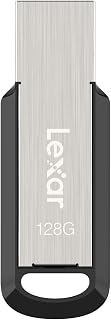
Lexar 128GB JumpDrive M400 USB 3.0 Flash Drive
Why We Love It

Western Digital WD 5TB My Passport Portable External Storage
Why We Love It

WD 6TB My Passport Portable External Hard Drive
Why We Love It

Western Digital 6TB My Book Desktop External Hard Drive
Why We Love It

WD 12TB My Book External Hard Drive
Why We Love It
Quick Pick
10 Best Storage Drives Of 2026
Quick Pick
WD Western Digital 2TB Elements Portable USB 3.0 High-Capacity Hard Drive, WDBU6Y0020BBK, WESN,Black
Seagate Expansion Portable, 1TB, External Hard Drive, 2.5 Inch, USB 3.0, for Mac and PC (STKM1000400)
UnionSine External Hard Drive 500GB Ultra Slim Portable Hard Drives USB 3.0 HDD Storage Compatible for PC, Mac, Laptop, Xbox, Xbox one, PS4(Black) HD-006
UnionSine 1TB Ultra Slim Portable External Hard Drive HDD-USB 3.0 Black | 2.5” Storage Drive for PC, Mac, Laptop, PS4, Xbox one,Xbox 360-HD2510
SanDisk 1TB Portable SSD Drive, Up to 600MB/s Read Speed, USB-C, USB 3.2 Gen 2, PC & Mac Compatible Solid state Drive
Lexar 128GB JumpDrive M400 USB 3.0 Flash Drive, Up to 150MB/s Read (LJDM400128G-BNBNU)
Western Digital WD 5TB My Passport Portable External Storage, USB 3.0, Portable HDD with Software for Device Management, Backup, Password Protection, Works with PC, Xbox, PlayStation, Black
WD 6TB My Passport Portable External Hard Drive, Black, Includes Backup Software with Defense Against ransomware, and Password Protection - WDBR9S0060BBK-WESN
Western Digital 6TB My Book Desktop External Hard Drive, USB 3.0, External HDD with Password Protection and Auto Backup Software - WDBBGB0060HBK-NESN
WD 12TB My Book External Hard Drive, Desktop HDD with Password Protection, USB 3.0, SuperSpeed USB, Software for Device Management, Backup, Hardware encryption, Works with PC and Mac, Black
Buying Guide: Storage Drives
📋 Table of Contents
1What should I look for when choosing a storage drive?
Consider the storage capacity, interface type (SATA, NVMe, USB), speed (read/write rates), and form factor (2.5-inch, M.2, etc.) to ensure compatibility with your device.
2What are the key specifications to compare between storage drives?
Key specs include capacity, interface type, read/write speeds, cache size, and whether it's SSD or HDD, as these impact performance and compatibility.
3How do I ensure the storage drive is compatible with my device?
Check your device's manual or specifications for supported drive types, interface ports, and form factors to ensure the drive will fit and function properly.
4When should I pay more for a storage drive?
Pay more for higher read/write speeds, larger capacities, or more durable drives if you need faster performance or long-term data storage reliability.
5What are common mistakes people make when buying storage drives?
Common mistakes include ignoring compatibility, underestimating capacity needs, or choosing a slower drive for tasks that require high-speed data access, like video editing or gaming.
How we choose
Our editors are people who genuinely love testing and writing about products. We compare each product's real-world usability and strengths, then distill what matters most into our own "Why We Love It" points — so you get an honest, at-a-glance sense of what counts before you buy.