10 Best Startech Print Servers Of 2026
Startech Print Servers — Reviews, Recommendations & Updated Buying Guide November 2026


StarTech.com 10/100Mbps Ethernet to USB 2.0 Network Print
Why We Love It


StarTech.com Ethernet to Parallel Network Print Server
Why We Love It

StarTech.com 1 Port USB Wireless Network Print Server with
Why We Love It

Wireless Print Server
Why We Love It

Airshi WiFi Print Server
Why We Love It

IOGEAR 1-Port USB 2.0 Print Server
Why We Love It

WAVLINK USB Wireless Print Server
Why We Love It
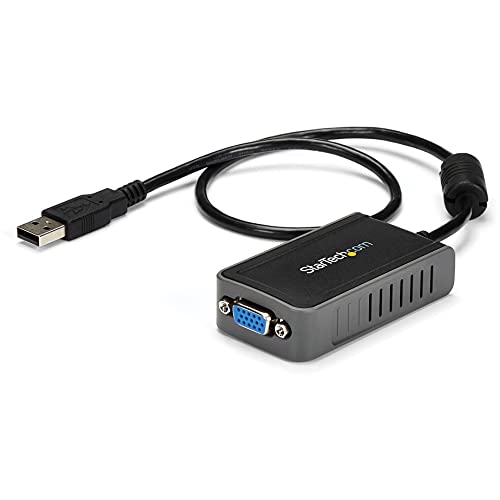
StarTech.com USB 2.0 to VGA Adapter
Why We Love It

DYMO LabelWriter Print Server
Why We Love It

StarTech.com DisplayPort to VGA Adapter
Why We Love It
Quick Pick
10 Best Startech Print Servers Of 2026
Quick Pick
StarTech.com 10/100Mbps Ethernet to USB 2.0 Network Print Server - Windows 10 - LPR - LAN USB Print Server Adapter (PM1115U2)
StarTech.com Ethernet to Parallel Network Print Server, 10/100Mbps LAN, WebUI, Centronics Ethernet Printer Server Adapter, TAA
StarTech.com 1 Port USB Wireless Network Print Server with 10/100 Mbps Ethernet Port (PM1115UW)
Wireless Print Server, 2 Port USB 2.0 WiFi Print Server with 100Mbps LAN & Bridge, Wired/Wireless/Standalone Modes, Compatible with Windows 10 8 7 XP, Mac OS and All RAW-Supported Printers
Airshi WiFi Print Server, LAN Print Share Server Supports Image Printing, Multiple Interfaces, Maximum Support 256GB forXP, USB 2.0Print Server (UK Plug)
IOGEAR 1-Port USB 2.0 Print Server, GPSU21
WAVLINK USB Wireless Print Server, WiFi Print Server with 10/100Mbps LAN/Bridge, 480Mbps USB2.0, Support Wireless/Wired/Standalone Modes, Compatible with Mac/Windows and All RAW-Supported Printers
StarTech.com USB 2.0 to VGA Adapter, USB to VGA Monitor Converter for Windows, 1440x900 (no support for macOS/ChromeOS/Linux)
DYMO LabelWriter Print Server | Network Adapter for LabelWriter Label Printers
StarTech.com DisplayPort to VGA Adapter - Active DP to VGA Converter - 1080p Video - DisplayPort Certified - DP/DP++ Source to VGA Monitor Cable Adapter Dongle - Latching DP Connector (DP2VGA2)
Buying Guide: Startech Print Servers
📋 Table of Contents
1What's the difference between StarTech print servers with built-in vs. external ports?
Built-in port models are compact and cheaper, ideal for small offices with just a few printers. External port models give you flexibility to add or swap connections without replacing the device, making them better for growing networks.
2How do I know if a StarTech print server will work with my existing printers?
Check your printer's connection type (parallel, USB, or network) and match it with the server's available ports. Most StarTech models support standard protocols like IPP and LPR, so compatibility issues are rare, but verify this on the product specs before buying.
3What network speed should I look for in a print server?
A Gigabit Ethernet connection (1000 Mbps) is worth the extra cost if you're printing large files regularly—it cuts wait times significantly. For basic office printing with smaller documents, Fast Ethernet (100 Mbps) handles the job fine.
4When is it worth buying a managed print server vs. a basic one?
Managed models let you monitor print jobs, set user permissions, and troubleshoot remotely, making them essential for offices with 10+ users or strict compliance needs. Smaller setups with just a handful of users won't see enough benefit to justify the higher price.
5Do I need a print server with built-in storage or caching?
Storage helps if you're printing large batches or complex documents, as it buffers jobs and prevents network slowdowns. Most small to medium offices don't need this feature—it's mainly useful for high-volume printing environments.
How we choose
Our editors are people who genuinely love testing and writing about products. We compare each product's real-world usability and strengths, then distill what matters most into our own "Why We Love It" points — so you get an honest, at-a-glance sense of what counts before you buy.