10 Best Sd Card Photo Adapters Of 2026
Sd Card Photo Adapters — Reviews, Recommendations & Updated Buying Guide November 2026


Acer SD Card Reader
Why We Love It


Memory Card Reader
Why We Love It
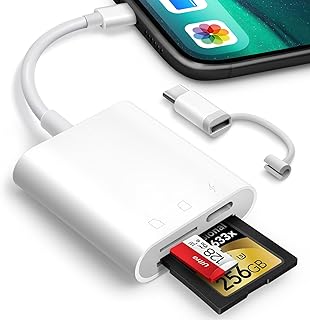
SD Card Reader for iPhone iPad
Why We Love It

UGREEN Card Reader High Speed USB C and USB3.0 Micro SD
Why We Love It

Loydia SD Card Reader
Why We Love It

Loydia SD Card Reader for iPhone
Why We Love It

SD Card Reader for iPhone
Why We Love It

T Tersely USB-C Type-C Memory SD Card Reader
Why We Love It

SD Card Reader for iPhone iPad
Why We Love It

UGREEN SD Card Reader USB 3.0/USB C OTG Dual Slot Memory
Why We Love It
Quick Pick
10 Best Sd Card Photo Adapters Of 2026
Quick Pick
Acer SD Card Reader, USB C & USB 3.0 Memory Card Reader Adapter | Supports SD/Micro SD/SDHC/SDXC/MMC, Compatible with iPhone 17 16 Series, MacBook Pro/Air, iPad Pro, Galaxy S26, XPS 13, etc.
Memory Card Reader, BENFEI 4in1 USB 3.0 and USB-C to SD Micro SD MS CF Card Reader Adapter, 4 Cards Simultaneously Read and Write, Compatible with iPhone 15 Series, MacBook Pro/Air 2023, and More
SD Card Reader for iPhone iPad,Oyuiasle Trail Game Camera SD Card Reader Viewer,Memory Card Reader Adapter with SD & MicroSD Card Slots,Plug and Play
UGREEN Card Reader High Speed USB C and USB3.0 Micro SD Memory Card Adapter | Dual Slots, Memory Card Reader, for SD/Micro SD/SDHC/SDXC/MMC UHS II, for iPhone, Mac, iPad, Android, Galaxy, Up to 312 MB/s
Loydia SD Card Reader, 2 in 2 USB C to Micro-SD Card Viewer Reader, Type C OTG Adapter Lightning Memory Card Adapter, Dual Slot for SD/MicroSD/SDHC/SDXC, Plug and Play
Loydia SD Card Reader for iPhone, 3-in-2 USB C MicroSD Card Reader, Micro SD to Type C Adapter Memory Card reader with SD/TF Card Slot, Camera Card Viewer SD Card reader for iPad/Huawei/iPhone 15
SD Card Reader for iPhone, Memory Card Reader with USB-C to Lightning Adapter Plug and Play Trail Game Camera Micro SD Card Viewer Support SD/TF Card and USB for iPad No App Required (White)
T Tersely USB-C Type-C Memory SD Card Reader | For iPhone 17/16/15 Pro/Max/Plus, MacBook Pro Air M5 M4 M3 /iPad Pro Air, for Samsung S26/S25 Series, for Pixel, More
SD Card Reader for iPhone iPad, USB C & Lightning Dual Interface Memory Card Reader, Digital Camera Adapter to iPhone/MacBook/USBC Laptop for SD/TF/Sim Card, Plug & Play, Camera Accessories
UGREEN SD Card Reader USB 3.0/USB C OTG Dual Slot Memory Card Adapter for iPhone 17 Series,MacBook Pro, M1 M2 Mac Air, iPad, Surface, Dell XPS, Samsung, Huawei
Buying Guide: Sd Card Photo Adapters
📋 Table of Contents
1What SD card speed class do I need for high-resolution photo transfers?
For 1080p or 4K photo transfers, look for at least a UHS-I (U1) card with 10MB/s minimum write speed. For burst shooting or 8K, UHS-II (U3) or V30 cards with 30MB/s or higher are better to avoid buffer delays and dropped frames.
2Should I choose a microSD adapter or a full-size SD adapter for my camera?
Use a full-size SD adapter if your camera has an SD slot and you want direct compatibility. MicroSD adapters are ideal for compact devices like smartphones or action cameras, but ensure the adapter is durable and has a secure lock to prevent accidental ejection.
3How much storage capacity do I really need for photo storage?
For casual photographers, 64GB to 128GB is usually enough. For high-volume shooting in RAW or 4K, 256GB or 512GB is better. Always leave 20-30% free space to ensure smooth performance and avoid write errors.
4What’s the difference between Class 10 and UHS speed ratings?
Class 10 guarantees a minimum 10MB/s write speed, while UHS-I and UHS-II offer faster speeds (up to 104MB/s and 312MB/s, respectively). UHS cards are better for high-speed photo and video workflows, especially with modern DSLRs and mirrorless cameras.
5Are SD card adapters with built-in USB-C or USB 3.0 ports worth it?
Yes, if you need fast transfers to a laptop or smartphone. USB 3.0 and USB-C adapters offer read speeds up to 100MB/s or more, cutting transfer time in half compared to standard USB 2.0. Look for adapters with a metal shield for durability and heat resistance.
How we choose
Our editors are people who genuinely love testing and writing about products. We compare each product's real-world usability and strengths, then distill what matters most into our own "Why We Love It" points — so you get an honest, at-a-glance sense of what counts before you buy.