10 Best Samsung Touchscreen Laptop With Pen Of 2026
Samsung Touchscreen Laptop With Pen — Reviews, Recommendations & Updated Buying Guide November 2026


Samsung 12.2" FHD 2-in-1 Touchscreen Chromebook Plus Laptop
Why We Love It


SAMSUNG 16” Galaxy Book5 Pro 360 Copilot+ PC
Why We Love It

Samsung 16” Galaxy Book5 Pro 360 Copilot+ PC
Why We Love It
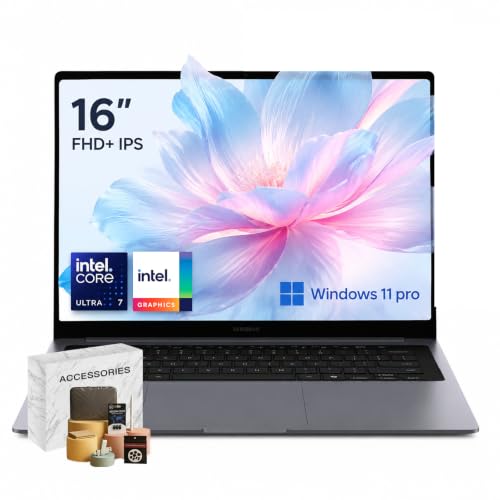
Samsung Galaxy Book6 16" Touch Screen Laptop
Why We Love It

Samsung Galaxy Book2 Go Wi-Fi Laptop
Why We Love It
Quick Pick
10 Best Samsung Touchscreen Laptop With Pen Of 2026
Quick Pick
Samsung 12.2" FHD 2-in-1 Touchscreen Chromebook Plus Laptop for Business&Students, Intel Dual-Core, 4GB RAM, 224GB Storage(64GB eMMC+160GB Docking Station Set), Stylus Pen, Wireless Mouse, Silver
SAMSUNG 16” Galaxy Book5 Pro 360 Copilot+ PC, AI Business Laptop, Windows 11 Pro, Intel Core Ultra 7 Processor 258V, 3K AMOLED Touchscreen, 32GB / 1TB, 120HZ, 2025 Model NP964QHA-KG2US, Gray | AI Business Laptop with Copilot, Windows 11 Pro, 3K AMOLED Touchscreen, 32GB/1TB, 2025, Gray, NP964QHA-KG2US
Samsung 16” Galaxy Book5 Pro 360 Copilot+ PC, AI Computer, Intel Core 7 Ultra Processor, 3K AMOLED (2880x1800) Touchscreen, S Pen,120Hz, Dolby Atmos, Student Laptop, Lightweight, All-Day Battery Life
Samsung Galaxy Book6 16" Touch Screen Laptop, 16GB LPDDR5 RAM, 512GB SSD
Samsung Galaxy Book2 Go Wi-Fi Laptop, 14 Inch, 3rd gen Snapdragon 7C+ Processor, 4GB RAM, 128GB Storage, Silver - Official
Buying Guide: Samsung Touchscreen Laptop With Pen
📋 Table of Contents
1What's the difference between Samsung's touchscreen laptop models with pen support?
Samsung Galaxy Book models vary mainly in processor power (Intel or Snapdragon), screen size (13-15 inches), and RAM configurations. The newer models offer better battery life and faster processors, while older versions are cheaper but may struggle with heavy multitasking or creative work.
2Does the pen come included, or do I need to buy it separately?
Most Samsung Galaxy Book models include the S Pen in the box, but always check the product listing to confirm. Some entry-level variants may sell the pen separately, so verify before purchasing if stylus support is important to you.
3What screen size should I choose for a touchscreen laptop with pen?
13-14 inch screens are better for portability and note-taking on the go, while 15-16 inch displays give you more room for creative work like drawing or design. Consider how you'll use it most—if it's mainly for sketching or design work, the larger screen pays off.
4Is the pen pressure sensitivity important, and how do I check it?
Pen pressure levels matter if you're doing digital art or detailed sketching—look for at least 4,096 levels, though Samsung's higher-end pens offer up to 16,384 levels. For basic note-taking or occasional sketching, lower pressure sensitivity is fine.
5Should I spend more on a higher-spec model, or will a basic one do?
Spend more if you'll use it for video editing, design work, or heavy multitasking—you need fast processors and extra RAM. For casual note-taking, web browsing, and light work, a mid-range model offers better value without unnecessary power.
How we choose
Our editors are people who genuinely love testing and writing about products. We compare each product's real-world usability and strengths, then distill what matters most into our own "Why We Love It" points — so you get an honest, at-a-glance sense of what counts before you buy.