10 Best Sakura 3d Printing Pens Of 2026
Sakura 3d Printing Pens — Reviews, Recommendations & Updated Buying Guide November 2026

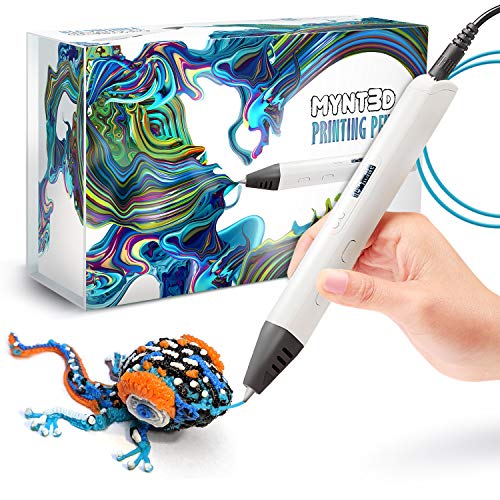
MYNT3D Professional 3D Printing Pen with OLED Display
Why We Love It


SCRIB3D P1 3D Printing Pen with Display - Includes 3D Pen
Why We Love It

SCRIB3D Advanced 3D Printing Pen with Display
Why We Love It

Sakura 3D Soufflé Pen - 3-D Pen for Lettering
Why We Love It

MYNT3D Super 3D Pen
Why We Love It

Sakura Pigma Micron Fineliner Pens
Why We Love It

3Doodler Flow 3D Printing Pen for Teens
Why We Love It

SAKURA 3D Soufflé Pen - 3-D Pen for Lettering
Why We Love It

SAKURA Pigma Calligrapher Brush Pens
Why We Love It

Sakura 3 Piece Zentangle Tool Set
Why We Love It
Quick Pick
10 Best Sakura 3d Printing Pens Of 2026
Quick Pick
MYNT3D Professional 3D Printing Pen with OLED Display
SCRIB3D P1 3D Printing Pen with Display - Includes 3D Pen, 3 Starter Colors of PLA Filament, Stencil Book + Project Guide, and Charger
SCRIB3D Advanced 3D Printing Pen with Display - Includes Advanced 3D Printing Pen, 3 Starter Colors of PLA Filament Stencil Book + Project Guide, and Charger
Sakura 3D Soufflé Pen - 3-D Pen for Lettering, Drawing, Line Borders, Ornaments, & More - Opaque White and Pastel Ink Colors - 10 Pack
MYNT3D Super 3D Pen, 1.75mm ABS and PLA Compatible 3D Printing Pen
Sakura Pigma Micron Fineliner Pens, Black, Assorted Points, 8 Pack
3Doodler Flow 3D Printing Pen for Teens, Adults & Creators! - Black - with Free Refill Filaments + Stencil Book + Getting Started Guide
SAKURA 3D Soufflé Pen - 3-D Pen for Lettering, Drawing, Line Borders, Ornaments, & More - Opaque White and Pastel Ink Colors - 16 Pack
SAKURA Pigma Calligrapher Brush Pens, Black, 1, 2 & 3 mm Nibs, 3 Pack
Sakura 3 Piece Zentangle Tool Set
Buying Guide: Sakura 3d Printing Pens
📋 Table of Contents
1What temperature range should a 3D pen have for different materials?
Look for a 3D pen with a temperature range of 150–220°C to handle common filaments like PLA, ABS, and PVA. Lower temps suit softer materials like TPU, while higher temps are needed for stiffer or heat-resistant filaments. Adjustable settings let you work with a wider variety of materials and avoid melting or clogging.
2How important is nozzle size for 3D pen performance?
A 0.4mm nozzle is standard for most 3D pens and works well for general use, but a 0.2mm nozzle offers finer detail for intricate designs. Larger nozzles (0.5mm or more) are better for faster, thicker lines and structural builds. Choose based on your project needs, not just aesthetics.
3What’s the difference between a single and dual extruder 3D pen?
A single extruder 3D pen uses one material at a time, while a dual extruder lets you switch between two materials or colors without stopping. Dual extruders are great for combining rigid and flexible filaments or adding color accents, but they’re heavier and more complex to manage for beginners.
4How long does a 3D pen typically last on a single charge?
Most 3D pens run for 2–4 hours on a full charge, depending on usage intensity and battery capacity. If you plan to work on large or detailed projects, look for a model with a removable or rechargeable battery and a quick-charge feature to avoid interruptions.
5Are extra nozzles or accessories worth buying separately?
Extra nozzles (like 0.2mm or 0.8mm) and tips (flat, pointed, or angled) can expand your creative options, especially for precision or large-scale work. A carrying case, cleaning tools, and a variety of filaments are also useful for frequent users, but avoid overbuying unless you know your specific needs.
How we choose
Our editors are people who genuinely love testing and writing about products. We compare each product's real-world usability and strengths, then distill what matters most into our own "Why We Love It" points — so you get an honest, at-a-glance sense of what counts before you buy.