10 Best Rgb Gaming Monitor Arms Of 2026
Rgb Gaming Monitor Arms — Reviews, Recommendations & Updated Buying Guide November 2026


NB Ergonomic RGB Monitor Arm for 32 to 60 inch Ultrawide
Why We Love It


Thermaltake Single RGB Monitor Arm: Supports Up To One 49”
Why We Love It

Thermaltake Single Heavy Duty RGB Monitor Arm for up to 49
Why We Love It
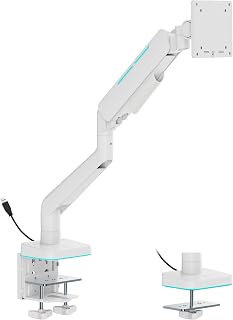
Pivot Single RGB Monitor Arm
Why We Love It

GAMEON RGB Lighting Gaming Table Top
Why We Love It

Twisted Minds 17"-32" Dual Monitor Desk Mount
Why We Love It

RGB Gaming Monitor Arm with Gas Spring
Why We Love It

Twisted Minds 17"-32" Single Monitor Desk Mount
Why We Love It

Navodesk Control Gaming Monitor Arm - Model XR
Why We Love It
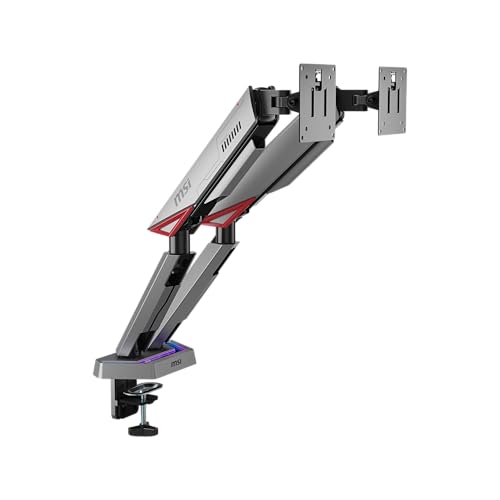
MSI MPG MT161DR - Premium RGB Dual Monitor Stand Arms
Why We Love It
Quick Pick
10 Best Rgb Gaming Monitor Arms Of 2026
Quick Pick
NB Ergonomic RGB Monitor Arm for 32 to 60 inch Ultrawide Curved Computer Screen, Heavy Duty Monitor Stand 49 inch Screens Max Load 20 kg, C-clamp & Grommet Installation VESA 75/100 mm (Purple)
Thermaltake Single RGB Monitor Arm: Supports Up To One 49” Monitor, Under Glow Lighting Effect, Cable Management System, Compatible With Desks & Monitors From Thermaltake - Black
Thermaltake Single Heavy Duty RGB Monitor Arm for up to 49 inchs and 44 lbs Screen, 100 x 100 mm VESA Compatible, Wide Rage Movements, GEA-MSR-SMSBLK-01
Pivot Single RGB Monitor Arm – Gas Spring Adjustable Arm with RGB Lighting, Fits 17"–49" Screens, 20KG Max Load – White
GAMEON RGB Lighting Gaming Table Top, Stand And Mount For Gaming And Office Use, 37" - 65", Each Arm Up To 40 KG, Black
Twisted Minds 17"-32" Dual Monitor Desk Mount - Ambient Relaxing RGB Lights - Articulating Aluminum Gas Spring Monitor Stand, Detachable VESA, C-Clamp, Grommet, Cable Management - White
RGB Gaming Monitor Arm with Gas Spring, Adjustable Desk Mount for 17 to 35 Inch Screens, Full Motion Ergonomic Design, VESA Compatible, Cable Management Included
Twisted Minds 17"-32" Single Monitor Desk Mount - Ambient Relaxing RGB Lights - Articulating Aluminum Gas Spring Monitor Stand, Detachable VESA, C-Clamp, Grommet, Cable Management - White
Navodesk Control Gaming Monitor Arm - Model XR, Ergonomic Monitor Desk Mount with 20 RGB Lighting Effects & Quick Release VESA Plate, Adjustable Monitor Stand with Clamp (Single, Space Grey)
MSI MPG MT161DR - Premium RGB Dual Monitor Stand Arms, 17-38" Support, VESA Compatible, Adjustable Spring Assisted Mount, 35.2 lbs per Screen Capacity, Clamp & Grommet, Quick Release Plate - Black
Buying Guide: Rgb Gaming Monitor Arms
📋 Table of Contents
1What mounting compatibility should I look for in an RGB gaming monitor arm?
Check for VESA 75x75 or 100x100mm compatibility, as these are the most common standards. Some arms also support 200x200mm for larger monitors. Ensure the arm can handle your monitor’s weight, typically 5-12kg, depending on size and features like RGB lighting.
2How does RGB lighting affect the performance of a monitor arm?
RGB lighting has no impact on performance, but it enhances aesthetics and immersion. Look for arms with programmable LED strips or built-in controllers for customization. Avoid models with excessive lighting that might cause glare on your monitor screen.
3What range of adjustability is ideal for a gaming setup?
Opt for arms with at least 15-inch vertical and 12-inch horizontal movement for flexibility. A full 360-degree swivel and tilt adjustment of 15-20 degrees are essential for ergonomic positioning during long gaming sessions or streaming.
4Are there differences between desk-mounted and wall-mounted RGB monitor arms?
Desk-mounted arms offer more flexibility and are easier to install, while wall-mounted options save desk space but require drilling. Wall mounts are best for fixed setups, whereas desk arms are better for users who need frequent repositioning or multiple monitors.
5What materials are best for durability and stability?
Look for arms made from aluminum or steel for strength and minimal flex. Avoid plastic arms unless they are reinforced with metal brackets. A sturdy base or clamp with a non-slip grip ensures your monitor stays secure during intense gaming or movement.
How we choose
Our editors are people who genuinely love testing and writing about products. We compare each product's real-world usability and strengths, then distill what matters most into our own "Why We Love It" points — so you get an honest, at-a-glance sense of what counts before you buy.