10 Best Rechargeable Wireless Mice Of 2026
Rechargeable Wireless Mice — Reviews, Recommendations & Updated Buying Guide November 2026


UGREEN Rechargeable Wireless Mouse
Why We Love It


Logitech M171 Wireless Mouse for PC
Why We Love It

TECKNET Wireless Mouse (BT5.0/3.0 & 2.4G) Rechargeable 4800
Why We Love It

Nabelisen Bluetooth Mouse
Why We Love It

Rii RM200 Wireless Mouse
Why We Love It

TECKNET Ergonomic Mouse
Why We Love It

Trust Zaya Rechargeable Wireless Mouse (built-in battery
Why We Love It

Nabelisen Bluetooth Mouse
Why We Love It

Nabelisen Bluetooth Mouse
Why We Love It
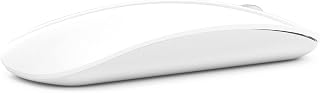
Bluetooth Mouse, Rechargeable Wireless Mouse
Why We Love It
Quick Pick
10 Best Rechargeable Wireless Mice Of 2026
Quick Pick
UGREEN Rechargeable Wireless Mouse, Bluetooth5.4 and 2.4GHz, Long Battery Life, Ergonomic Silent Mouse, 6 Buttons with 5 Adjustable 4000 DPI, Compatible with Laptop PC Mac Computer Chromebook MacBook | Long Life Battery Design, Ergonomic, Quiet Click, 4000 DPI for PC Laptop Windows macOS Linux
Logitech M171 Wireless Mouse for PC, Mac, Laptop, 2.4 GHz with USB Mini Receiver, Optical Tracking, 12-Months Battery Life, Ambidextrous - Black
TECKNET Wireless Mouse (BT5.0/3.0 & 2.4G) Rechargeable 4800 DPI Silent USB A & Bluetooth Mouse 6 Buttons, Wide Compatibility - Black
Nabelisen Bluetooth Mouse,Rechargeable Wireless Mouse for MacBook Pro/MacBook Air,Bluetooth Wireless Mouse for Laptop/PC/Mac/iPad pro/Computer (black)
Rii RM200 Wireless Mouse, 5 Buttons Rechargeable Mouse, with Colorful LED Lights Game Computer Mice-Black
TECKNET Ergonomic Mouse, Wireless Rechargeable Vertical Mouse for Carpal Tunnel Right Hand, 4800 DPI 5 Adjustable Levels 2.4GHz with USB-A Receiver, Silent Click, for Laptop, PC (Rechargeable)
Trust Zaya Rechargeable Wireless Mouse (built-in battery, USB micro-receiver, 4 buttons, 800-1200-1600 DPI) Black 23809
Nabelisen Bluetooth Mouse,Rechargeable Wireless Mouse for MacBook Pro/MacBook Air,Bluetooth Wireless Mouse for Laptop/PC/Mac/iPad pro/Computer (Silver)
Nabelisen Bluetooth Mouse,Rechargeable Wireless Mouse for MacBook Pro/MacBook Air,Bluetooth Wireless Mouse for Laptop/PC/Mac/iPad pro/Computer (White)
Bluetooth Mouse, Rechargeable Wireless Mouse, Silent Tri-Mode Wireless Mouse (Dual Bluetooth 5.1 + 2.4 GHz) with USB Receiver for Laptop/iPad/PC/Mac,White
Buying Guide: Rechargeable Wireless Mice
📋 Table of Contents
1How long should the battery last on a single charge?
Most rechargeable wireless mice offer 20-60 hours of use per charge, depending on usage intensity. Look for at least 30 hours for casual use, and 40+ hours for heavy or professional use to avoid frequent recharging.
2What connection type is best for my needs?
Bluetooth is ideal for multi-device compatibility and low power use, while 2.4GHz dongles offer lower latency and faster response, which is better for gaming or high-precision tasks like graphic design.
3How important is DPI for a wireless mouse?
DPI (dots per inch) affects cursor speed and precision. A range of 800-1600 DPI is suitable for general use, while 2000-4000 DPI is better for gaming or detailed work. Look for adjustable DPI settings for flexibility.
4What charging method is most convenient?
USB-C charging is fast and widely compatible, while some models use a charging dock or replaceable batteries. For portability, a mouse with a built-in battery and quick-charge support (e.g., 5 minutes for 2 hours of use) is ideal.
5Are wired backup modes worth considering?
Some wireless mice offer a wired mode via a USB port for uninterrupted use during long sessions or when the battery is low. This is especially useful for work or travel where recharging isn't always possible.
How we choose
Our editors are people who genuinely love testing and writing about products. We compare each product's real-world usability and strengths, then distill what matters most into our own "Why We Love It" points — so you get an honest, at-a-glance sense of what counts before you buy.