10 Best Razer Blade 14 Of 2026
Razer Blade 14 — Reviews, Recommendations & Updated Buying Guide November 2026

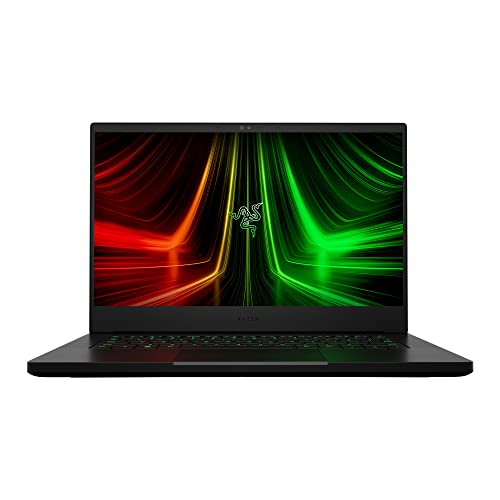
Razer Blade 14 Gaming Laptop: AMD Ryzen 9 6900HX CPU
Why We Love It


Razer Blade 15 Gaming Laptop 2020: 15.6'' Fhd-144 Hz Base
Why We Love It

ASUS ROG ROG Zephyrus G14 Gaming Laptop (Platinum White)
Why We Love It

Razer Blade 16 Gaming Laptop 2026
Why We Love It

Razer Laptop Cooling Pad: Adaptive Smart
Why We Love It
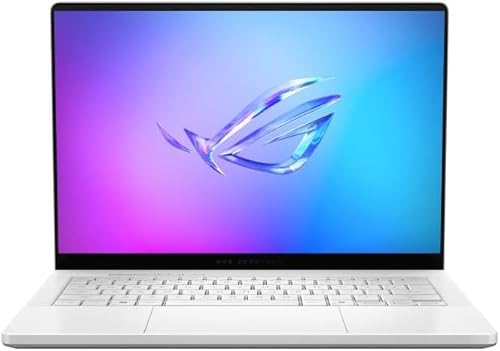
ASUS ROG Zephyrus G14 14" 3K OLED 120Hz Gaming Laptop
Why We Love It

Razer Viper V4 Pro E-Sport Gaming Mouse
Why We Love It

ASUS (Upgraded) ROG Zephyrus G14 Latest (2025) 14" 3K OLED
Why We Love It

Acer Predator Helios Neo 14 Gaming Laptop
Why We Love It
Razer Blade 16 Gaming Laptop 2026
Why We Love It
Quick Pick
10 Best Razer Blade 14 Of 2026
Quick Pick
Razer Blade 14 Gaming Laptop: AMD Ryzen 9 6900HX CPU - NVIDIA GeForce RTX 3070 Ti - 14" QHD 165Hz - 16GB DDR5 RAM - 1TB PCIe SSD - Windows 11 - Ultra-Thin - CNC Aluminum - Chroma RGB
Razer Blade 15 Gaming Laptop 2020: 15.6'' Fhd-144 Hz Base Model, Intel Core I7-10750H 6-Core, Nvidia Geforce Rtx 2060, 16GB RAM, 512GB Ssd, Chroma RGB Lighting - Qwerty Us-Layout
ASUS ROG ROG Zephyrus G14 Gaming Laptop (Platinum White) | 14"3K (2880 x 1800) 120Hz OLED Display, AMD Ryzen AI 9 465, NVIDIA RTX5060 8GB, 32GB RAM, 1TB SSD, Win11 [GA403GM-SY006W]
Razer Blade 16 Gaming Laptop 2026 | Intel Core Ultra 9 386H | RTX 5090 16GB | 32GB RAM | 2TB SSD | 16” QHD+ OLED 240Hz | Windows 11 | Ultra Thin Premium Performance Laptop - Black
Razer Laptop Cooling Pad: Adaptive Smart - Intelligent Fan Control - Airtight Pressure Chamber - Fits Most Laptops & Macbooks 14” to 18" - Preset & Custom Fan Curves - 3 Port USB Type A - Chroma RGB
ASUS ROG Zephyrus G14 14" 3K OLED 120Hz Gaming Laptop Copilot+ PC AMD Ryzen AI 9 HX 370 RTX 5080 32GB RAM 2TB SSD Platinum White
Razer Viper V4 Pro E-Sport Gaming Mouse, Black
ASUS (Upgraded) ROG Zephyrus G14 Latest (2025) 14" 3K OLED 120Hz Gaming Laptop Copilot+ PC AMD Ryzen AI 9 HX 370 NVIDIA RTX 5070 Ti 12GB 32GB LPDDR5X RAM 1TB SSD RGB KB Windows 11 Platinum White
acer Predator Helios Neo 14 Gaming Laptop | 14.5" WQXGA IPS 120Hz Display | Powered by Artificial Intelligence | Intel Core Ultra 7 155H Processor | NVIDIA GeForce RTX 4060 | 16GB
Razer Blade 16 Gaming Laptop 2026 | Intel Core Ultra 9 386H | RTX 5080 16GB | 64GB RAM | 1TB SSD | 16” QHD+ OLED 240Hz | Windows 11 | Ultra Thin Premium Performance Laptop - Black
Buying Guide: Razer Blade 14
📋 Table of Contents
1How much RAM do I really need for gaming?
At least 16GB is standard for most modern games and multitasking, while 32GB future-proofs your system for higher-end titles and content creation. Less than 16GB can cause lag, especially in open-world or multiplayer games.
2Is a dedicated GPU better than integrated graphics?
Yes — a dedicated GPU (like an RTX or RX series) handles complex graphics and ray tracing, ensuring smooth performance in AAA games. Integrated graphics struggle with high settings and newer titles, even on mid-range CPUs.
3What storage type should I prioritize: SSD or HDD?
Opt for at least a 500GB SSD for faster game loading and system responsiveness. HDDs are cheaper and good for extra storage, but they significantly slow down boot and load times, especially for large games.
4How important is a high refresh rate display for gaming?
A 144Hz or higher refresh rate reduces motion blur and input lag, making fast-paced games like FPS or MOBAs feel smoother. 60Hz screens can feel sluggish and are best avoided if you value competitive or immersive gameplay.
5Should I prioritize a lightweight or a powerful gaming laptop?
Powerful laptops are often heavier due to cooling systems and high-end components, while lighter models may sacrifice performance. If you travel often, look for a 2-2.5kg balance between portability and performance for most modern games.
How we choose
Our editors are people who genuinely love testing and writing about products. We compare each product's real-world usability and strengths, then distill what matters most into our own "Why We Love It" points — so you get an honest, at-a-glance sense of what counts before you buy.