10 Best Qnap Network Attached Storage Of 2026
Qnap Network Attached Storage — Reviews, Recommendations & Updated Buying Guide November 2026


QNAP TR-002-A-US 2 Bay USB Type-C Direct Attached Storage
Why We Love It

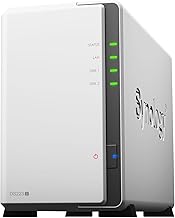
Synology 2-Bay DiskStation DS223j (Diskless)
Why We Love It

QNAP TS-464-8G-US 4 Bay High-Performance Desktop NAS with
Why We Love It

UGREEN NASync DH4300 Plus 4-Bay Desktop NAS
Why We Love It

Synology DiskStation DS423 Network Attached Storage Drive
Why We Love It

QNAP TS-664-8G-US 6 Bay High-Performance Desktop NAS with
Why We Love It

UGREEN NAS DXP4800 GT 4-Bay for Creators
Why We Love It

QNAP TS-233-US 2-Bay NAS
Why We Love It

QNAP 2 Bay DAS with 4TB Storage Capacity
Why We Love It
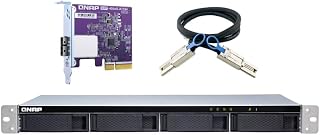
QNAP TL-R400S 4 Bay 1U Rackmount SATA 6Gbps JBOD Storage
Why We Love It
Quick Pick
10 Best Qnap Network Attached Storage Of 2026
Quick Pick
QNAP TR-002-A-US 2 Bay USB Type-C Direct Attached Storage (DAS) with Hardware RAID (Diskless)
Synology 2-Bay DiskStation DS223j (Diskless)
QNAP TS-464-8G-US 4 Bay High-Performance Desktop NAS with Intel Celeron Quad-core Processor, M.2 PCIe Slots and Dual 2.5GbE (2.5G/1G/100M) Network Connectivity (Diskless)
UGREEN NASync DH4300 Plus 4-Bay Desktop NAS, 4K HDMI NAS Server for Home | 2.5 GbE Port, 8GB LPDDR4X RAM, A76+A55 8 Cores SoC, Cloud Backup, Remote Access, NFC, Multi-Device Connectivity (Diskless)
Synology DiskStation DS423 Network Attached Storage Drive (Black)
QNAP TS-664-8G-US 6 Bay High-Performance Desktop NAS with Intel Celeron Quad-core Processor, M.2 PCIe Slots and Dual 2.5GbE (2.5G/1G/100M) Network Connectivity (Diskless)
UGREEN NAS DXP4800 GT 4-Bay for Creators, Tech Enthusiasts and Office Teams | Smart Home Data Hub, Direct NAS Editing & Dual 10GbE Transfers, Ryzen R2514, 8GB DDR4, 2x 10GbE, 2x M.2 NVMe Slots, Diskless
QNAP TS-233-US 2-Bay NAS, ARM Quad-Core, 2GB RAM
QNAP 2 Bay DAS with 4TB Storage Capacity, USB 3.2 Gen 2 Type-C, Preconfigured RAID 1 WD Red Plus HDD Bundle (TR-002-24W-US)
QNAP TL-R400S 4 Bay 1U Rackmount SATA 6Gbps JBOD Storage Enclosure. PCIe SATA Interface Card (QXP-400eS-A1164) Included | PCIe SATA interface card (QXP-400eS-A1164) included
Buying Guide: Qnap Network Attached Storage
📋 Table of Contents
1How much storage capacity do I actually need?
Start by calculating your current data plus 2-3 years of growth, then add 20-30% buffer for system operations. If you're backing up multiple computers or storing 4K video, aim for at least 8TB; for basic file sharing and documents, 4TB is often enough.
2What's the difference between QNAP's TS and TVS series?
TS models are general-purpose NAS for small offices and homes, while TVS series focus on video surveillance with better throughput for camera feeds. Pick TS unless you're specifically setting up IP cameras or heavy video workflows.
3Do I need to buy drives separately or do they come installed?
Most QNAP units ship empty—you buy and install hard drives yourself, which gives you flexibility and saves money. Some models come with drives pre-installed, but you'll pay more upfront.
4What matters more: number of bays or processing power?
Bay count determines your total storage capacity, while the processor affects speed and how many users can access files simultaneously. For home use, a 2-4 bay model with a decent processor handles everything; businesses doing heavy workloads should prioritize CPU power.
5Is it worth spending more on a higher-end QNAP model?
Upgrade if you need faster speeds, more bays, or advanced features like video surveillance, virtualization, or many simultaneous users. A basic entry-level model works fine for simple backup and file sharing in small homes or offices.
How we choose
Our editors are people who genuinely love testing and writing about products. We compare each product's real-world usability and strengths, then distill what matters most into our own "Why We Love It" points — so you get an honest, at-a-glance sense of what counts before you buy.