10 Best Ptz Webcams For Pc Of 2026
Ptz Webcams For Pc — Reviews, Recommendations & Updated Buying Guide November 2026


Insta360 Link 2 Pro PTZ 4K Webcam for PC/Mac | PC Camera
Why We Love It


Insta360 Link 2 Black - 4K Webcam for PC/Mac
Why We Love It
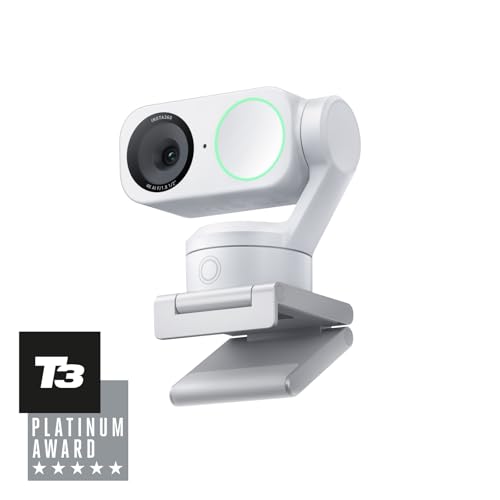
Insta360 Link 2 Arctic White - PTZ 4K Webcam for PC/Mac
Why We Love It

EMEET PIXY Dual-Camera AI-Powered PTZ Camera 4K
Why We Love It

OBSBOT Tiny 3 Lite AI-Powered Spatial Audio 4K Webcam
Why We Love It

Insta360 Link 2 Pro Creator Bundle
Why We Love It

Insta360 Link 2 PRO- PTZ 4K Webcam for PC/Mac 1/1.3” Sensor
Why We Love It

OBSBOT Tiny 2 Lite 4K Webcam for PC
Why We Love It

OBSBOT Tiny 3 AI-Powered 4K PTZ Webcam with Tripod
Why We Love It

OBSBOT Tiny SE 1080P 100FPS Webcam for PC
Why We Love It
Quick Pick
10 Best Ptz Webcams For Pc Of 2026
Quick Pick
Insta360 Link 2 Pro PTZ 4K Webcam for PC/Mac | PC Camera, 1/1.3" Sensor, AI Tracking, StreamDeck, Zoom, Teams and Twitch Streaming/Meeting Compatible
Insta360 Link 2 Black - 4K Webcam for PC/Mac, 1/2 Inch Sensor | Streaming Camera, AI Tracking, AI Noise Cancellation, Gesture Control, for Gaming, Zoom, Teams, Twitch & More
Insta360 Link 2 Arctic White - PTZ 4K Webcam for PC/Mac, 1/2" Sensor, AI Tracking, HDR, AI Noise-Canceling Mic, Gesture Control for Streaming, Video Calls, Gaming, Works with Zoom, Teams, & More
EMEET PIXY Dual-Camera AI-Powered PTZ Camera 4K, AI Tracking
OBSBOT Tiny 3 Lite AI-Powered Spatial Audio 4K Webcam - Compact AI Tracking PTZ Camera with 1/2" Sensor, Tri-Mic, Voice Control, 120FPS, HDR, Webcam for PC, Mac, Laptop, Streaming, Meeting, Switch 2 | Camera with 1/2" Sensor, Triple Microphone, Voice Control, 120 FPS, HDR, Web Cam for PC, Mac, Laptop, Streaming, Meeting.
Insta360 Link 2 Pro Creator Bundle – 4K PTZ Webcam for PC/Mac, 1/1.3” Sensor, Low-Light, AI Tracking, HDR, Directional Noise-Canceling Mics, Supports Stream Deck, Zoom, Twitch for Streaming
Insta360 Link 2 PRO- PTZ 4K Webcam for PC/Mac 1/1.3” Sensor, AI Tracking, Gesture Control, HDR, Directional Noise-Canceling Mics, Live Streaming, Gaming, Video Camera Works with Zoom, Teams, Twitch
OBSBOT Tiny 2 Lite 4K Webcam for PC, AI Tracking PTZ Streaming Camera with 1/2" Sensor, Gesture Control, 60 FPS, HDR, Microphones, Web Camera for Desktop Computer, Laptop, Meeting, Video Calls, etc.
OBSBOT Tiny 3 AI-Powered 4K PTZ Webcam with Tripod
OBSBOT Tiny SE 1080P 100FPS Webcam for PC, AI Tracking PTZ Streaming Camera with 1/2.8 Inch Sensor, Gesture Control, Dual ISO, Staggered HDR, Web Camera for Mac, Laptop, Tablet, Meetings, Gaming etc.
Buying Guide: Ptz Webcams For Pc
📋 Table of Contents
1What resolution and frame rate should I look for in a PTZ webcam for PC?
Opt for at least 1080p resolution with 30fps for smooth, clear video. For professional use, 4K at 30fps is ideal, but ensure your PC can handle the processing load to avoid lag or dropped frames.
2How important is the pan-tilt-zoom (PTZ) range for my needs?
Look for a minimum 360° pan and 120° tilt range for full room coverage. A 10x optical zoom is standard, but 15-20x is better for large spaces or when you need to focus on distant subjects without losing quality.
3Should I prioritize USB 3.0 or 2.0 connectivity?
USB 3.0 is strongly recommended for PTZ webcams, as it supports higher resolutions and faster data transfer. USB 2.0 may cause lag or limit you to 720p, which is insufficient for most modern PC use cases.
4What software features are essential for a PTZ webcam on PC?
Look for webcams with built-in software that allows preset positions, auto-tracking, and manual PTZ control. These features help you adjust the view without physically moving the camera, especially during meetings or streaming.
5Are external microphones or built-in audio sufficient for PTZ webcams?
Most PTZ webcams have decent built-in mics for small rooms, but for professional use or larger spaces, an external USB mic or 3.5mm audio input is better for clearer, more focused audio capture.
How we choose
Our editors are people who genuinely love testing and writing about products. We compare each product's real-world usability and strengths, then distill what matters most into our own "Why We Love It" points — so you get an honest, at-a-glance sense of what counts before you buy.