10 Best Portable A4 Printer Of 2026
Portable A4 Printer — Reviews, Recommendations & Updated Buying Guide November 2026


Phomemo M832 Portable Thermal Printer kit
Why We Love It


IDPRT Portable Thermal Printer
Why We Love It

Phomemo M834 (Upgraded) Portable Printer
Why We Love It

Epson WorkForce WF-110W A4 Portable Single Function Inkjet
Why We Love It

Rongta Thermal Portable Printers Wireless for Travel
Why We Love It

Phomemo M08F Thermal Printer Bluetooth Portable Wireless
Why We Love It

Portable Printers Wireless for Travel
Why We Love It

Canon MAXIFY BX110 Mobile Printer
Why We Love It
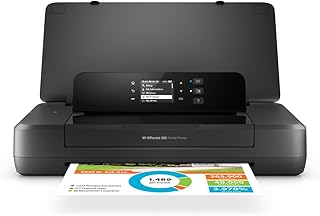
HP OfficeJet Mobile 202 Printer
Why We Love It

Phomemo Portable Printer for Travel (A4 & Tattoo)
Why We Love It
Quick Pick
10 Best Portable A4 Printer Of 2026
Quick Pick
Phomemo M832 Portable Thermal Printer kit, Bluetooth Inkless Printer, White | Supports A4 & US Letter, for Home/Office/Business, Compatible with Phone & Laptop
iDPRT Portable Thermal Printer, MT610 Pro Wireless for Travel, 300DPI Bluetooth Inkless Printer Support 8.5" X 11" US Letter& A4&A5 Thermal Paper for Home, Compatible with iOS, Android, Laptop, White
Phomemo M834 (Upgraded) Portable Printer, Inkless Thermal Printer Wireless, Support Multi-Size Thermal Paper, Compatible with iOS, Android & PC, Inkless Printer for Travel, Office, School,300dpi
Epson WorkForce WF-110W A4 Portable Single Function Inkjet Printer
Rongta Thermal Portable Printers Wireless for Travel, Bluetooth Mobile Printer, Inkless Printer for School/Office/Home Use, Compatible with Android,iOS & Laptop (Black)
Phomemo M08F Thermal Printer Bluetooth Portable Wireless Inkless Mobile Printer for Office, Home, Images, Compatible with Phone & Laptop(Gray) | Wireless Inkless Mobile Printer for Office, Home, Images, Compatible with Phone & Laptop
Portable Printers Wireless for Travel, N80 Wireless Thermal Printer Bluetooth Inkless Printer Support 8.5" X 11" US Letter & A4, Compatible with iOS, Android, Laptop
Canon MAXIFY BX110 Mobile Printer - WiFi Printer with Rechargeable Battery, Prints up to A4 | Perfect for Home Office & On the Go! Prints Wirelessly from Laptop, PC, Smartphone - with the Canon Print
HP OfficeJet Mobile 202 Printer | Portable | Wireless | Print | Two-sided Printing | Print Speed: 25ppm / 20ppm | UAE Version [N4K99C]
Phomemo Portable Printer for Travel (A4 & Tattoo), M08F Bluetooth Mobile Inkless Printer Support A4 Size, No-Ink Thermal Compact, Compatible with Android and iOS Phone & Laptop
Buying Guide: Portable A4 Printer
📋 Table of Contents
1What print resolution should I look for in a portable A4 printer?
A minimum of 1200 x 1200 dpi ensures sharp text and decent photo quality for most users. For professional graphics or high-quality images, aim for 4800 x 1200 dpi or higher, but be aware that higher resolutions may slow print speed slightly.
2How important is wireless connectivity for a portable A4 printer?
Wireless printing via Wi-Fi or Bluetooth is essential for easy use with laptops, tablets, and smartphones. Look for models with mobile app support and cloud printing for maximum flexibility, especially if you're working on the go.
3What battery life can I realistically expect from a portable A4 printer?
Most portable A4 printers offer 2–4 hours of continuous printing on a single charge, depending on usage. For extended use, choose a model with a removable battery or one that can print while charging for uninterrupted workflow.
4Is a color or monochrome printer better for my needs?
Color printers are ideal for presentations, marketing materials, or photos, but they cost more and use pricier ink. If you mostly print documents, a monochrome laser printer is faster, cheaper to run, and more energy-efficient for a portable setup.
5What paper capacity is enough for a portable A4 printer?
A 50–100 sheet paper tray is standard and sufficient for most on-the-go printing needs. If you need to print more without refilling, look for a printer that supports a separate rear tray or allows stacking paper on top for temporary use.
How we choose
Our editors are people who genuinely love testing and writing about products. We compare each product's real-world usability and strengths, then distill what matters most into our own "Why We Love It" points — so you get an honest, at-a-glance sense of what counts before you buy.