10 Best Photo Flatbed Scanner Of 2026
Photo Flatbed Scanner — Reviews, Recommendations & Updated Buying Guide November 2026


Epson Perfection V39 II Color Photo and Document Flatbed
Why We Love It


Canon LiDE 300 Colour Flatbed Scanner
Why We Love It

Canon LiDE 400 Flatbed Scanner
Why We Love It

Plustek OpticSlim 2610 A4 Flatbed Scanner
Why We Love It

Epson WorkForce DS-1630 Flatbed Scanner with ADF
Why We Love It
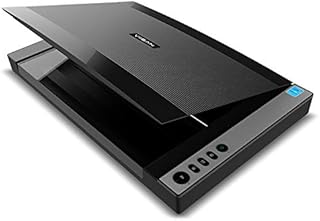
Viisan VF3120 A3 Flatbed Scanner Resolution 1200x1200 dpi
Why We Love It

Epson WorkForce DS-1730 Compact Flatbed Scanner For Small
Why We Love It

Canon CanoScan Lide 120 Flatbed Scanner
Why We Love It

HP ScanJet Pro N4600 fnw1 Professional Scanner
Why We Love It

VIISAN 3120 A3 Flatbed Scanner
Why We Love It
Quick Pick
10 Best Photo Flatbed Scanner Of 2026
Quick Pick
Epson Perfection V39 II Color Photo and Document Flatbed Scanner with 4800 dpi Optical Resolution, Scan to Cloud, USB Power and High-Rise, Removable Lid
Canon LiDE 300 Colour Flatbed Scanner - Black
Canon LiDE 400 Flatbed Scanner, Fast A4 Scanning with USB-C 3.0 Port | A4 flatbed scanning with 48-bit color depth; USB-powered, no consumable cost—scan documents and photos without ink
Plustek OpticSlim 2610 A4 Flatbed Scanner
Epson WorkForce DS-1630 Flatbed Scanner with ADF
Viisan VF3120 A3 Flatbed Scanner Resolution 1200x1200 dpi, editing software & OCR converts images to texts Mac driver available
Epson WorkForce DS-1730 Compact Flatbed Scanner For Small Businesses And Home Offices
Canon CanoScan Lide 120 Flatbed Scanner, 2400x4800dpi, 9622B010 (Flatbed Scanner, 2400x4800dpi USB 2.0, 25-19200 dpi)
HP ScanJet Pro N4600 fnw1 Professional Scanner, ADF, CIS scanning Technology, Flatbed (20G07A)
VIISAN 3120 A3 Flatbed Scanner, 1200 DPI, CIS Sensor, Scan 11.7" x 16.7" in 8 sec, Frameless, Auto-Scan, Document & Photo & Book Scanner, Design for Library, School and Soho. Supports Windows & Mac
Buying Guide: Photo Flatbed Scanner
📋 Table of Contents
1What resolution should I look for in a photo flatbed scanner?
For high-quality photo scanning, aim for at least 1200 dpi (dots per inch), with 2400 dpi or higher being ideal for archival or detailed prints. Higher resolution captures more detail, but also increases file size and scanning time, so balance it with your storage and workflow needs.
2What type of sensor is best for scanning photos?
CCD (charge-coupled device) sensors are preferred for photo flatbed scanners because they provide more accurate color reproduction and better light sensitivity compared to CIS (contact image sensor) models. CCD sensors are especially important for preserving the true colors and fine details in photographs.
3Should I prioritize a scanner with duplex scanning?
Duplex scanning is useful if you frequently scan double-sided documents or photo albums, as it automatically scans both sides without manual flipping. However, for most photo-only use, it’s less critical, and you can always scan each side separately for better control and quality.
4What size scanner bed is appropriate for photo scanning?
A standard A4-sized (216 x 297 mm) scanner bed is sufficient for most photo formats, including 4x6, 5x7, and 8x10 inches. If you work with larger prints or panoramic photos, look for a scanner with an A3-sized (297 x 420 mm) bed to accommodate bigger media without cropping.
5Are there any important connectivity options I should consider?
USB 2.0 or higher is standard and reliable for most photo scanning needs. For faster transfers, especially with high-resolution scans, look for USB 3.0 or a scanner with built-in Wi-Fi or cloud integration. These features are more relevant if you plan to scan large volumes or work with digital workflows regularly.
How we choose
Our editors are people who genuinely love testing and writing about products. We compare each product's real-world usability and strengths, then distill what matters most into our own "Why We Love It" points — so you get an honest, at-a-glance sense of what counts before you buy.