10 Best Philips 32 Inch Computer Monitor Of 2026
Philips 32 Inch Computer Monitor — Reviews, Recommendations & Updated Buying Guide November 2026


Philips 322E1C 32" Super-Curved Frameless Monitor
Why We Love It


PHILIPS 322M8CP/69, Curved, 32inch FHD
Why We Love It
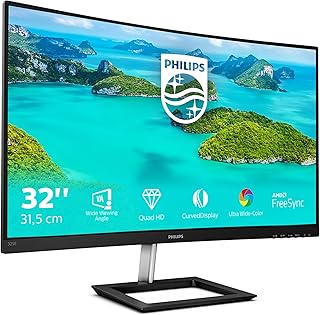
Philips 325E1C- 32 inch QHD Curved Monitor
Why We Love It

PHILIPS 32E1N3100LA - 32 inch Full HD Monitor
Why We Love It

PHILIPS 32E1N1800LA - 32 inch Ultra HD monitor
Why We Love It

PHILIPS 32" 4K UHD monitor with USB-C docking
Why We Love It
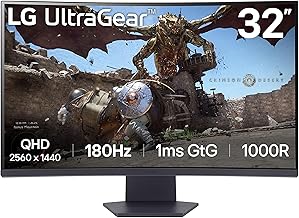
LG 32GS60QC-B Ultragear 32-inch Curved Gaming Monitor QHD
Why We Love It

PHILIPS Evnia 32M2N8900-32 inch UHD OLED gaming monitor
Why We Love It

PHILIPS 3000 series 32B1N3800/00 computer monitor 81.3 cm
Why We Love It
Quick Pick
10 Best Philips 32 Inch Computer Monitor Of 2026
Quick Pick
Philips 322E1C 32" Super-Curved Frameless Monitor, Full HD VA, 104% sRGB, Adaptive-Sync 75Hz, VESA, Black/Silver
PHILIPS 322M8CP/69 – Curved – 32inch FHD – VA 240Hz- Monitor
Philips 325E1C- 32 inch QHD Curved Monitor, 75Hz, 4ms, VA, AMD FreeSync, Flicker Free, Smart Image (2560 x 1440, 250 cd/m², HDMI 1.4/VGA/.DP 1.2)
PHILIPS 32E1N3100LA - 32 inch Full HD Monitor, Speaker, Tilt (1920x1080, VGA, HMDI 1.4) Black
PHILIPS 32E1N1800LA - 32 inch Ultra HD monitor, Adaptive Sync, HDR10, speakers (3840x2160, 60 Hz, DisplayPort, HDMI) black
PHILIPS 32" 4K UHD monitor with USB-C docking
LG 32GS60QC-B Ultragear 32-inch Curved Gaming Monitor QHD (2560x1440) 180Hz 1ms 1000R AMD FreeSync HDR10 HDMIx2 DisplayPort Borderless Design Black Stabilizer DAS Crosshair FPS Counter - Black
PHILIPS Evnia 32M2N8900-32 inch UHD OLED gaming monitor, 240 Hz, 0.03 ms, HDR400, FreeSync Prem. Pro, G-Sync comp. (3840x2160, 2x HDMI 2.1, 1x DP 1.4, 1x USB-C (65W PD), USB Hub) white
PHILIPS 3000 series 32B1N3800/00 computer monitor 81.3 cm (32") 3840 x 2160 pixels 4K Ultra HD LCD Black
Buying Guide: Philips 32 Inch Computer Monitor
📋 Table of Contents
1Is a 32-inch monitor too large for a desk?
At 32 inches, you'll want to sit at least 75-100cm away to avoid neck strain and see the entire screen comfortably. If your desk is shallow or you sit close to your monitor, a 27-inch might be better suited.
2What resolution should I look for on a 32-inch Philips monitor?
4K (3840x2160) is ideal for 32 inches to keep text sharp and avoid pixelation, though 1440p can work if you're primarily gaming. Standard 1080p will look noticeably blurry at this size.
3What's the difference between Philips gaming and office monitors at 32 inches?
Gaming models typically offer 144Hz+ refresh rates and faster response times, while office monitors prioritize color accuracy and flicker-free viewing. Choose based on your main use—gaming demands the refresh rate, while design or content work benefits from better color reproduction.
4Should I pay extra for a curved 32-inch Philips monitor?
Curved panels reduce glare and create better immersion for gaming, but they're more expensive and take up extra desk space. For productivity tasks like spreadsheets or coding, a flat screen is usually sufficient and more practical.
5What connectivity options matter for a 32-inch Philips monitor?
Look for HDMI 2.1 or DisplayPort 1.4 if you want to run 4K at high refresh rates, plus USB-C if you need to charge laptops. Multiple inputs are helpful for switching between devices without unplugging cables constantly.
How we choose
Our editors are people who genuinely love testing and writing about products. We compare each product's real-world usability and strengths, then distill what matters most into our own "Why We Love It" points — so you get an honest, at-a-glance sense of what counts before you buy.