10 Best Pen Drive Of 2026
Pen Drive — Reviews, Recommendations & Updated Buying Guide November 2026


SanDisk Cruzer Blade 64GB
Why We Love It


SanDisk 128GB Cruzer Blade USB 2.0 Flash Drive
Why We Love It

SanDisk Ultra Dual Drive Go USB-C Flash Drive
Why We Love It
SanDisk 128GB Ultra Dual Drive Go
Why We Love It
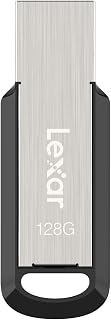
Lexar 128GB JumpDrive M400 USB 3.0 Flash Drive
Why We Love It

Acer 32GB UP200 USB 2.0 Flash Drive up to 30MB/s Green
Why We Love It

SanDisk Cruzer Blade 32 GB USB Flash Drive SDCZ50-032G-B35
Why We Love It

Acer 16GB UP200 USB 2.0 Flash Drive up to 30MB/s Green
Why We Love It

SanDisk 128GB Ultra Dual Drive Luxe Flash Drive Smartphone
Why We Love It

Lexar 64GB USB 3.1 Flash Drive
Why We Love It
Quick Pick
10 Best Pen Drive Of 2026
Quick Pick
SanDisk Cruzer Blade 64GB, USB-A Flash Drive, Black | Memory stick to help share your photos, videos, songs and other files between computers with ease - SDCZ50-064G-B35
SanDisk 128GB Cruzer Blade USB 2.0 Flash Drive
SanDisk Ultra Dual Drive Go USB-C Flash Drive, 64GB, for Android Smartphone, up to 400MB/s, Reversible USB Type-C and USB Type-A Connectors, for Smartphones, Tablets, Macs
SanDisk 128GB Ultra Dual Drive Go, USB Type-C Flash Drive, up to 400 MB/s, with Reversible Type-C and Type-A Connectors, for Smartphones, Tablets, Macs and Computers, Black
Lexar 128GB JumpDrive M400 USB 3.0 Flash Drive, Up to 150MB/s Read (LJDM400128G-BNBNU)
Acer 32GB UP200 USB 2.0 Flash Drive up to 30MB/s Green
SanDisk Cruzer Blade 32 GB USB Flash Drive SDCZ50-032G-B35, Black
Acer 16GB UP200 USB 2.0 Flash Drive up to 30MB/s Green
SanDisk 128GB Ultra Dual Drive Luxe Flash Drive Smartphone Storage, USB C Memory Stick up to 400 MB/s, Reversible USB Type-C and USB Type-A Connectors, for Tablets, Macs, Computers, All Metal Silver
Lexar 64GB USB 3.1 Flash Drive, USB-A & USB C USB Stick up to 130MB/s Read, Type-C Thumb Drive Swivel Design, Jump Drive for USB3.0/USB2.0, Memory Stick for Android Device/Tablet/Laptop/PC/Phone
Buying Guide: Pen Drive
📋 Table of Contents
1What capacity should I choose for a pen drive?
Choose a capacity based on your storage needs, such as 16GB for basic use, 64GB for more files, or 256GB and above for large media or backups.
2What speed class is important for a pen drive?
Look for USB 3.0 or USB 3.1 for faster data transfer speeds, especially if you work with large files like videos or high-resolution images.
3How do I ensure compatibility with my devices?
Check that the pen drive is compatible with both Windows and macOS, and confirm it has the correct USB interface (USB-A or USB-C) for your devices.
4When should I pay more for a pen drive?
Pay more for higher durability, better data transfer speeds, or additional features like encryption or water resistance if you need reliable and secure storage.
5What are common mistakes when buying a pen drive?
Common mistakes include buying too little storage, ignoring speed requirements, or not checking for compatibility with your devices, which can lead to inconvenience or wasted money.
How we choose
Our editors are people who genuinely love testing and writing about products. We compare each product's real-world usability and strengths, then distill what matters most into our own "Why We Love It" points — so you get an honest, at-a-glance sense of what counts before you buy.