10 Best Pcie Gen4 Internal Solid State Drives Of 2026
Pcie Gen4 Internal Solid State Drives — Reviews, Recommendations & Updated Buying Guide November 2026


Western Digital 500GB WD Green SN3000 NVMe Internal SSD
Why We Love It


Crucial P310 1TB SSD M.2 2280 NVMe PCIe Gen4
Why We Love It

Acer Predator GM7 2TB SSD
Why We Love It

Lexar NM710 SSD 2TB PCIe Gen4 NVMe M.2 2280 Internal Solid
Why We Love It

Samsung 990 PRO SSD 1TB PCIe Gen4 NVMe M.2 Internal Solid
Why We Love It

SANDISK 1TB WD Blue SN5100 NVMe SSD - M.2 2280
Why We Love It

BIWIN Black Opal NV7400 1TB SSD Gen4x4
Why We Love It

Lexar NM790 1TB Internal SSD
Why We Love It

Acer Predator GM7000 512GB Gaming SSD PCIe NVMe Gen4 M.2
Why We Love It
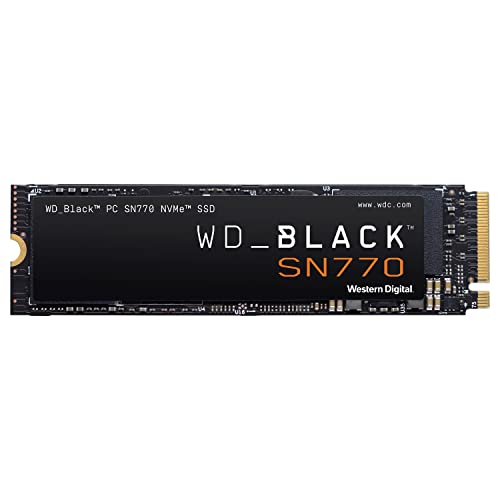
Western Digital WD_BLACK 500GB SN770 NVMe Internal Gaming
Why We Love It
Quick Pick
10 Best Pcie Gen4 Internal Solid State Drives Of 2026
Quick Pick
Western Digital 500GB WD Green SN3000 NVMe Internal SSD - Solid State Drive - Gen4 PCIe, M.2 2280, Up to 5,000 MB/s - WDS500G4G0E
Crucial P310 1TB SSD M.2 2280 NVMe PCIe Gen4, Up to 7,100MB/s, Laptop, Desktop (PC) & Handheld Gaming Consoles, Internal Solid State Drive - CT1000P310SSD801
acer Predator GM7 2TB SSD, M.2 2280 PCIe Gen4 x4 NVMe 2.0, Up to 7200 MB/s, HMB+SLC, Internal PC Solid State Drive for Laptop, Desktop and PS5 - BL.9BWWR.119
Lexar NM710 SSD 2TB PCIe Gen4 NVMe M.2 2280 Internal Solid State Drive, Up to 4850MB/s (LNM710X002T-RNNNU)
Samsung 990 PRO SSD 1TB PCIe Gen4 NVMe M.2 Internal Solid State Hard Drive,Upto 7,450MB/s,Fast Speed for Gaming,Heat Control,Direct Storage&Memory Expansion,MZ-V9P1T0B/AM[Canada Version]
SANDISK 1TB WD Blue SN5100 NVMe SSD - M.2 2280, PCIe Gen 4.0, Internal Solid State Drive - Read Speeds Up to 7,100MB/s, Upgrade Storage for PC/Laptops - WDS100T5B0E
BIWIN Black Opal NV7400 1TB SSD Gen4x4, Read Speed up to 7450MB/s, NVMe M.2 2280 PCIe 4.0 Internal PC Solid State Drive for Laptop/Desktop/PS5
Lexar NM790 1TB Internal SSD, M.2 2280 PCIe Gen4x4 NVMe 1.4 SSD, Up to 7400MB/s Read, 6500MB/s Write, Internal Solid State Drive for PS5, PC, Laptop and Gamer (LNM790X001T-RNNNG) - Gray
Acer Predator GM7000 512GB Gaming SSD PCIe NVMe Gen4 M.2 2280 3D NAND Internal Solid State Drive with Cooling Pad Up to 7,400 MB/s (GM7000-512GB)
Western Digital WD_BLACK 500GB SN770 NVMe Internal Gaming SSD Solid State Drive - Gen4 PCIe, M.2 2280, Up to 4,000 MB/s - WDS500G3X0E
Buying Guide: Pcie Gen4 Internal Solid State Drives
📋 Table of Contents
1What read/write speeds should I expect from a PCIe Gen4 SSD?
PCIe Gen4 SSDs typically offer sequential read speeds of 5000-7000 MB/s and write speeds of 4000-5500 MB/s, depending on the controller and NAND type. These speeds are roughly double those of PCIe Gen3 drives, making them ideal for 4K editing, large file transfers, and high-performance computing tasks.
2Is NVMe or SATA the better interface for PCIe Gen4 SSDs?
NVMe is the only interface for PCIe Gen4 SSDs, as SATA is limited to PCIe Gen3 speeds. NVMe uses the PCIe bus directly, offering faster data access and lower latency, which is essential to take full advantage of Gen4 bandwidth and reduce system bottlenecks.
3How much capacity do I really need for everyday use?
For most users, 1TB offers a good balance between speed and storage for OS, apps, and media. Gamers and creators may want 2TB or more for large game libraries or video projects. Smaller 500GB drives are suitable for lightweight use but may fill up quickly with modern software and files.
4What’s the difference between DRAM and DRAM-less (HMB) SSDs?
DRAM SSDs use a separate memory chip for faster data indexing, while DRAM-less models use the system’s RAM (Host Memory Buffer) instead. DRAM-less drives are cheaper and more compact but may show slight performance drops under heavy multitasking. For most users, the difference is negligible in daily use.
5Are PCIe Gen4 SSDs backward compatible with older motherboards?
Yes, PCIe Gen4 SSDs work in PCIe Gen3 or Gen2 slots, but they’ll only run at the lower speed of the slot. To fully utilize Gen4 speeds, you need a motherboard with a PCIe 4.0-compatible M.2 slot and a compatible CPU, such as AMD Ryzen 5000 or Intel 12th Gen and newer.
How we choose
Our editors are people who genuinely love testing and writing about products. We compare each product's real-world usability and strengths, then distill what matters most into our own "Why We Love It" points — so you get an honest, at-a-glance sense of what counts before you buy.