10 Best Pc Wireless Mice Of 2026
Pc Wireless Mice — Reviews, Recommendations & Updated Buying Guide November 2026


Logitech M171 Wireless Mouse for PC
Why We Love It

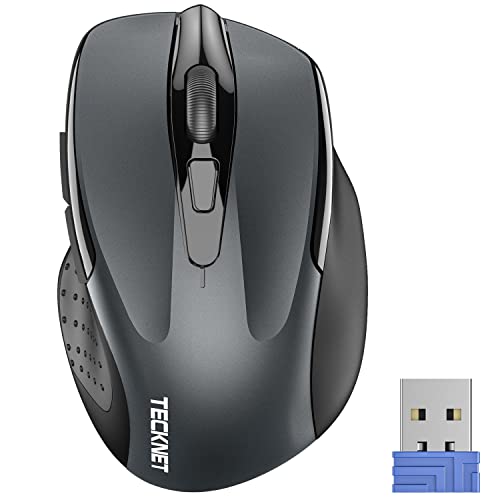
TECKNET Wireless Mouse, 2.4G Ergonomic Optical Mouse
Why We Love It

HP S1000 Plus Silent USB Wireless Computer Mute Mouse
Why We Love It

Logitech M330 SILENT PLUS Wireless Mouse
Why We Love It

UGREEN Rechargeable Wireless Mouse
Why We Love It
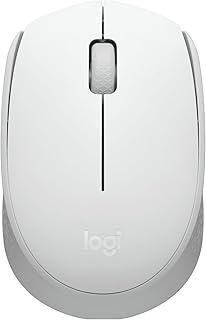
Logitech M171 Mouse Wireless per PC
Why We Love It

UGREEN Wireless Mouse 2.4G Silent Ergonomic Mice 1600DPI for
Why We Love It
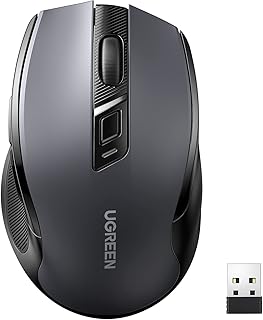
UGREEN Wireless Mouse, 40dB Silent Computer Mouse
Why We Love It

Logitech MK345 Wireless Combo Full-Sized Keyboard with Palm
Why We Love It

Logitech Lift Vertical Ergonomic Mouse
Why We Love It
Quick Pick
10 Best Pc Wireless Mice Of 2026
Quick Pick
Logitech M171 Wireless Mouse for PC, Mac, Laptop, 2.4 GHz with USB Mini Receiver, Optical Tracking, 12-Months Battery Life, Ambidextrous - Black
TECKNET Wireless Mouse, 2.4G Ergonomic Optical Mouse, Computer Mouse for Laptop, PC, Computer, Chromebook, Notebook, 6 Buttons, 24 Months Battery Life, 2600 DPI, 5 Adjustment Levels - Grey
HP S1000 Plus Silent USB Wireless Computer Mute Mouse 1600DPI USB (7YA12PA)
Logitech M330 SILENT PLUS Wireless Mouse, 2.4GHz with USB Nano Receiver, 1000 DPI Optical Tracking, 2-year Battery Life, Compatible with PC, Mac, Laptop, Chromebook - Black | 2.4GHz with USB Nano Receiver, 1000 DPI, 2-year Battery Life, PC/Mac/Laptop/Chromebook - Black
UGREEN Rechargeable Wireless Mouse, Bluetooth5.4 and 2.4GHz, Long Battery Life, Ergonomic Silent Mouse, 6 Buttons with 5 Adjustable 4000 DPI, Compatible with Laptop PC Mac Computer Chromebook MacBook | Long Life Battery Design, Ergonomic, Quiet Click, 4000 DPI for PC Laptop Windows macOS Linux
Logitech M171 Mouse Wireless per PC, Mac, Laptop | 2,4 GHz con Mini Ricevitore USB, Tracciamento Ottico, Batteria 12 mesi, Ambidestro - Bianco
UGREEN Wireless Mouse 2.4G Silent Ergonomic Mice 1600DPI for PC/Mac | AAA battery included, wireless mouse, 2.4G, silent clicks, 3 DPI (800/1200/1600), 5 buttons, ergonomic, for PC Mac
UGREEN Wireless Mouse, 40dB Silent Computer Mouse, Ultra-long Battery Life | Ultralight & Ergonomic Design, Multi-level DPI, 6 Buttons,15M Distance, Plug & Play USB Receiver, for Laptop/Desktop, etc.
Logitech MK345 Wireless Combo Full-Sized Keyboard with Palm Rest and Comfortable Right-Handed Mouse, 2.4 GHz Wireless USB Receiver, Compatible with PC, laptop - Black | Full Wireless Keyboard with Handrest and Mouse for Right-Handed, QWERTY US International - Black
Logitech Lift Vertical Ergonomic Mouse, Wireless, Bluetooth or Logi Bolt USB Receiver, Quiet clicks, 4 Buttons, Compatible with Windows/macOS/iPadOS, Laptop, PC-Graphite | Wireless, Bluetooth or Logi Bolt, Silent clicks, 4 buttons, Windows/macOS/iPadOS, Laptop, PC - Grey
Buying Guide: Pc Wireless Mice
📋 Table of Contents
1What DPI range is best for different tasks?
For general use, 800-1600 DPI is sufficient, while 2000-4000 DPI suits gaming and precise graphic design. Higher DPI allows for faster cursor movement, but adjustability is key to match your screen size and usage.
2Should I choose a wired or wireless mouse for latency?
Wireless mice with 2.4GHz dongles or Bluetooth 5.0 offer near-zero latency, ideal for gaming. Avoid basic Bluetooth for fast-paced games, as it can introduce lag compared to dedicated receivers.
3How long should the battery last on a wireless mouse?
Look for at least 10-20 hours of continuous use on a single charge, depending on usage intensity. Mice with low-power sensors and sleep modes extend battery life, and some models offer quick-charge features for 1-2 hour top-ups.
4What sensor type offers the best performance?
Optical sensors work well on most surfaces, while laser sensors offer higher precision but may struggle on reflective or transparent ones. For all-around use, a hybrid sensor with adjustable tracking modes is a smart choice.
5Are extra buttons and customizable profiles worth it?
Extra buttons are great for productivity (e.g., back/forward) or gaming (e.g., macro keys), but only if you plan to use them. Customizable profiles let you switch settings per app or game, which is useful for power users but unnecessary for casual browsing.
How we choose
Our editors are people who genuinely love testing and writing about products. We compare each product's real-world usability and strengths, then distill what matters most into our own "Why We Love It" points — so you get an honest, at-a-glance sense of what counts before you buy.