10 Best Orico Hard Drive Enclosures Of 2026
Orico Hard Drive Enclosures — Reviews, Recommendations & Updated Buying Guide November 2026

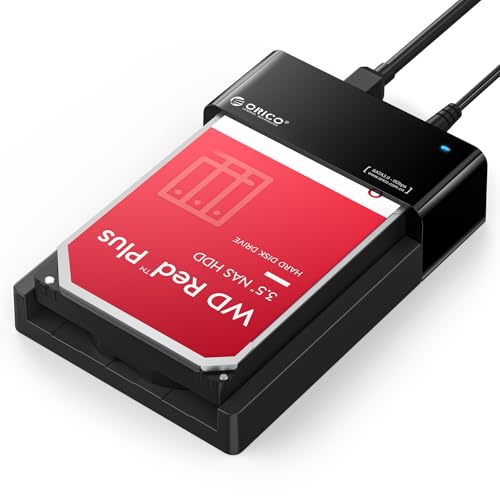
ORICO Hard Drive Lay-Flat Docking Station [Support UASP]
Why We Love It

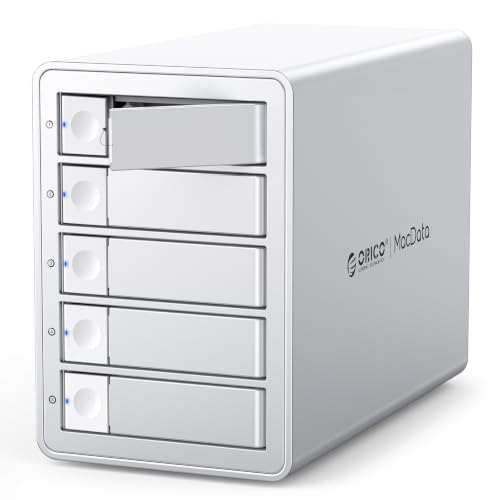
ORICO 5Bay RAID External Hard Drive Enclosure
Why We Love It

Orico 5 Bay 3.5 Inch Hard Drive Enclosure USB C to SATA
Why We Love It

ORICO 2.5 inch External Hard Drive Enclosure USB 3.0 to SATA
Why We Love It

ORICO 5 Bay Raid Hard Drive Enclosure Aluminum USB 3.0 to
Why We Love It

ORICO External Hard Drive Dock Duplicator/Cloner SATA to USB
Why We Love It

ORICO 4 Bay DAS Hard Drive Enclosure USB 3.0 for SATA 3.5
Why We Love It

ORICO Aluminium RAID Hard Drive Enclosure for 5 Hard Drives
Why We Love It

ORICO 2.5 inch USB C Hard Drive Enclosure USB 3.1 Gen 1 to
Why We Love It

ORICO Hard Drive Enclosure 3.5
Why We Love It
Quick Pick
10 Best Orico Hard Drive Enclosures Of 2026
Quick Pick
ORICO Hard Drive Lay-Flat Docking Station [Support UASP]
ORICO 5Bay RAID External Hard Drive Enclosure
Orico 5 Bay 3.5 Inch Hard Drive Enclosure USB C to SATA Magnetic Tool-Free External HDD Enclosure with 12V/6.5A Power Adapter for Family Storage Expansion Up to 90TB(5x18) - DS500C3 | Magnetic Type-C to SATA HDD Docking Station Case with 12V/6.5A Power Adapter for Family Storage, Video Editing & Backup.
ORICO 2.5 inch External Hard Drive Enclosure USB 3.0 to SATA III for 7mm and 9.5mm SATA HDD SSD Tool Free [UASP Supported] Black (25PW1-U3)
ORICO 5 Bay Raid Hard Drive Enclosure Aluminum USB 3.0 to SATA Hard Drive Tray Less Docking Station Max Up to 100TB Support RAID 0/1/3/5/10/JBOD Single Mode, Designed with Safety Lock-9558RU3
ORICO External Hard Drive Dock Duplicator/Cloner SATA to USB C for 2.5”/3.5” Seagate Samsung WD Crucial SanDisk SSD HDD, Dual Drive Bay 36TB for PS5 Xbox PC Laptop Devices
ORICO 4 Bay DAS Hard Drive Enclosure USB 3.0 for SATA 3.5 inch SSDs HDDs Bracket-Free External Hard Drive Bay
ORICO Aluminium RAID Hard Drive Enclosure for 5 Hard Drives, USB 3.0 HDD Docking Station for 3.5 Inch HDD up to 22TB, Supports RAID 0/1/5/10 (9858RU3)
ORICO 2.5 inch USB C Hard Drive Enclosure USB 3.1 Gen 1 to SATA III External Hard Drive Case for SSD HDD 9.5 7mm Tool-Free with UASP, Black (25PW1-C3)
ORICO Hard Drive Enclosure 3.5, USB 3.0 External Hard Drive Enclosure for 3.5 2.5 Inch SATA III/II/I SSD HDD Up to 18TB, Support UASP, TRIM with 12V/2A Power Adapter Compatible with WD Seagate Toshiba
Buying Guide: Orico Hard Drive Enclosures
📋 Table of Contents
1What interface should I prioritize for speed and compatibility?
USB 3.2 Gen 2 (10Gbps) or Thunderbolt 3/4 (40Gbps) offer the fastest data transfer speeds, while USB-C with USB 3.1 (5Gbps) is widely compatible. Ensure your computer supports the interface to avoid bottlenecks.
2Do I need a powered or bus-powered enclosure?
Bus-powered enclosures draw power from your computer and work best for 2.5-inch drives or low-power SSDs. Powered enclosures are essential for 3.5-inch drives or high-capacity drives that require more energy.
3What internal drive size and type should I match?
Confirm the enclosure supports your drive’s size (2.5-inch or M.2) and type (SATA, NVMe, or SAS). M.2 NVMe drives need a compatible slot and enclosure to reach their full speed potential.
4Is tool-free access worth the extra cost?
Tool-free designs save time for frequent drive swaps but may cost 10-20% more. If you only use the enclosure occasionally, a screw-in model is more affordable and just as reliable.
5What cooling features should I look for in heavy use?
Enclosures with built-in fans or heat-dissipating metal casings help prevent overheating during long transfers. For light use, passive cooling is usually sufficient and quieter.
How we choose
Our editors are people who genuinely love testing and writing about products. We compare each product's real-world usability and strengths, then distill what matters most into our own "Why We Love It" points — so you get an honest, at-a-glance sense of what counts before you buy.