10 Best Onyx Boox Of 2026
Onyx Boox — Reviews, Recommendations & Updated Buying Guide November 2026


BOOX Go Color 7 (GEN II) 7” Android 13 Colored E-reader
Why We Love It


BOOX Tablet Go 10.3 Gen II Lumi ePaper E Ink Tablet Notebook
Why We Love It

BOOX 6" Go 6 E-Paper E-Reader with front light
Why We Love It

BOOX Tablet Go Color 7 Gen II E Ink Tablet Support Active
Why We Love It

BOOX Tablet Go 10.3 Gen II Without Front Light ePaper E Ink
Why We Love It
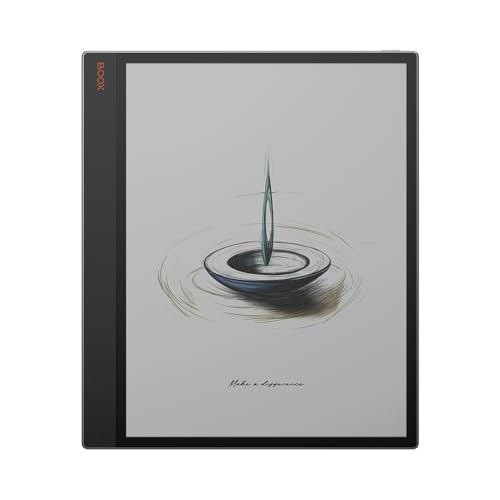
Onyx Boox Tab X C 13.3" Color E Ink Tablet – Android 13
Why We Love It

BOOX ePaper Reader Palma 2 Pro 6.13 Inch Colour 128 GB
Why We Love It

BOOX Go 6 ePaper Reader 6-inch with Front Light
Why We Love It

BOOX Tablet 10.3" Note Air 5 C 6G 64G E Ink Tablet Color
Why We Love It

Kobo Libra Colour eReader
Why We Love It
Quick Pick
10 Best Onyx Boox Of 2026
Quick Pick
BOOX Go Color 7 (GEN II) 7” Android 13 Colored E-reader Bundle – Inksense stylus, Protective Case
BOOX Tablet Go 10.3 Gen II Lumi ePaper E Ink Tablet Notebook
BOOX 6" Go 6 E-Paper E-Reader with front light, 330 PPI Display, 2GB RAM + 32GB ROM, Android 11 with free magnetic Case (White)
BOOX Tablet Go Color 7 Gen II E Ink Tablet Support Active Stylus InkSense (Black)
BOOX Tablet Go 10.3 Gen II Without Front Light ePaper E Ink Tablet Notebook
Onyx Boox Tab X C 13.3" Color E Ink Tablet – Android 13, Kaleido 3 Display, 6GB RAM, 128GB Storage, Octa-Core 2.8GHz, Smart Stylus Support, Dual-Tone Frontlight, Wi-Fi, Bluetooth 5.0, USB-C, Ideal for
BOOX ePaper Reader Palma 2 Pro 6.13 Inch Colour 128 GB Android 15 E-Ink 300 PPI (Black)
BOOX Go 6 ePaper Reader 6-inch with Front Light, Built-in Google Play Store, Android 11
BOOX Tablet 10.3" Note Air 5 C 6G 64G E Ink Tablet Color ePaper Notebook
Kobo Libra Colour eReader, 7” Colour E Ink, Waterproof, Black | 7” Colour E Ink Kaleido 3, Dark Mode, Waterproof, Audiobooks, eBooks, Recycled Materials
Buying Guide: Onyx Boox
📋 Table of Contents
1What should I look for when choosing an Onyx Boox e-reader?
Look for a high-resolution E Ink display, sufficient storage capacity, and a battery life that meets your reading needs. Consider the weight and size for portability.
2What are the key specifications to compare between different Onyx Boox models?
Key specs include screen size, resolution, battery life, storage options, and whether it supports color or only black-and-white displays.
3How do I ensure the Onyx Boox is compatible with my devices and file formats?
Check if the device supports common file formats like PDF, EPUB, and MOBI, and ensure it can sync with your preferred reading apps or cloud services.
4When should I pay more for an Onyx Boox model?
Pay more if you need advanced features like color display, note-taking capabilities, or a larger storage capacity for extensive reading or work use.
5What are common mistakes to avoid when buying an Onyx Boox?
Avoid buying a model with insufficient storage or poor battery life, and ensure you check for compatibility with your preferred e-books and apps before purchasing.
How we choose
Our editors are people who genuinely love testing and writing about products. We compare each product's real-world usability and strengths, then distill what matters most into our own "Why We Love It" points — so you get an honest, at-a-glance sense of what counts before you buy.