10 Best Network Attached Storage Of 2026
Network Attached Storage — Reviews, Recommendations & Updated Buying Guide November 2026


UGREEN DH2300 2 Bay Desktop NAS
Why We Love It

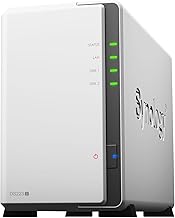
Synology 2-Bay DiskStation DS223j (Diskless)
Why We Love It

UGREEN NASync DH4300 Plus 4-Bay Desktop NAS
Why We Love It

UGREEN NAS DXP4800 GT 4-Bay for Creators
Why We Love It

Synology DS223 Home & Office Backup Hub - Centralize Files
Why We Love It

Synology DS425+ Private Cloud Media Server - Stream
Why We Love It
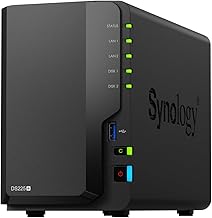
Synology 2-Bay NAS DS225+ (Diskless) | DSM operating system
Why We Love It

UGREEN NASync DXP4800 Pro 4-Bay 8GB Desktop NAS
Why We Love It

TERRAMASTER F4-425 4-Bay NAS
Why We Love It

TERRAMASTER F4 SSD 4-Bay All-Flash NAS
Why We Love It
Quick Pick
10 Best Network Attached Storage Of 2026
Quick Pick
UGREEN DH2300 2 Bay Desktop NAS, Cloud Backup, 4K HDMI,AI Album NAS Server | 1GbE Port, 4GB RAM, Cloud Backup, Remote Access, NFC, Multi-Device Connectivity, Versatile Expansion Ports (Diskless)
Synology 2-Bay DiskStation DS223j (Diskless)
UGREEN NASync DH4300 Plus 4-Bay Desktop NAS, 4K HDMI NAS Server for Home | 2.5 GbE Port, 8GB LPDDR4X RAM, A76+A55 8 Cores SoC, Cloud Backup, Remote Access, NFC, Multi-Device Connectivity (Diskless)
UGREEN NAS DXP4800 GT 4-Bay for Creators, Tech Enthusiasts and Office Teams | Smart Home Data Hub, Direct NAS Editing & Dual 10GbE Transfers, Ryzen R2514, 8GB DDR4, 2x 10GbE, 2x M.2 NVMe Slots, Diskless
Synology DS223 Home & Office Backup Hub - Centralize Files, Protect Data & Monitor Property (2-Bay Diskless NAS)
Synology DS425+ Private Cloud Media Server - Stream, Back Up & Share Files (4-Bay Diskless NAS)
Synology 2-Bay NAS DS225+ (Diskless) | DSM operating system | Gigabit connectivity | Centralized file storage, backup and private cloud for home or business.
UGREEN NASync DXP4800 Pro 4-Bay 8GB Desktop NAS,Network Attached Storage (Diskless)
TERRAMASTER F4-425 4-Bay NAS, N5095, 4GB DDR4, 2.5GbE, Diskless | 4K H.265 decoding, Plex, Emby, Jellyfin, and local AI photo sorting. TNAS Mobile simplifies setup, backup, and remote access.
TERRAMASTER F4 SSD 4-Bay All-Flash NAS, N95, 8GB DDR5, 5GbE, Diskless | Four M.2 NVMe SSDs deliver compact, quiet, high-speed storage with 5GbE for photo, video, and large-file management.
Buying Guide: Network Attached Storage
📋 Table of Contents
1How much storage capacity do I actually need?
Calculate based on what you're storing: 4TB works for photos and documents, but video editors and photographers should aim for 8TB+. Consider that you'll want some buffer space and room to grow—buying more than you currently need saves money versus upgrading later.
2What's the difference between 2-bay and 4-bay NAS units?
A 2-bay unit suits small teams or home offices with basic backup needs, while 4-bay systems offer more storage capacity, better redundancy options, and room to expand. More bays also mean higher upfront cost but better protection if a drive fails.
3Do I need to buy the hard drives separately?
Most NAS units don't include drives, so you'll need to purchase them separately—choose NAS-rated drives, not regular desktop drives, as they're built for 24/7 operation. Some models come in pre-loaded versions, which costs more upfront but saves the hassle of installation.
4What processor and RAM specs matter for NAS performance?
For basic file storage and backup, modest specs are fine, but if you're running apps, handling 4K video, or supporting many users, look for a quad-core processor and at least 8GB RAM. This directly affects how fast files transfer and whether the system can handle multiple tasks simultaneously.
5When should I spend more on a premium NAS instead of a budget model?
Upgrade if you need advanced features like app support, better performance for video work, or support for more drives. Budget models work fine for simple backup and file sharing, but premium units justify the cost when you need reliability for business-critical data or demanding workflows.
How we choose
Our editors are people who genuinely love testing and writing about products. We compare each product's real-world usability and strengths, then distill what matters most into our own "Why We Love It" points — so you get an honest, at-a-glance sense of what counts before you buy.