10 Best Netgear Nighthawk Of 2026
Netgear Nighthawk — Reviews, Recommendations & Updated Buying Guide November 2026


NETGEAR Nighthawk M7 5G WiFi 7 Mobile Hotspot Router
Why We Love It


NETGEAR Nighthawk 5G WiFi 7 Router with SIM Card (MR7450)
Why We Love It

Netgear Nighthawk M3 | 5G Router with Sim Slot Unlocked
Why We Love It

NETGEAR Nighthawk Tri-Band WiFi 7 Gaming Router (RS600)
Why We Love It

NETGEAR Nighthawk WiFi 6E Router (RAXE300)
Why We Love It

NETGEAR Nighthawk Dual-Band WiFi 7 Router (RS200) Router
Why We Love It
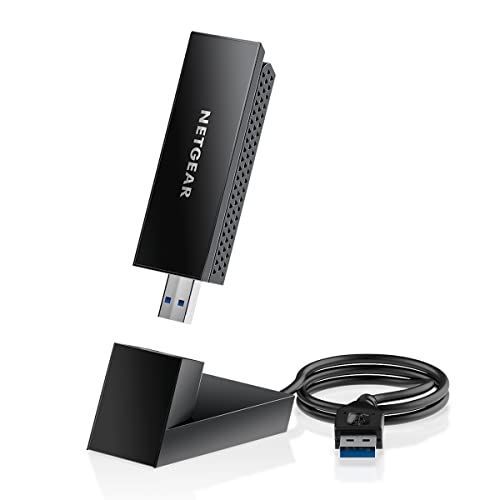
NETGEAR Nighthawk WiFi 6E USB 3.0 WiFi Adapter (A8000)
Why We Love It

NETGEAR Nighthawk Tri-Band WiFi 7 Router (RS300)
Why We Love It

NETGEAR Nighthawk Dual-Band WiFi 7 Router (RS100)
Why We Love It

NETGEAR WiFi 7 Router Nighthawk Tri-Band WiFi 7 (RS700S)
Why We Love It
Quick Pick
10 Best Netgear Nighthawk Of 2026
Quick Pick
NETGEAR Nighthawk M7 5G WiFi 7 Mobile Hotspot Router, Sub-6, eSIM Support, up to 3.6 Gbps, Connect 32 Devices, for Travel in 140+ Countries
NETGEAR Nighthawk 5G WiFi 7 Router with SIM Card (MR7450) - Ultra-Fast Modem Box for Hotspot or Home Use - 6Gbps and Up to 64 Devices, Ultra-Fast, Secure
Netgear Nighthawk M3 | 5G Router with Sim Slot Unlocked | Portable WiFi Hotspot for Personal/Business, 5G and 4G MiFi, WiFi 6, up to 32 Devices, up to 2.5Gbps (MH3150)
NETGEAR Nighthawk Tri-Band WiFi 7 Gaming Router (RS600), NBN Upgrade Ready, Advanced Security, BE18000 Wireless Speed (up to 18 Gbps), 10 Gig Internet Port, Covers up to 250 sq. m., 150 Devices
NETGEAR Nighthawk WiFi 6E Router (RAXE300) | AXE7800 Tri-Band Wireless Gigabit Speed (Up to 7.8Gbps) | New 6GHz Band | 8-Streams Cover up to 2,500 sq. ft, 40 Devices
NETGEAR Nighthawk Dual-Band WiFi 7 Router (RS200) Router Only– BE6500 Wireless Speed (up to 6.5 Gbps) - Covers up to 2,500 sq. ft., 80 Devices – 2.5 Gig Internet Port - Free Expert Help
NETGEAR Nighthawk WiFi 6E USB 3.0 WiFi Adapter (A8000) - WiFi 6 Dongle For PC - AXE3000 Tri-band Wireless Gigabit Speed (Up to 3 Gbps) - New 6 GHz Band - For Windows PC
NETGEAR Nighthawk Tri-Band WiFi 7 Router (RS300) – security features, BE9300 wireless speed (up to 9.3 Gbps) – covers up to 2,500 sq.ft., 100 devices – 2.5 GB internet port
NETGEAR Nighthawk Dual-Band WiFi 7 Router (RS100) – Security Features, BE3600 Wireless Speed (up to 3.6 Gbps) - Covers up to 1,500 sq. ft., 50 Devices – 2.5 Gig Internet Port
NETGEAR WiFi 7 Router Nighthawk Tri-Band WiFi 7 (RS700S) - security features, Wireless BE19000 speed (up to 19 Gbps) - 10gb Internet port
Buying Guide: Netgear Nighthawk
📋 Table of Contents
1What speed class (Wi-Fi 5 vs Wi-Fi 6) should I choose?
Wi-Fi 6 (802.11ax) offers faster speeds, better performance with multiple devices, and improved efficiency, making it ideal for homes with many connected gadgets. Wi-Fi 5 (802.11ac) is still sufficient for basic use but lacks the future-proofing of newer models.
2How many devices can a router realistically handle at once?
Most mid-range routers support 20-30 devices without major slowdowns, but high-end models with MU-MIMO and beamforming can manage 50+ devices smoothly. Overloading a router causes lag, especially during streaming or gaming.
3Is a dual-band or tri-band router better for me?
Dual-band (2.4GHz + 5GHz) is great for most households, separating older devices from newer ones for better performance. Tri-band adds an extra 5GHz band, reducing congestion in homes with many high-demand devices like 4K TVs or smart home hubs.
4What's the real difference between mesh and single-router systems?
Mesh systems use multiple nodes to cover large or multi-story spaces with consistent signal strength, while single routers work best in smaller, open areas. Mesh is more expensive but eliminates dead zones and adapts to your layout automatically.
5Should I prioritize WPA3 security over other features?
Yes — WPA3 offers stronger encryption and better protection against hacking, especially for public or guest networks. Older WPA2 routers are still secure for basic use, but WPA3 is the modern standard for long-term safety and compatibility with new devices.
How we choose
Our editors are people who genuinely love testing and writing about products. We compare each product's real-world usability and strengths, then distill what matters most into our own "Why We Love It" points — so you get an honest, at-a-glance sense of what counts before you buy.