10 Best Msi Laptop I9 Of 2026
Msi Laptop I9 — Reviews, Recommendations & Updated Buying Guide November 2026


MSI Katana 15 HX 15.6” 165Hz QHD+ Gaming Laptop: Intel Core
Why We Love It


MSI Crosshair 16 HX E14WFK Gaming Laptop
Why We Love It
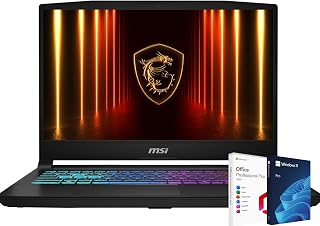
MSI (Upgraded) Katana 15 (2025) Gaming Laptop Intel Core
Why We Love It

MSI Vector 16 HX AI Gaming Laptop 16" QHD+ IPS 240Hz Intel
Why We Love It

MSI Vector 16 HX AI Gaming Laptop 16" WUXGA IPS 144Hz Intel
Why We Love It

MSI Vector 16 HX AI 400 Gaming Laptop
Why We Love It
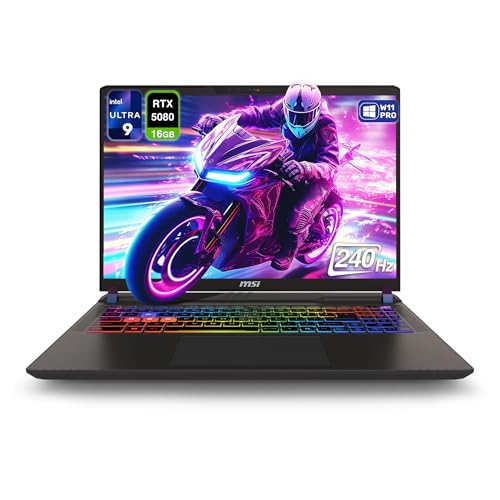
MSI Vector 16 HX AI 400 Gaming Laptop
Why We Love It

MSI (Upgraded) Vector 16 HX AI 16” 240Hz QHD+ Gaming Laptop:
Why We Love It

MSI Katana 15 HX B14WEK (Black) Gaming Laptop
Why We Love It

Msi Modern 15 Laptop: 13th Gen Core i9-13900H
Why We Love It
Quick Pick
10 Best Msi Laptop I9 Of 2026
Quick Pick
MSI Katana 15 HX 15.6” 165Hz QHD+ Gaming Laptop: Intel Core i9-14900HX, NVIDIA Geforce RTX 5070, 32GB DDR5, 1TB NVMe SSD, RGB Keyboard, Win 11 Home: Black B14WGK-016US
MSI Crosshair 16 HX E14WFK Gaming Laptop | 16"QHD+(2560x1600), 240Hz IPS Display, Intel Core i9-14900HX, NVIDIA RTX5060 8GB, 16GB RAM, 1TB SSD, Core black, Win11 [9S7-265343-004]
MSI (Upgraded) Katana 15 (2025) Gaming Laptop Intel Core i9-14900HX,15.6 Inch FHD, RTX 5070, Win 11 Pro, Black, MS Office Lifetime (32GB RAM | 1TB SSD)
MSI Vector 16 HX AI Gaming Laptop 16" QHD+ IPS 240Hz Intel 20-core Ultra 7 255HX (Beats i9-14900HX) 32GB RAM 2TB SSD GeForce RTX 5070 RGB Backlit Thunderbolt 5 Wi-Fi 6E Win11 ICP Hub w/Copilot
MSI Vector 16 HX AI Gaming Laptop 16" WUXGA IPS 144Hz Intel 20-core Ultra 7 255HX (Beats i9-14900HX) 32GB RAM 1TB SSD GeForce RTX 5070 Ti RGB Backlit Thunderbolt5 Wi-Fi6E Win11 ICP Hub w/Copilot AI PC
MSI Vector 16 HX AI 400 Gaming Laptop, Intel Ultra 9-275HX, 16 GB DDR5 RAM, 1 TB PCIe SSD, 16" WQXGA (2560x1600) 240Hz Display, Nvidia G-Force RTX 5080, RGB Backlit Keyboard, W11 Home, Cosmo Gray
MSI Vector 16 HX AI 400 Gaming Laptop, Intel Ultra 9-275HX, 64 GB DDR5 RAM, 1 TB PCIe SSD, 16" WQXGA (2560x1600) 240Hz Display, Nvidia G-Force RTX 5080, RGB Backlit Keyboard, W11 Pro, Cosmo Gray
MSI (Upgraded) Vector 16 HX AI 16” 240Hz QHD+ Gaming Laptop: Intel Core Ultra 9-275HX, NVIDIA Geforce RTX 5080, 32GB DDR5, 2TB NVMe SSD, Thunderbolt 5, Wi-Fi 7, Win 11 Pro: Cosmo Gray A2XWIG-058US
MSI Katana 15 HX B14WEK (Black) Gaming Laptop | NVDIA RTX 5050 8GB | Intel Core i7-14650HX | 16GB RAM | 1TB SSD | 15.6" FHD (1920x1080), 144Hz Display | Win11 Home [9S7-1587C1-221]
msi Modern 15 Laptop: 13th Gen Core i9-13900H, 32GB RAM, 1TB SSD, 15.6" Full HD IPS Display, Backlit Keyboard, Windows 11
Buying Guide: Msi Laptop I9
📋 Table of Contents
1What's the difference between MSI i9 gaming laptops and creator/workstation models?
Gaming models prioritize high refresh rate displays and RTX GPUs for fast performance in games, while creator models focus on color accuracy, more RAM, and professional software support. If you're doing video editing, 3D rendering, or design work, a creator model will serve you better than a gaming-focused laptop.
2How much RAM do I actually need with an i9 laptop?
For gaming or general use, 16GB is sufficient, but with an i9 processor you're better off going for 32GB if you'll multitask heavily or run demanding software like video editors or virtual machines. Check if the RAM is upgradeable, as some newer MSI models have soldered memory you can't expand later.
3Should I prioritize the GPU or stick with integrated graphics when buying an MSI i9 laptop?
If you're gaming or doing GPU-heavy work like 3D rendering, a dedicated RTX GPU is essential—the i9 alone won't handle modern games smoothly. For coding, document work, or light video editing, integrated graphics will suffice, but you'll lose gaming capability.
4What display size is best for an MSI i9 laptop?
15.6-inch is the standard for i9 MSI laptops, offering a good balance between screen real estate and portability, while 17.3-inch gives more workspace but adds weight. Choose 15.6 if you move the laptop frequently, or 17.3 if it stays mostly on a desk.
5Is thermal management a real concern with MSI i9 laptops, and should it affect my choice?
The i9 runs hot under load, so check reviews for thermals and fan noise on the specific model you're considering—some MSI lines handle heat better than others. If you plan heavy gaming or rendering sessions, look for models with better cooling systems or use it on a cooling pad.
How we choose
Our editors are people who genuinely love testing and writing about products. We compare each product's real-world usability and strengths, then distill what matters most into our own "Why We Love It" points — so you get an honest, at-a-glance sense of what counts before you buy.