10 Best Msi Ips Computer Monitor Of 2026
Msi Ips Computer Monitor — Reviews, Recommendations & Updated Buying Guide November 2026


MSI PRO MP275 E2 27-Inch FHD Office Monitor
Why We Love It


MSI MAG 245F X24 24-Inch Gaming Monitor
Why We Love It

MSI PRO MP275Q E14 27" WQHD Monitor
Why We Love It

MSI PRO MP273A 27 Inch FHD IPS Monitor
Why We Love It

MSI PRO MP161 E2 15.6 Inch Full HD Portable Monitor
Why We Love It

MSI MAG 274F 27-Inch FHD 1920x1080 Gaming Monitor
Why We Love It

MSI Modern MD2412P 23.8 Inch Full HD Office Monitor
Why We Love It

MSI MAG 274QRF QD E2 27 Inch WQHD Gaming Monitor
Why We Love It

MSI MAG 272URDF E16 Gaming Monitor 27 Inch UHD
Why We Love It
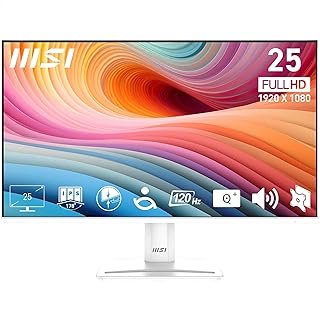
MSI PRO MP251W E2 24.5" FHD Office Monitor
Why We Love It
Quick Pick
10 Best Msi Ips Computer Monitor Of 2026
Quick Pick
MSI PRO MP275 E2 27-Inch FHD Office Monitor - 1920 x 1080 IPS Panel, 4-Sided Frameless, 120 Hz Refresh Rate, Eye-Friendly Screen, Built-in Speakers, Tilt-Adjustable - HDMI 2.0, DP (1.2a), D-Sub (VGA)
MSI MAG 245F X24 24-Inch Gaming Monitor, 1920x1080 FHD, Rapid IPS, 240Hz, 0.5ms, HDR Ready, AMD FreeSync™ Premium, Eye Care, AI Vision, HDMI 2.0b, DP 1.2a, Frame-Less, Vesa Mount, Black
MSI PRO MP275Q E14 27" WQHD Monitor, 144Hz, 1ms, IPS Panel, Eye Care, Built-in Speakers, DisplayPort & HDMI, Ergonomic Design – 9S6-3PF2CM-018
MSI PRO MP273A 27 Inch FHD IPS Monitor, 100Hz Refresh Rate, 1ms MPRT, Eye Care Technology, Built-in Dual Speakers, Anti-Glare Display, HDMI, DisplayPort, VGA, VESA Mount, Black, 9S6-3PB4CH-076
MSI PRO MP161 E2 15.6 Inch Full HD Portable Monitor - 1920 x 1080 IPS Panel, 60Hz, Eye-Friendly Screen (PC, Laptop, Mobile), Speakers, Enhanced Chassis & Kickstand - Mini-HDMI 2.0b, 2 x USB Type-C
MSI MAG 274F 27-Inch FHD 1920x1080 Gaming Monitor - Rapid IPS, 200Hz, 0.5ms, HDR ready, Eye care, HDMI 2.0b, DP 1.2a, Frame-less, Tilt-Adjustable, Vesa Mount, Black
MSI Modern MD2412P 23.8 Inch Full HD Office Monitor - 1920 x 1080 IPS Panel, 100Hz, Eye Comfort, VESA Mount, Built-in Speakers, Display Kit, 4-Way Adjustable - HDMI 1.4b, USB Type-C
MSI MAG 274QRF QD E2 27 Inch WQHD Gaming Monitor - 2560 x 1440 Rapid IPS Quantum Dot Panel, 180 Hz - 1ms, 120percentage sRGB Colour Gamut, DisplayHDR 400 - DP 14a, HDMI 20b, USB Type-C
MSI MAG 272URDF E16 Gaming Monitor 27 Inch UHD - Rapid IPS Panel 3840 x 2160, 0.5ms, DisplayHDR 400, AI Vision, Dual-Mode, HDMI 2.1, DP 1.4a, Tilt and Height Adjustable, Black
MSI PRO MP251W E2 24.5" FHD Office Monitor - 1920 x 1080 IPS Panel, 4-Sided Frameless, 120 Hz Refresh Rate, Eye-Friendly Screen, Built-in Speakers, Tilt-Adjustable - HDMI 2.0b, DP (1.4a), D-Sub (VGA)
Buying Guide: Msi Ips Computer Monitor
📋 Table of Contents
1What resolution and panel size should I look for in an MSI IPS computer monitor?
For most users, a 27-inch IPS panel with Full HD (1920x1080) resolution is a solid choice, but 2K (2560x1440) or 4K (3840x2160) options are better for graphic design, video editing, or gaming. Larger sizes like 32 inches may require higher resolutions to maintain clarity and avoid pixelation.
2How does IPS panel technology compare to other panel types for an MSI monitor?
IPS panels offer wider viewing angles and more accurate color reproduction compared to TN panels, making them ideal for creative work. However, they typically have slower response times than TN, which may affect gaming performance. VA panels provide deeper blacks but are slower still, so IPS is a balanced choice for most users.
3What refresh rate and response time are best for gaming on an MSI IPS monitor?
For gaming, look for a refresh rate of at least 144Hz with a 1ms response time to minimize motion blur and input lag. While IPS panels traditionally have slower response times, many modern MSI IPS monitors now feature overdrive technology to improve performance without sacrificing color accuracy.
4What should I consider regarding connectivity options on an MSI IPS monitor?
Ensure the monitor has at least two HDMI ports, one DisplayPort, and USB-C for versatility. USB-C with power delivery is especially useful for laptop users. If you use multiple devices, look for a monitor with built-in speakers and a headphone jack for convenience.
5Are there any common mistakes to avoid when buying an MSI IPS computer monitor?
Avoid assuming all IPS monitors are the same — check the specific model’s color gamut coverage (like 100% sRGB or Adobe RGB) and brightness levels (typically 250-350 nits). Also, don’t overlook ergonomics like height adjustment, swivel, and tilt, which are crucial for long-term comfort during use.
How we choose
Our editors are people who genuinely love testing and writing about products. We compare each product's real-world usability and strengths, then distill what matters most into our own "Why We Love It" points — so you get an honest, at-a-glance sense of what counts before you buy.