10 Best Monitor Controllers With Mute Button Of 2026
Monitor Controllers With Mute Button — Reviews, Recommendations & Updated Buying Guide November 2026


USB Volume Control Button
Why We Love It


StudioMan M04 Passive Monitor Controller
Why We Love It

Mackie Big Knob Series
Why We Love It
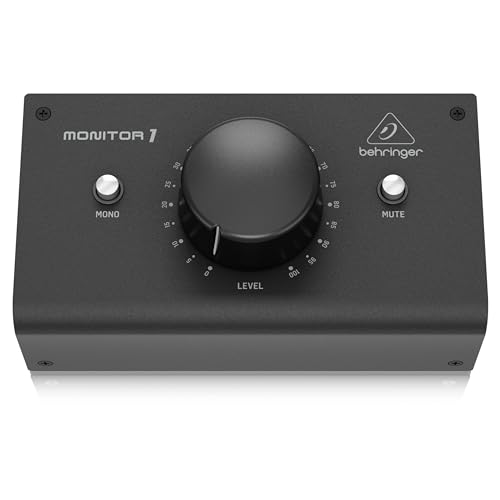
Behringer MONITOR1 Premium Passive Stereo Monitor and Volume
Why We Love It

Azonee Gaming Audio Mixer
Why We Love It

USB Volume Control Knob
Why We Love It
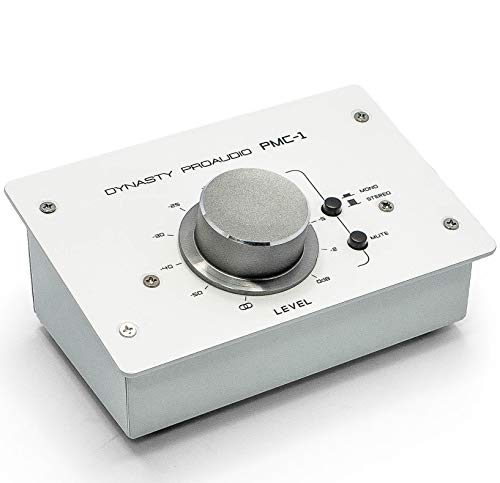
DYNASTY PROAUDIO PMC-1 Premium Passive Stereo Monitor Volume
Why We Love It

ACOGEDO Premium Passive Controller with XLR and 3.5mm Inputs
Why We Love It
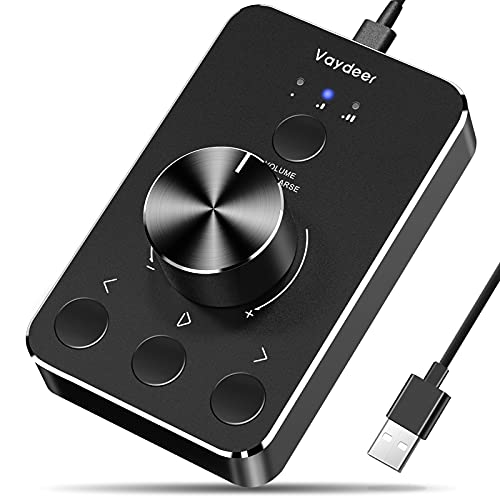
VAYDEER Volume Control Knob with One-Click Mute Function and
Why We Love It

ESI MoCo | Passive Monitor Controller with 2 Stereo I/O
Why We Love It
Quick Pick
10 Best Monitor Controllers With Mute Button Of 2026
Quick Pick
USB Volume Control Button, Computer External Volume Remote Controller Knob for PC Support Win7/8/10/XP/Mac/Vista/Android/iOS, One-Click Mute Button Audio PC Volume Control
StudioMan M04 Passive Monitor Controller - 2 Input 4 Output Studio Volume Controller with Mute Button, 1/4" Unbalanced Connectors for Powered Studio Monitors & Power Amplifiers (2 IN 4 OUT)
Mackie Big Knob Series, 3x2 Studio Monitor Controller 192kHz USB I/O (BIG KNOB STUDIO)
Behringer MONITOR1 Premium Passive Stereo Monitor and Volume Controller
Azonee Gaming Audio Mixer, Streaming RGB PC Mixer with XLR Microphone Interface, Voice Changer, Volume Fader, 48V Phantom Power, and Mute Button for Podcasting, Recording, Gaming
USB Volume Control Knob, SYOSI Metal Audio Controller with One-Touch Mute Pause, Plug and Play, Compatible with PC Laptop, for Windows, for Mac, Android, for iOS Devices
DYNASTY PROAUDIO PMC-1 Premium Passive Stereo Monitor Volume Controller With Large Volume Knob For Extremely Precise Level Adjustments
ACOGEDO Premium Passive Controller with XLR and 3.5mm Inputs, Large Volume Knob and Control for Studio Use
VAYDEER Volume Control Knob with One-Click Mute Function and 3 Volume Control Modes, USB Volume Knob Multimedia Controller for Win 7/8/10/Mac, Gift for Festivals Loved Ones
ESI MoCo | Passive Monitor Controller with 2 Stereo I/O
Buying Guide: Monitor Controllers With Mute Button
📋 Table of Contents
1What types of devices are compatible with monitor controllers that have a mute button?
Most models support HDMI, DisplayPort, and USB-C inputs, making them ideal for PCs, gaming consoles, and streaming devices. Check for specific input types and the number of ports to ensure compatibility with your setup.
2How does the mute button function work in practice?
The mute button typically silences audio from the connected source instantly, without affecting the video. Some models allow you to toggle mute for each input individually, which is useful when switching between devices with different audio needs.
3What resolution and refresh rate should I look for in a monitor controller?
Look for support of at least 4K at 60Hz for most users, with 144Hz or higher for gaming. Higher-end models may support up to 8K or 120Hz, but ensure your monitor and source device can handle those specs to avoid limitations.
4Are there any common mistakes to avoid when choosing a monitor controller?
Avoid models with limited input/output ports if you plan to connect multiple devices. Also, ensure the mute function works with your audio setup — some controllers only mute the monitor’s built-in speakers, not external ones.
5What additional features are worth considering beyond the mute button?
Look for features like audio pass-through, RGB lighting control, and on-screen display (OSD) for easy adjustments. A built-in volume knob or remote control can also enhance usability, especially in multi-device setups.
How we choose
Our editors are people who genuinely love testing and writing about products. We compare each product's real-world usability and strengths, then distill what matters most into our own "Why We Love It" points — so you get an honest, at-a-glance sense of what counts before you buy.