10 Best Minisforum Network Attached Storage Of 2026
Minisforum Network Attached Storage — Reviews, Recommendations & Updated Buying Guide November 2026


MINISFORUM 5 Bay NAS N5 Pro P370 Network Attached Storage
Why We Love It


UGREEN DH2300 2 Bay Desktop NAS
Why We Love It

MINIS FORUM N5 Pro 5-Bay Desktop NAS
Why We Love It
MINISFORUM Desktop NAS N5 Pro 5 Bay 128GB SSD
Why We Love It

UGREEN NASync DH4300 Plus 4-Bay Desktop NAS
Why We Love It

MINISFORUM N5 Air 5-Bay Desktop NAS
Why We Love It

UGREEN NASync DXP4800 Pro 4-Bay 8GB Desktop NAS
Why We Love It
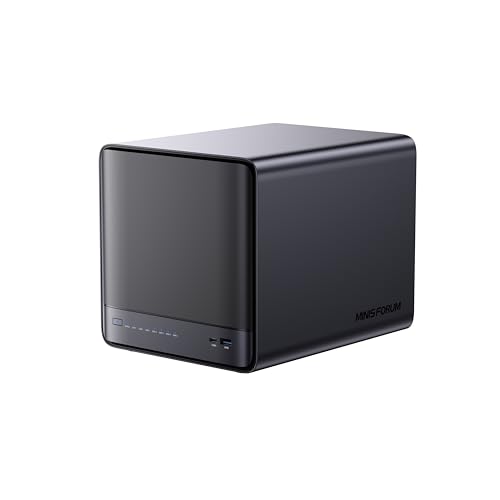
MINISFORUM NAS N5 MAX 5 Bay AMD Ryzen AI Max+ 395 64GB
Why We Love It

MINISFORUM N5 Pro 5-Bay Desktop AI NAS
Why We Love It

UGREEN NAS DXP4800 GT 4-Bay for Creators
Why We Love It
Quick Pick
10 Best Minisforum Network Attached Storage Of 2026
Quick Pick
MINISFORUM 5 Bay NAS N5 Pro P370 Network Attached Storage, AMD Ryzen AI 9 HX PRO 370 Processor(12C/24T,up to 5.1GHz),Cloud Storage,16GB DDR5,128GB SSD,1 * 10Gbe,1 * 5Gbe,3*M.2 NVMe Slots, HDMI/Type-C
UGREEN DH2300 2 Bay Desktop NAS, Cloud Backup, 4K HDMI,AI Album NAS Server | 1GbE Port, 4GB RAM, Cloud Backup, Remote Access, NFC, Multi-Device Connectivity, Versatile Expansion Ports (Diskless)
MINIS FORUM N5 Pro 5-Bay Desktop NAS, AMD Ryzen AI 9 HX PRO 370, Two DDR5 Channels, 1 x 10GbE, 1 x 5GbE, 1 x M.2 NVMe Slots, 2 x U.2/M.2 2280 NVMe Slots, 8K HDMI, Network Attached Storage (Diskless)
MINISFORUM Desktop NAS N5 Pro 5 Bay 128GB SSD,AMD Ryzen AI 9 HX PRO 370(12C/24T) DDR5 RAM Slots, 1*10Gbe,1*5Gbe, 2*USB4(8K), 8K HDMI,1xM.2 Slot & 2xU.2/M.2 Slots Up to 188T, Network Attached Storage
UGREEN NASync DH4300 Plus 4-Bay Desktop NAS, 4K HDMI NAS Server for Home | 2.5 GbE Port, 8GB LPDDR4X RAM, A76+A55 8 Cores SoC, Cloud Backup, Remote Access, NFC, Multi-Device Connectivity (Diskless)
MINISFORUM N5 Air 5-Bay Desktop NAS, AMD Ryzen 7 255(8C/16T) CPU, Barebone, 64GB SSD, 1x 10GbE, 1x 5GbE, 2x USB4(8K), 8K HDMI, OCuLink, 1xM.2 Slot, 2xU.2/M.2 Slots, Network Attached Storage (Diskless)
UGREEN NASync DXP4800 Pro 4-Bay 8GB Desktop NAS,Network Attached Storage (Diskless)
MINISFORUM NAS N5 MAX 5 Bay AMD Ryzen AI Max+ 395 64GB LPDDR5 128GB SSD
MINISFORUM N5 Pro 5-Bay Desktop AI NAS, AMD Ryzen AI 9 HX PRO 370(12C/24T) CPU, 96GB DDR5 ECC RAM, 128G SSD, 1x10GbE, 1x5GbE, 2xUSB4, 8K HDMI, OCuLink, M.2/U.2 Slot, Network Attached Storage(Diskless)
UGREEN NAS DXP4800 GT 4-Bay for Creators, Tech Enthusiasts and Office Teams | Smart Home Data Hub, Direct NAS Editing & Dual 10GbE Transfers, Ryzen R2514, 8GB DDR4, 2x 10GbE, 2x M.2 NVMe Slots, Diskless
Buying Guide: Minisforum Network Attached Storage
📋 Table of Contents
1What capacity NAS do I need for my home or small office?
For basic backup and file sharing, a 2-4 bay system is usually enough. If you're storing photos, videos, or running multiple users, go for 4 bays or higher to avoid running out of space quickly.
2Does Minisforum NAS work with Mac and Windows computers?
Yes, Minisforum NAS units work across Windows, Mac, and Linux through standard protocols like SMB and NFS. You can also access files remotely through their mobile apps regardless of your device type.
3What's the difference between Minisforum's entry-level and mid-range NAS models?
Entry-level models have slower processors and fewer bays, suited for basic backup and small file libraries. Mid-range units offer better CPU performance and more bays, which matters if you need multiple users accessing files simultaneously or running backup schedules.
4How much does Minisforum NAS slow down with RAID protection enabled?
RAID does use some processing power, but modern Minisforum units handle it well—you'll typically see 5-15% speed reduction depending on your model and how many drives you're using. The tradeoff in protection is worth it for important data.
5Is Minisforum NAS reliable for video editing workflows?
It can work for light editing with fast network connections, but video editing requires constant high-speed access—a dedicated external SSD might be faster for heavy projects. Minisforum NAS is better suited as a backup and library storage solution after you finish editing.
How we choose
Our editors are people who genuinely love testing and writing about products. We compare each product's real-world usability and strengths, then distill what matters most into our own "Why We Love It" points — so you get an honest, at-a-glance sense of what counts before you buy.