10 Best Midi Interfaces Of 2026
Midi Interfaces — Reviews, Recommendations & Updated Buying Guide November 2026


CME WIDI Jack Premium Bluetooth MIDI Interface
Why We Love It


DigitalLife BridgeCore USB MIDI Host
Why We Love It

Getaria MIDI Cable 5 pin DIN plug 2m black
Why We Love It

ESI M8U eX
Why We Love It

USB MIDI Cable 6FT
Why We Love It

M-VAVE SK7 - Wireless MIDI Adapter
Why We Love It
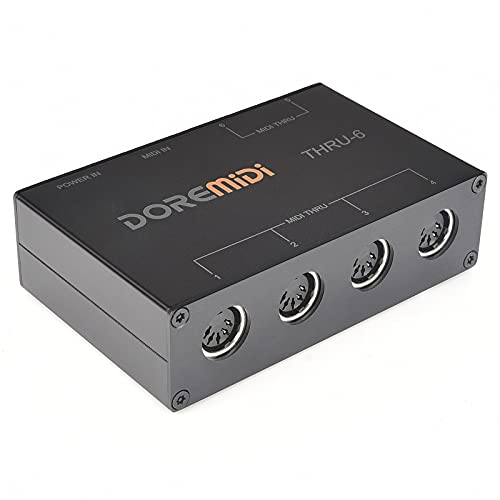
CAMOLA MIDI Thru 6 Box USB MIDI Interface 1-in 6-out Wired
Why We Love It
Getaria MIDI Cable 5 pin DIN plug 5m black
Why We Love It

CME U2MIDI Pro
Why We Love It
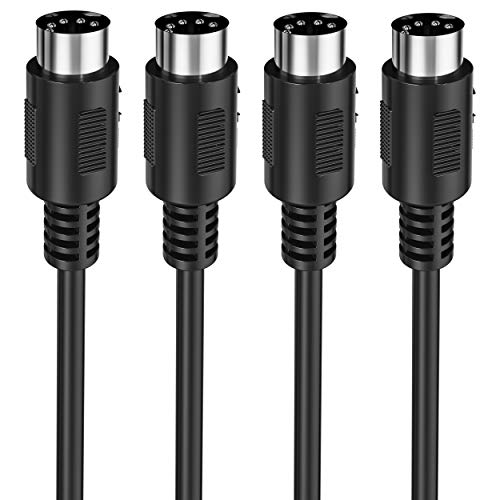
MIDI Cable 2-Pack 2m Male to Male 5-Pin DIN Audio Connector
Why We Love It
Quick Pick
10 Best Midi Interfaces Of 2026
Quick Pick
CME WIDI Jack Premium Bluetooth MIDI Interface
DigitalLife BridgeCore USB MIDI Host, USB to 5-PIN DIN MIDI (Black, Metal)
Getaria MIDI Cable 5 pin DIN plug 2m black, used for audio cables for electronic piano, MIDI keyboard, synthesizer, audio interface, sequencer, multi-effects pedal (2 M)
ESI M8U eX | 16-Port USB 3.0 MIDI Interface with USB Hub
USB MIDI Cable 6FT, USB 2.1 Type A to Type B Cord Compatible with MIDI Keyboards, Controllers, Audio Interfaces, Recording Equipment, USB Microphones & Printers, 2-Pack
M-VAVE SK7 - Wireless MIDI Adapter, Bluetooth 5.0 DIN5 MIDI In/Out Interface for Keyboards, Synths, Controllers – Ultra-Low Latency, iOS/Android/Windows Compatible
CAMOLA MIDI Thru 6 Box USB MIDI Interface 1-in 6-out Wired Transmission with High-speed Optocoupler MIDI Splitter, Plug-and-play
Getaria MIDI Cable 5 pin DIN plug 5m black, used for audio cables for electronic piano, MIDI keyboard, synthesizer, audio interface, sequencer, multi-effects pedal (5 M)
CME U2MIDI Pro - High-Speed USB MIDI Cable with Filter and Mapper - Plug & Play USB-to-MIDI Interface for Computer/Laptop/PC to MIDI Instrument/Device
MIDI Cable 2-Pack 2m Male to Male 5-Pin DIN Audio Connector for MIDI Keyboards, Synthesizers, Samplers, and External Sound Cards with Oxygen-Free Copper for Low Latency Transmission
Buying Guide: Midi Interfaces
📋 Table of Contents
1How many inputs do I actually need for my setup?
For solo producers, 2-4 inputs are usually enough for a microphone and instruments. If you record live bands or multiple sources at once, look for 8 or more inputs to avoid overloading your workflow.
2Is USB or Thunderbolt better for low latency?
Thunderbolt offers faster data transfer and lower latency, ideal for high-track-count projects. USB is more widely compatible and sufficient for basic recording, but may struggle with heavy DAW use or large sessions.
3What’s the difference between class-compliant and driver-based interfaces?
Class-compliant devices work instantly on most systems without extra software, making them great for portability. Driver-based interfaces often deliver better performance and more features but require installation for full functionality.
4Should I prioritize preamps or audio quality specs?
High-quality preamps (look for 48V phantom power and low noise) are crucial for clear vocal and mic recordings. While 24-bit/192kHz resolution is common, most home setups won’t notice a difference beyond 44.1kHz or 48kHz.
5What accessories are worth including in a bundle?
A sturdy stand or shock mount, pop filter, and instrument cables can save money and setup time. Bundles with a basic DAW or monitor speakers are also great for beginners who need a full entry-level setup.
How we choose
Our editors are people who genuinely love testing and writing about products. We compare each product's real-world usability and strengths, then distill what matters most into our own "Why We Love It" points — so you get an honest, at-a-glance sense of what counts before you buy.