10 Best Midi Controllers With Pads Of 2026
Midi Controllers With Pads — Reviews, Recommendations & Updated Buying Guide November 2026

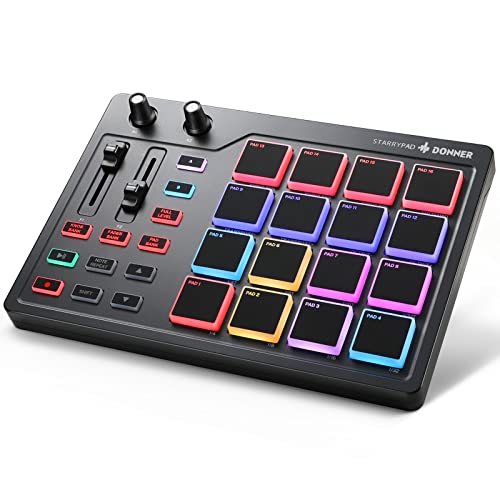
Donner MIDI Pad Beat Maker with 16 Beat Pads
Why We Love It


Akai Professional MPD218 UltraPortable USB BusPowered 16Pad
Why We Love It

Akai Professional MPK Mini IV 25-Key USB-C MIDI Keyboard
Why We Love It

Akai Professional LPD8 USB MIDI Pad Controller
Why We Love It

Akai Professional Mpk Mini Mk3 25 Key Usb Midi Keyboard
Why We Love It

M-AUDIO Oxygen Pro Mini 32 USB MIDI Keyboard Controller
Why We Love It

Alesis Usb Midi Keyboard Controller With Backlit Pads
Why We Love It

Akai Professional MPC Studio USB MIDI Pad Controller
Why We Love It
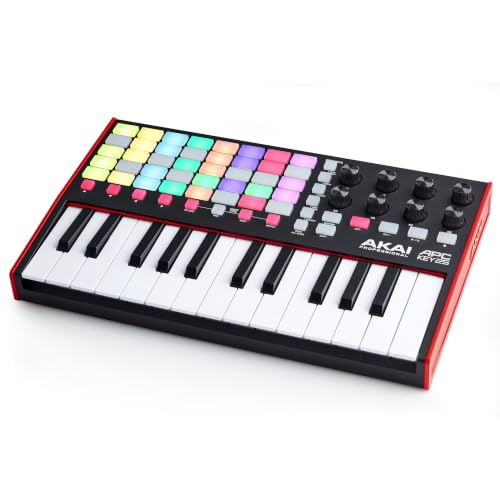
Akai Professional APC Key 25 MK2 25-Key USB MIDI Keyboard
Why We Love It

M-AUDIO Keystation Mini 32 MK3 USB MIDI Controller
Why We Love It
Quick Pick
10 Best Midi Controllers With Pads Of 2026
Quick Pick
Donner MIDI Pad Beat Maker with 16 Beat Pads, 2 Assignable Fader & Knobs and Music Production Software Included, USB MIDI Pad Controller STARRYPAD with 40 Free Courses
Akai Professional MPD218 UltraPortable USB BusPowered 16Pad USB/MIDI Pad Controller with MPC Pads, 6 Assignable Knobs, Note Repeat & Full Level Buttons, and Production Software Package Included
Akai Professional MPK Mini IV 25-Key USB-C MIDI Keyboard Controller, Black
Akai Professional LPD8 USB MIDI Pad Controller
Akai Professional Mpk Mini Mk3 25 Key Usb Midi Keyboard Controller With 8 Backlit Drum Pads, Knobs And Music Production Software Included, Mpkmini3
M-AUDIO Oxygen Pro Mini 32 USB MIDI Keyboard Controller
Alesis Usb Midi Keyboard Controller With Backlit Pads, 4 Assignable Knobs And Buttons, Professional Software Suite Included Black 25 Keys V25
Akai Professional MPC Studio USB MIDI Pad Controller
Akai Professional APC Key 25 MK2 25-Key USB MIDI Keyboard Controller
M-AUDIO Keystation Mini 32 MK3 USB MIDI Controller
Buying Guide: Midi Controllers With Pads
📋 Table of Contents
1How many pads do I actually need for my workflow?
Most users find 16-25 pads sufficient for basic production, while 32-64 pads suit complex setups or live performance. More pads can increase efficiency but may overwhelm beginners or take up more space.
2What MIDI connectivity options should I look for?
USB is standard for plug-and-play with computers, but a dedicated MIDI IN/OUT is better for connecting to hardware synths or drum machines. Look for at least one of these, ideally both, for maximum flexibility.
3Do velocity-sensitive pads really matter?
Yes — velocity sensitivity lets you play with dynamic expression, from soft snares to punchy kicks. A 4-level or continuous sensitivity range gives more nuance, especially for live or expressive music styles.
4What about aftertouch or pressure sensitivity?
Aftertouch is rare on pad controllers and usually not needed for drum or sample triggering. Focus on pad velocity instead unless you plan to use the controller for melodic instruments like virtual pianos or strings.
5Are assignable controls worth the extra cost?
Assignable knobs, faders, or pads for effects or DAW control can streamline your workflow. Look for at least 4-8 controls if you want to tweak parameters in real time without a mouse, especially for live or studio use.
How we choose
Our editors are people who genuinely love testing and writing about products. We compare each product's real-world usability and strengths, then distill what matters most into our own "Why We Love It" points — so you get an honest, at-a-glance sense of what counts before you buy.