10 Best Mesh Routers Of 2026
Mesh Routers — Reviews, Recommendations & Updated Buying Guide November 2026


TP-Link Deco M4(3-pack) AC1200Mbps Whole Home Mesh WiFi
Why We Love It


TP-Link Deco M4(2-Pack) AC1200Mbps Whole Home Mesh System
Why We Love It

TP-Link Deco X55 AX3000 WiFi 6 Mesh System
Why We Love It
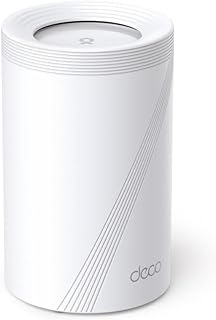
TP-Link Deco BE65
Why We Love It

TP-Link Deco X50(3-pack) AX3000Mbps Mesh WiFi 6 System
Why We Love It
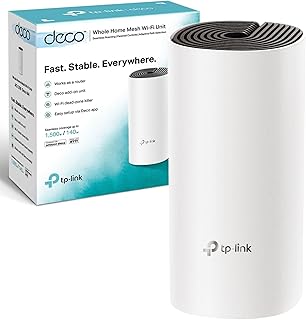
TP-Link Deco M4 Router WiFi AC1200Mbps WiFi Router WiFi
Why We Love It

TP Link Deco E4 AC1200 Advanced Whole Home Mesh Wi Fi System
Why We Love It

TP-Link Deco X20 AX1800 Whole Home Mesh WiFi 6 System
Why We Love It

TP-Link Deco X10 AX1500Mbps Dual Band WiFi 6 Router
Why We Love It

ASUS ZenWiFi BD4 (2-Pack) Dual-Band WiFi 7 Mesh Router: 3600
Why We Love It
Quick Pick
10 Best Mesh Routers Of 2026
Quick Pick
TP-Link Deco M4(3-pack) AC1200Mbps Whole Home Mesh WiFi System, up to 4000 sq ft Coverage, Qualcomm CPU, Dual-Band WiFi Booster with Gigabit Ports, Compatible with Amazon Echo/Alexa, Parent Control
TP-Link Deco M4(2-Pack) AC1200Mbps Whole Home Mesh System, Seamless & Speedy WiFi Extender, Up to 2800 ft² Coverage, Work with Amazon Alexa, Router and Internet Booster Replacement
TP-Link Deco X55 AX3000 WiFi 6 Mesh System, Deco X55(3-Pack) | Covers up to 6500 Sq.Ft. , Replaces Wireless Router and Extender, 3 Gigabit ports per unit, supports Ethernet Backhaul
TP-Link Deco BE65 | BE9300 Whole Home Mesh WiFi 7 System | 1-Pack
TP-Link Deco X50(3-pack) AX3000Mbps Mesh WiFi 6 System, AI-Driven, Coverage up to 6500ft²,WiFi Mesh System, WiFi Router, WiFi Extender Booster, Gaming & 4K, Easy Setup, Alexa & Google Home
TP-Link Deco M4 Router WiFi AC1200Mbps WiFi Router WiFi Extender Booster, Add on Single Unit for All Deco Mesh WiFi System, Gigabit Ethernet Ports, Easy Setup, Internet Booster Routers, WiFi Booster
TP Link Deco E4 AC1200 Advanced Whole Home Mesh Wi Fi System, Covergae upto 4000 Sq. Ft. Parental Controls 3 Pack, White, DECO E4(3-PACK)
TP-Link Deco X20 AX1800 Whole Home Mesh WiFi 6 System, AI-Driven Mesh, Up to 5,800 Sq ft Coverage, 1 GHz Quad-Core CPU, Compatible with Amazon Alexa, With TP-Link HomeShield's kit, Pack of 3, White
TP-Link Deco X10 AX1500Mbps Dual Band WiFi 6 Router, Home Seamless Roaming | "WiFi Router with 2x2G Ports, Parental Control, AI Driven Mesh, Voice Control, WiFi Dead Zone Killer, MU-MIMO, Easy Setup"
ASUS ZenWiFi BD4 (2-Pack) Dual-Band WiFi 7 Mesh Router: 3600 Mbps, 4900 sq.ft., Dual 2.5G Ports, Security and Parental Controls Included, Smart Home Master SSIDs -White
Buying Guide: Mesh Routers
📋 Table of Contents
1How many devices can a mesh router system support effectively?
A quality mesh router system can support 20-50 devices simultaneously without significant slowdowns. Look for systems with at least 100 Mbps per device throughput, and ensure the router uses Wi-Fi 6 or later for better handling of multiple connections and reduced latency.
2What’s the difference between a 2-node and 3-node mesh system?
A 2-node system is ideal for homes up to 1,500 sq ft, while a 3-node system covers up to 2,500 sq ft. More nodes provide better coverage in larger or multi-story homes, but also increase cost and complexity. Choose based on your home layout and internet usage patterns.
3Should I prioritize Wi-Fi 6 or Wi-Fi 5 for my mesh router?
Wi-Fi 6 is strongly recommended for modern homes with multiple devices, as it offers faster speeds, better range, and improved efficiency. Wi-Fi 5 systems are becoming outdated and may struggle with newer devices or high-traffic scenarios like streaming or online gaming.
4What’s the importance of a router’s MU-MIMO technology?
MU-MIMO (Multi-User, Multiple Input, Multiple Output) allows a router to communicate with multiple devices at once, rather than one at a time. This reduces lag and improves performance, especially in homes with many connected devices like smart TVs, phones, and IoT gadgets.
5Are there any common mistakes to avoid when setting up a mesh router?
Avoid placing nodes too far apart or behind thick walls, as this can create dead zones. Also, ensure all nodes are on the same Wi-Fi network and firmware is updated regularly. Using the wrong Wi-Fi channel or not aligning nodes properly can also degrade performance.
How we choose
Our editors are people who genuinely love testing and writing about products. We compare each product's real-world usability and strengths, then distill what matters most into our own "Why We Love It" points — so you get an honest, at-a-glance sense of what counts before you buy.