10 Best Membrane Backlit Keyboard Of 2026
Membrane Backlit Keyboard — Reviews, Recommendations & Updated Buying Guide November 2026


Redragon K515 Shiva Wired RGB Membrane Gaming Keyboard
Why We Love It


Redragon K525 RGB Backlit 104 Keys Wired Membrane Gaming
Why We Love It
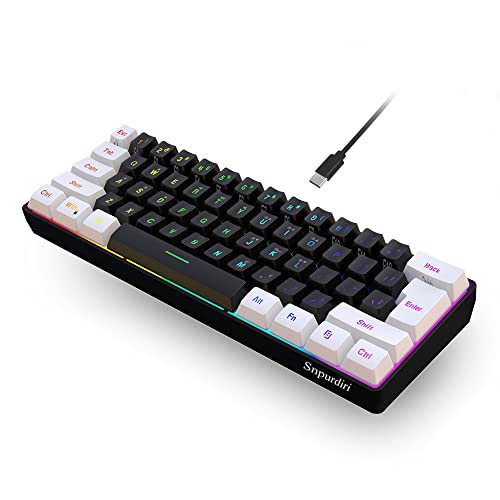
Snpurdiri 60% Wired Gaming Keyboard
Why We Love It
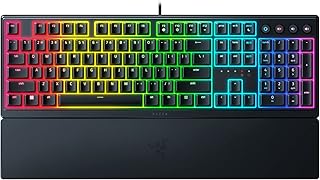
Razer Ornata V3 Gaming Keyboard: US Layout
Why We Love It

Redragon K513 RGB Membrane Gaming Keyboard
Why We Love It

AULA 99 Keys Keyboard
Why We Love It

MechLands Aula S102 Membrane Gaming Keyboard with Number Pad
Why We Love It

Generic Membrane Gaming Keyboard
Why We Love It

96% Wired Gaming Keyboard
Why We Love It

EPOMAKER Aula S102 PRO Membrane Gaming Keyboard with TFT
Why We Love It
Quick Pick
10 Best Membrane Backlit Keyboard Of 2026
Quick Pick
Redragon K515 Shiva Wired RGB Membrane Gaming Keyboard, 98 Keys Mechanical-Feel Keyboard w/Smooth Linear Switch, On-Board Macro & Dedicated Multimedia Keys, Detachable Wrist Rest, Software Supported
Redragon K525 RGB Backlit 104 Keys Wired Membrane Gaming Keyboard w/ 5 Multimedia Keys & 4 Extra On-Board Macro Keys, Dedicated Media Control, Ergonomic Wrist Rest, Linear Mechanical-Feel Switch
Snpurdiri 60% Wired Gaming Keyboard, Small RGB Backlit Membrane Gaming Keyboard, Ultra-Compact Mini Waterproof Keyboard for PC Computer Gamer White and Black
Razer Ornata V3 Gaming Keyboard: US Layout, Low-Profile Keys, Mecha-Membrane Switches, UV-Coated Keycaps, Backlit Media Keys, 10-Zone RGB Lighting, Spill-Resistant - Classic Black
Redragon K513 RGB Membrane Gaming Keyboard, Standard 104 Keys Linear Mechanical-Feel Keyboard w/ 5 Extra On-Board Macro G Keys, Dedicated Media Control, Solid Metal Top Case
AULA 99 Keys Keyboard, Pink Wireless Gaming Keyboard Creamy with | Membrane Keyboard, RGB Backlit, Tri-Mode BT/2.4GHz/USB-C, 2000mAh Rechargeable Thocky Clicky Creamy Sound
MechLands Aula S102 Membrane Gaming Keyboard with Number Pad, 100% Full Size Layout, USB-C Wired, RGB Backlit, Creamy Silicone Structure, Silent Keyboard for PC Game/Office (Grey)
Generic Membrane Gaming Keyboard, RGB USB Wired Compact Computer Keyboard 61 Keys, N Key Rollover Contour Keycaps, Mechanical Feeling for Work Gaming, 8 Light Colors
96% Wired Gaming Keyboard, Creamy Quiet Keyboard with Volume Knob | Membrane Silent Keyboard, 98 Keys with Number Pad, Rainbow Backlit, USB-A to Type-C, for Windows PC Laptop Games- Black/Grey
EPOMAKER Aula S102 PRO Membrane Gaming Keyboard with TFT Screen, Volume Knob & Number Pad, BT/2.4G/USB, RGB Backlit, Creamy Silicone Structure, Silent Keyboard for PC Game/Office (Yellow) | Silent Keyboard w/ Number Pad for PC Game/Office, BT/2.4G/USB, RGB Backlit, Creamy Silicone Structure (Yellow)
Buying Guide: Membrane Backlit Keyboard
📋 Table of Contents
1What is a membrane backlit keyboard, and when is it a good choice?
A membrane backlit keyboard uses a single-layer, pressure-sensitive membrane instead of mechanical switches, making it lightweight and quiet. It's ideal for low-noise environments, travel, or basic typing needs, but may lack the tactile feedback and durability of mechanical keyboards.
2What backlighting options should I look for?
Look for keyboards with adjustable brightness and color options, such as RGB or monochrome. Some models offer per-key customization, while others have a single uniform light. For low-light use, a bright white backlight with dimming is often more practical than flashy RGB options.
3How durable are membrane backlit keyboards compared to mechanical ones?
Membrane keyboards typically have a shorter lifespan, with key presses rated for around 5-10 million cycles, compared to 50-100 million for mechanical switches. They are more prone to wear over time, especially with heavy use, but are more resistant to dust and spills due to their sealed design.
4What size and layout should I choose for my needs?
Full-size membrane keyboards with a numeric keypad are best for office or data entry tasks, while compact or tenkeyless designs suit travel or space-limited setups. Ensure the layout matches your typing habits, such as QWERTY, AZERTY, or Dvorak, and check for ergonomic features like split or curved designs.
5Are there any common mistakes to avoid when buying one?
Avoid models with overly bright or flickering LEDs that cause eye strain, and check for poor key travel or inconsistent backlighting. Also, be wary of overly cheap models with flimsy membranes that may fail quickly. Look for at least a 1-year warranty and positive reviews on durability and build quality.
How we choose
Our editors are people who genuinely love testing and writing about products. We compare each product's real-world usability and strengths, then distill what matters most into our own "Why We Love It" points — so you get an honest, at-a-glance sense of what counts before you buy.