10 Best Mechanical Gaming Keyboards For Mac Of 2026
Mechanical Gaming Keyboards For Mac — Reviews, Recommendations & Updated Buying Guide November 2026


AULA 99 Key Purple Keyboard
Why We Love It


Seeken Gaming Keyboard
Why We Love It

EPOMAKER TH108 V2 PRO Full Size Mechanical Keyboard with
Why We Love It

AULA F108 PRO Mechanical Gaming Keyboard with Screen & Knob
Why We Love It

GK61 Mechanical Gaming Keyboard
Why We Love It

YINDIAO Ajazz AK820 Mechanical Keyboard with CNC Knob
Why We Love It

Redragon Kumara White, Wired Mechanical Keyboard
Why We Love It

EPOMAKER X Aula F75 MAX Tri-Mode Wireless Gaming Keyboard
Why We Love It

T98 Wireless Mechanical Keyboard Arabic 98% Gaming Bluetooth
Why We Love It
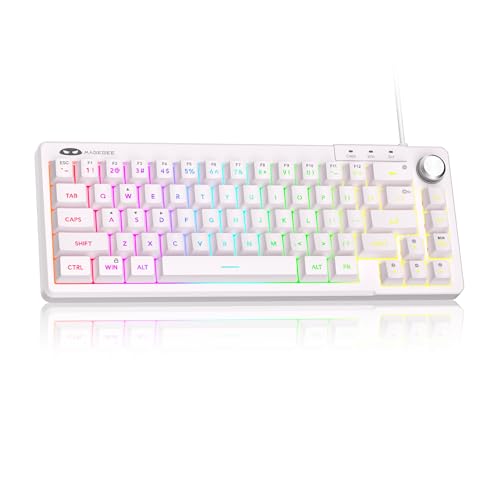
MageGee Mini 60% Gaming Keyboard
Why We Love It
Quick Pick
10 Best Mechanical Gaming Keyboards For Mac Of 2026
Quick Pick
AULA 99 Key Purple Keyboard, Wireless Gaming Keyboard with Number Pad | RGB Backlit,Programmable,Creamy Sounding,Tri-Mode BT/2.4GHz/USB-C,2000mAh Membrane Keyboard,Thocky Computer Keyboards
Seeken Gaming Keyboard – Compact 60% Design Mechanical Keyboard, Wired Keyboard with RGB, Anti-Ghosting, 21-Key Rollover, USB-C, Windows/Mac/Linux Compatible, Plug‑and‑Play, Black (Red Switches)
EPOMAKER TH108 V2 PRO Full Size Mechanical Keyboard with Screen & Knob, 10000mAh, BT/2.4Ghz, Mac PBT Keycap, Hot Swap, RGB, Gasket, Wireless Gaming Keyboard for Mac/PC (Black, Sea Salt Silent V2)
AULA F108 PRO Mechanical Gaming Keyboard with Screen & Knob,Wireless Creamy Keyboard with 8000mAh Battery,Pre-lubed Switches,Side Printed PBT Keycaps,RGB Backlit Hot Swappable Custom Keyboards
GK61 Mechanical Gaming Keyboard - 61 Keys Multi Color RGB Illuminated LED Backlit Wired Programmable for PC/Mac Gamer (Gateron Optical Yellow, White)
YINDIAO Ajazz AK820 Mechanical Keyboard with CNC Knob Control,75% ANSI Layout,81Keys Gasket Mount Wired Gaming Keyboard,5 Sound Absorbing Foam,Hot-swappable,White Backlit,for PC,MAC (Grey&White)
Redragon Kumara White, Wired Mechanical Keyboard, Rgb
EPOMAKER X Aula F75 MAX Tri-Mode Wireless Gaming Keyboard, TFT Screen, Knob, Hot Swappable, 2.4GHz/Type-C/BT5.0, Gasket Creamy, for PC/Mac/Office/Gaming (Black Gradient)
T98 Wireless Mechanical Keyboard Arabic 98% Gaming Bluetooth Keyboard | Gaming Keyboard with Hot Swappable RGB Backlit, BT/2.4G/USB-C Mechanical Keyboard Wireless, Screen, Computer Software Support
MageGee Mini 60% Gaming Keyboard, RGB Backlit Ultra-Compact Keyboard, TS68 Ergonomic Waterproof Mechanical Feeling Office Computer Keyboards for PC, MAC, PS4, Xbox ONE Gamer
Buying Guide: Mechanical Gaming Keyboards For Mac
📋 Table of Contents
1What switch type is best for gaming on a Mac?
Red or linear switches offer the smoothest keystrokes for fast-paced gaming, while Brown or tactile switches provide a slight bump for more control. For Mac compatibility, ensure the keyboard uses USB-C or Thunderbolt and has proper driver support for macOS.
2Do I need a keyboard with a dedicated number pad?
If you frequently use spreadsheets or in-game commands, a number pad is helpful. However, most compact mechanical gaming keyboards skip it to save space, so consider your workflow and desk size before deciding.
3How important is RGB lighting for a Mac gaming keyboard?
RGB lighting is mostly a style feature, but it can help with visibility in low-light environments. Look for software that allows custom lighting profiles, and ensure it works natively with macOS without requiring Windows drivers.
4What cable type should I look for with a wired mechanical gaming keyboard?
A braided USB-C or USB-A cable offers better durability and faster data transfer. Avoid thin or unshielded cables, which can cause lag or wear out quickly with frequent movement.
5Are mechanical gaming keyboards louder than regular Mac keyboards?
Yes — mechanical switches are generally louder than scissor-switch or membrane keyboards. If you work in quiet environments, opt for quieter switches like Silent Red or consider a sound-dampening keyboard case.
How we choose
Our editors are people who genuinely love testing and writing about products. We compare each product's real-world usability and strengths, then distill what matters most into our own "Why We Love It" points — so you get an honest, at-a-glance sense of what counts before you buy.