10 Best Mayflash Arcade Sticks Of 2026
Mayflash Arcade Sticks — Reviews, Recommendations & Updated Buying Guide November 2026


MAYFLASH Universal Arcade Fighting Stick F500 for
Why We Love It


MAYFLASH F700 FLAT Elite Wireless Arcade Stick Leverless All
Why We Love It

MAYFLASH Arcade Stick F700 for PS5
Why We Love It
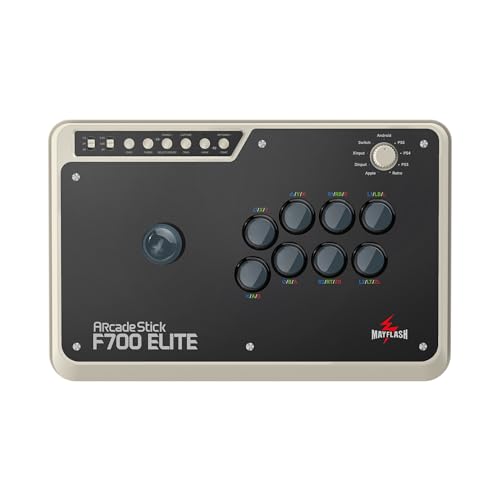
MAYFLASH Arcade Stick F700 Elite with Sanwa buttons and
Why We Love It

MAYFLASH Arcade Stick F300 Elite with Sanwa Buttons and
Why We Love It
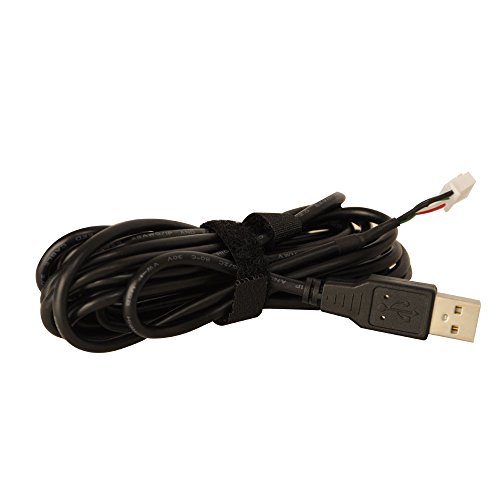
MAYFLASH Arcade Stick F300 F500 USB Cable 3 Meters
Why We Love It

MAYFLASH Arcade Stick F700/F700X/F700Elite Non-Slip Pad
Why We Love It

MAYFLASH MagicBoots-S5 FPS PS4 Adapter Arcade Joystick PS5
Why We Love It

May Flash Arcade Stick F500 Elite with Sanwa Buttons and
Why We Love It

May Flash Arcade Stick F101 for Nintendo
Why We Love It
Quick Pick
10 Best Mayflash Arcade Sticks Of 2026
Quick Pick
MAYFLASH Universal Arcade Fighting Stick F500 for Switch/Switch 2, Xbox Series X/S, Xbox One, Xbox 360, PS4, PS3, Windows, macOS, Android, Raspberry Pi, Steam Deck, PS Classic, NEOGEO mini
MAYFLASH F700 FLAT Elite Wireless Arcade Stick Leverless All Button Controller with Sanwa buttons Compatible with PS5, PS4, PC, Xbox Series S/X, Switch/Switch 2 Support Bluetooth, 2.4G and Wired
MAYFLASH Arcade Stick F700 for PS5, PS4, Switch, Switch 2, Windows, Apple, Android and more. Fight Stick Support Wireless Bluetooth, 2.4G Receiver and Wired Connection
MAYFLASH Arcade Stick F700 Elite with Sanwa buttons and joystick for PS5, PS4, Switch/Switch 2, Windows, Apple, Android and more. Fighting Stick Support Wireless Bluetooth, 2.4G and Wired Connection
MAYFLASH Arcade Stick F300 Elite with Sanwa Buttons and Sanwa Joysticks for Switch/Switch 2, Xbox Series S/X, Xbox One, PS4, PS3, Windows, macOS, Steam Deck, Android and more
MAYFLASH Arcade Stick F300 F500 USB Cable 3 Meters Compatible F300 F500
MAYFLASH Arcade Stick F700/F700X/F700Elite Non-Slip Pad Anti-Slip Rubber Mat
MAYFLASH MagicBoots-S5 FPS PS4 Adapter Arcade Joystick PS5 Converter for F300, F300 Elite, F500, F500 Elite, F500 Flat and More
May Flash Arcade Stick F500 Elite with Sanwa Buttons and Sanwa Joysticks for Xbox Series X/PS4/PS3/Xbox One/Xbox 360/Nintendo Switch/Android/PC Windows/NEOGEO Mini/SEGA MEGA Drive/SEGA Genesis
May Flash Arcade Stick F101 for Nintendo Switch/PC/PS3/Android/Neogeo Mini
Buying Guide: Mayflash Arcade Sticks
📋 Table of Contents
1What input types should I look for in an arcade stick?
Most arcade sticks use microswitches for buttons and optical or mechanical switches for directional pads. Optical D-pads offer faster response and durability, while mechanical switches are more affordable. For competitive play, optical is generally preferred due to its consistency and longevity.
2How many buttons do I actually need?
A standard arcade stick has 6 buttons (2 punch, 2 kick, start/select), but many include 8 or more for homebrew or fighting game variations. If you play modern titles or modded games, 8+ buttons add flexibility without overcomplicating layout for casual use.
3What build quality matters most for long-term use?
Look for a solid metal chassis and reinforced PCB to prevent flexing and damage. High-quality arcade sticks use durable materials like aluminum or steel and have a sturdy, weighted feel. Avoid flimsy plastic builds if you plan to use the stick intensively or in public settings.
4Should I prioritize wired or wireless connectivity?
Wired connections offer the lowest latency and are more reliable for competitive play, while wireless sticks provide desk space freedom and reduce cable clutter. If you go wireless, ensure it uses a dedicated receiver or Bluetooth with low input lag and a long battery life of at least 10-15 hours.
5Are custom layouts or modding options worth considering?
Custom layouts let you adjust button placement for different hand sizes or game preferences, while modding options like hot-swappable switches or LED lighting add personalization. If you're a serious player or collector, these features can enhance comfort and aesthetics, but they often increase cost and complexity.
How we choose
Our editors are people who genuinely love testing and writing about products. We compare each product's real-world usability and strengths, then distill what matters most into our own "Why We Love It" points — so you get an honest, at-a-glance sense of what counts before you buy.