10 Best Magegee Gaming Keyboards Of 2026
Magegee Gaming Keyboards — Reviews, Recommendations & Updated Buying Guide November 2026


Gaming Keyboard and Mouse Combo
Why We Love It


Gaming Keyboard and Mouse Combo
Why We Love It

MageGee Wireless One Handed Gaming Keyboard
Why We Love It

MageGee 75% Mechanical Gaming Keyboard
Why We Love It
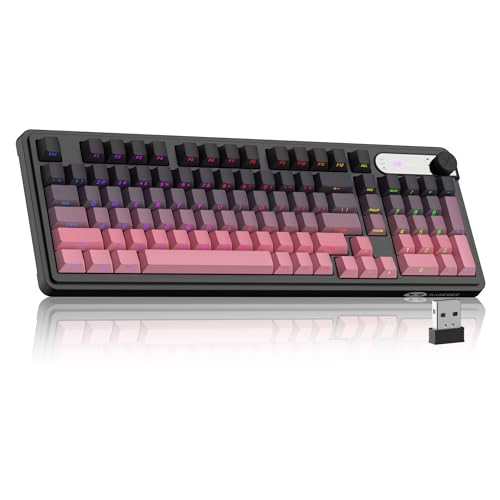
MageGee GK960 Wireless Keyboard
Why We Love It
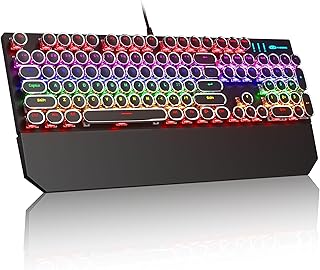
MageGee Typewriter Mechanical Gaming Keyboard
Why We Love It

MageGee Mini 60% Gaming Keyboard
Why We Love It

MageGee 60% Gaming Keyboard
Why We Love It

MageGee Wire Gaming Keyboard
Why We Love It

MageGee Pink Gaming Keyboard and Mouse Combo
Why We Love It
Quick Pick
10 Best Magegee Gaming Keyboards Of 2026
Quick Pick
Gaming Keyboard and Mouse Combo, K1 RGB LED Backlit Keyboard with 104 Key for PC/Laptop(White)
Gaming Keyboard and Mouse Combo, K1 RGB LED Backlit Keyboard with 104 Key Computer PC Gaming Keyboard for PC/Laptop (Black)
MageGee Wireless One Handed Gaming Keyboard, Tri-Mode BT/ 2.4Ghz RGB Backlit 34 Keys Mini Keyboard for Gamer, Red Switch, Wrist Rest Support(Black)
MageGee 75% Mechanical Gaming Keyboard, Brown Switch, LED White Backlit, 87 Keys Compact TKL Wired Computer Keyboards for Windows Laptop PC Gamer - Grey & White
MageGee GK960 Wireless Keyboard, 98 Keys Tri-Mode BT/2.4G/Wired Membrane Gaming Keyboard, RGB Creamy Keyboard with Number Pad, Knob Control, Side Printed Keycaps, 4000mAh Battery - Black & Pink
MageGee Typewriter Mechanical Gaming Keyboard, Retro Black Punk Round Keycaps RGB Rainbow Backlit Wired Keyboards for Laptop MAC PC Gamer, with Magnetic Wrist Rest - Blue Switch
MageGee Mini 60% Gaming Keyboard, Upgrade RGB Backlit 61 Key Ultra-Compact Keyboard, TS91 Ergonomic Waterproof Mechanical Feeling Office Computer Keyboard for PC, MAC, PS4, Xbox ONE Gamer(White)
MageGee 60% Gaming Keyboard, RGB Backlit 61 Key Compact Mini Keyboard, Ergonomic Waterproof Mechanical Feeling Office Computer Keyboards for PC, Mac, Travel (Black)
MageGee Wire Gaming Keyboard,Creamy Keyboard and Mouse Combo, 7 Colorful Rainbow Backlight Classic Gaming Keyboard (White & Blue & Purple)
MageGee Pink Gaming Keyboard and Mouse Combo, GK980 Wired Backlit Keyboard, Adjustable DPI Mouse for PC/Laptop/MAC
Buying Guide: Magegee Gaming Keyboards
📋 Table of Contents
1What's the difference between Magegee mechanical and membrane keyboards?
Mechanical keyboards use individual switches under each key for faster response and durability, while membrane keyboards are quieter and more affordable but wear out faster. For competitive gaming, mechanical switches give you a real edge; for casual play, membrane works fine.
2Do Magegee keyboards work with both PC and console gaming?
Most Magegee keyboards connect via USB or 2.4GHz wireless, which works with PC and some consoles like PlayStation, but not all console games support external keyboards. Check the specific model's compatibility list before buying if you plan to use it across multiple devices.
3What switch type should I choose for gaming — linear, tactile, or clicky?
Linear switches are fastest for racing games, tactile switches offer feedback for precise control, and clicky switches feel responsive but are noisy. Pick based on what feels good under your fingers and your tolerance for noise.
4Is RGB lighting worth the extra cost on a Magegee keyboard?
RGB is purely cosmetic and doesn't improve gaming performance, so it's only worth it if you want aesthetics or customizable lighting effects. If you're budget-conscious or prefer a minimalist setup, skip it and save money.
5What keyboard size should I get — full-size, 80%, or 60%?
Full-size has all keys including a numeric pad, 80% removes the num pad for a smaller footprint, and 60% strips it down further for portability. Choose full-size if you value extra keys, or go smaller if you want more mouse space or a portable setup.
How we choose
Our editors are people who genuinely love testing and writing about products. We compare each product's real-world usability and strengths, then distill what matters most into our own "Why We Love It" points — so you get an honest, at-a-glance sense of what counts before you buy.