10 Best Mac Formatted Floppy Diskettes Of 2026
Mac Formatted Floppy Diskettes — Reviews, Recommendations & Updated Buying Guide November 2026


Imation 3.5 HD DS Mac Formatted Floppy Disk Pack (10 Neon
Why We Love It


Disk 1.44MB Floppy Disc 10-Pack
Why We Love It

USB Floppy Disk Reader Drive
Why We Love It

USB Floppy Drive 3.5 Inch
Why We Love It

Floppy Disk Reader USB Type A/C Floppy Disk
Why We Love It

Floppy Disk
Why We Love It
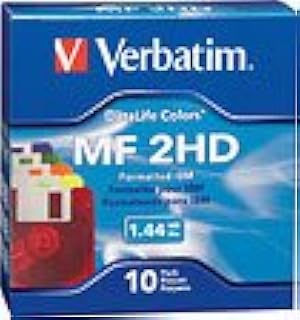
Verbatim Floppy Disks (10-Pack)
Why We Love It

YEY Floppy Disk Reader External Floppy Disk Reader USB
Why We Love It

MAXELL 556531 Floppy Disks 30-pk
Why We Love It

1Pc 3.5 Inch Floppy Disk Cleaner 1.44MB Format a Floppy Disk
Why We Love It
Quick Pick
10 Best Mac Formatted Floppy Diskettes Of 2026
Quick Pick
Imation 3.5 HD DS Mac Formatted Floppy Disk Pack (10 Neon Colored Disks, 1.4 MB)
Disk 1.44MB Floppy Disc 10-Pack
USB Floppy Disk Reader Drive, 3.5' External Portable 1.44 MB FDD Diskette Drive for Mac Windows 10/7/8/XP/Vista PC Laptop Desktop Notebook Computer Plug and Play No Extra drivers- Black
USB Floppy Drive 3.5 Inch, External Portable Floppy Disk Reader for PC, 1.44MB FDD Compatible with Old Windows Systems, Data Transfer Device for Legacy Files, Not Mac Supported
Floppy Disk Reader USB Type A/C Floppy Disk Drive/Player/Converter External 3.5 inch 1.44 MB Floppy Disc Reader Compatible with Windows 11/10/8/7/XP/2000 PC Laptop and Desktop
Floppy Disk – 3.5" 1.44Mbps Floppy Disks for Data Storage (10-Pack) (Discontinuado by Manufacturer)
Verbatim Floppy Disks (10-Pack) - Multicolor
YEY Floppy Disk Reader External Floppy Disk Reader USB 3.5-inch USB Floppy Disk Reader 1.44 MB FDD Portable Floppy Disk for PC Laptops Windows/XP/7/8/10/11 Plug and Play
MAXELL 556531 Floppy Disks 30-pk
1Pc 3.5 Inch Floppy Disk Cleaner 1.44MB Format a Floppy Disk Cleaner Portable Floppy Disk Cleaner for PC Amiga Atari ST Archimedes Black
Buying Guide: Mac Formatted Floppy Diskettes
📋 Table of Contents
1What storage capacity should I look for in a Mac-formatted floppy diskette?
Most Mac-formatted floppy diskettes have a capacity of 800KB to 1.4MB, depending on the format. For older Mac systems, 800KB (400KB double-sided) is common, while later models used 1.4MB (800KB double-sided). Choose based on the specific Mac model and software you're working with.
2Does the diskette need to be HFS-formatted or can I use FAT?
For compatibility with classic Mac OS, the diskette should be HFS-formatted. FAT is readable on some Macs but lacks full support for Mac-specific file types and resource forks. Always format for HFS if you're using pre-OS X software or hardware.
3Are double-density or high-density diskettes better for Mac use?
High-density (HD) 1.4MB diskettes are standard for most Macs from the late 1980s onward. Double-density (DD) 800KB disks work in some models but offer less storage and slower performance. HD is the better choice for modern Mac retro use and data transfer.
4Can I use a PC-formatted floppy in a Mac, or vice versa?
PC-formatted disks can be read on some Macs, but they won’t be HFS-formatted and may lack resource forks. Mac-formatted disks are unreadable on most PCs without special software. Always format for the target system to avoid data loss or corruption.
5What should I look for in a reliable brand or source for vintage Mac floppy diskettes?
Look for reputable retro computing suppliers or manufacturers like Alps, Sony, or Tandy that produced high-quality media in the 1980s and 1990s. Avoid cheap, unbranded disks that may degrade quickly. Check for proper formatting tools and compatibility with your Mac model.
How we choose
Our editors are people who genuinely love testing and writing about products. We compare each product's real-world usability and strengths, then distill what matters most into our own "Why We Love It" points — so you get an honest, at-a-glance sense of what counts before you buy.