10 Best Logitech Keyboard Bluetooth Of 2026
Logitech Keyboard Bluetooth — Reviews, Recommendations & Updated Buying Guide November 2026


Logitech K250 Bluetooth Keyboard with Numpad
Why We Love It

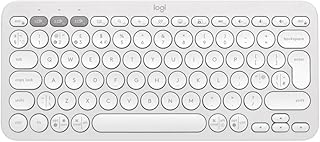
Logitech Pebble Keys 2 K380s
Why We Love It

Logitech K580 Slim Multi-Device Wireless Keyboard
Why We Love It

Logitech K250 Bluetooth Keyboard with Numpad
Why We Love It

Logitech MK250 Bluetooth Wireless Mouse and Keyboard Combo:
Why We Love It

Logitech Pebble Keys 2 K380s
Why We Love It

Logitech K400 Plus Wireless Livingroom Keyboard with
Why We Love It

Logitech MX Keys S Wireless Keyboard
Why We Love It

Logitech MK235 Wireless Keyboard and Mouse Combo for Windows
Why We Love It

Logitech Pebble Keys 2 K380s Wireless Bluetooth Keyboard
Why We Love It
Quick Pick
10 Best Logitech Keyboard Bluetooth Of 2026
Quick Pick
Logitech K250 Bluetooth Keyboard with Numpad, Easy Connectivity, Compact Wireless Keyboard Made with Recycled Plastic, Spill-Resistant, Comfortable Keys - Windows/MacOS - Graphite
Logitech Pebble Keys 2 K380s, Multi-Device Bluetooth Wireless Keyboard with Customizable Shortcuts, Slim and Portable, Easy-Switch for Windows, macOS, iPadOS, Android, Chrome OS, US Intl Layout- White
Logitech K580 Slim Multi-Device Wireless Keyboard - Bluetooth/Receiver, Compact, Easy Switch, 24 Month Battery, Win/Mac, Desktop, Tablet,Smartphone, Laptop Compatible, English+Arabic Keyboard - White
Logitech K250 Bluetooth Keyboard with Numpad, Easy Connectivity, Compact Wireless Keyboard made with Recycled Plastic, Spill-Resistant, comfortable Keys - Windows/MacOS, ARA Keyboard - Graphite
Logitech MK250 Bluetooth Wireless Mouse and Keyboard Combo: Fast & Easy Connectivity, Compact Wireless Keyboard, Ambidextrous Mouse, Durable build - Windows/MacOS, ARA Keyboard - Graphite
Logitech Pebble Keys 2 K380s, Multi-Device Bluetooth Wireless Keyboard with Customisable Shortcuts, Slim and Portable, Easy-Switch for Windows, macOS, iPadOS, Android, Chrome OS, ARA Layout - Graphite
Logitech K400 Plus Wireless Livingroom Keyboard with Touchpad for Home Theatre PC Connected to TV, Customizable Multi-Media Keys, Windows, Android, Laptop/Tablet, Arabic Keyboard - Black
Logitech MX Keys S Wireless Keyboard, Low Profile, Fluid Precise Quiet Typing, Programmable Keys, Backlighting, Bluetooth, USB C Rechargeable, for Windows PC, Linux, Chrome, Mac - Graphite, INT Layout
Logitech MK235 Wireless Keyboard and Mouse Combo for Windows, 2.4 GHz Wireless with Unifying USB-Receiver, Wireless Mouse, 15 FN Keys, 3-Year Battery Life, PC/Laptop, Arabic/English Layout - Black
Logitech Pebble Keys 2 K380s Wireless Bluetooth Keyboard - Tonal Graphite | Slim portable compact Bluetooth keyboard, customizable keys, switch between 3 paired devices with Easy-Switch buttons.
Buying Guide: Logitech Keyboard Bluetooth
📋 Table of Contents
1What should I look for in a Logitech Bluetooth keyboard?
Look for a keyboard with a comfortable layout, good battery life, and reliable Bluetooth connectivity. Consider if it includes a number pad or multimedia keys based on your needs.
2What are the key specifications to check?
Check the battery life, connectivity type (Bluetooth version), compatibility with your devices, and whether it includes a USB receiver or is wireless-only.
3How do I ensure the keyboard is compatible with my devices?
Verify that the keyboard supports your operating system (Windows, macOS, or iOS) and check if it requires a driver or works plug-and-play.
4When should I pay more for a Logitech Bluetooth keyboard?
Pay more if you need advanced features like backlighting, ergonomic design, or compatibility with multiple devices, especially if you use it for extended periods.
5What are common mistakes to avoid when buying a Logitech Bluetooth keyboard?
Avoid buying a keyboard without checking its compatibility with your devices or ignoring battery life, which can affect usability. Also, ensure it has the right layout for your typing needs.
How we choose
Our editors are people who genuinely love testing and writing about products. We compare each product's real-world usability and strengths, then distill what matters most into our own "Why We Love It" points — so you get an honest, at-a-glance sense of what counts before you buy.