10 Best Locking Usb C Cables Of 2026
Locking Usb C Cables — Reviews, Recommendations & Updated Buying Guide November 2026


StarTech.com 3ft (1m) Top Screw Locking USB C Cable 10Gbps
Why We Love It


StarTech 3.3ft/1m Side Screw Locking USB-C Cable
Why We Love It

10Gbps USB 3.1 Type C Male to Dual Locking Thumbscrew USB C
Why We Love It

Tripp Lite USB C to DisplayPort Adapter Cable Bi-Directional
Why We Love It

UGREEN Type C Cable 0.5M
Why We Love It
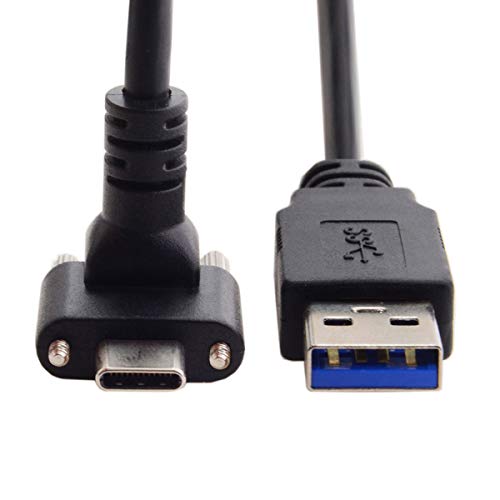
JSER Down Up Angled USB 3.1 Type-C Dual Screw Locking to
Why We Love It

Xiwai Fit for Oculus Link VR USB 3.1 Type-C Dual Screw
Why We Love It

SooPii 240 W Retractable USB C Cable with Mag-Snap Storage
Why We Love It
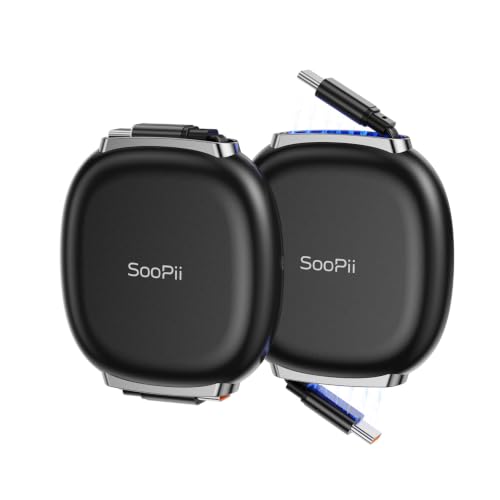
SooPii 240W Retractable USB C to USB C Cable (Black
Why We Love It

Cable Matters [USB-IF Certified] USB4 Cable with Top Screw
Why We Love It
Quick Pick
10 Best Locking Usb C Cables Of 2026
Quick Pick
StarTech.com 3ft (1m) Top Screw Locking USB C Cable 10Gbps - USB 3.1/3.2 Gen 2 Type-C Cable - 100W (5A) Power Delivery Charging, DP Alt Mode - Single Screw Lock, USB-C Cord Charge/Sync (USB31CCTLKV1M)
StarTech 3.3ft/1m Side Screw Locking USB-C Cable, USB 10Gbps, 100W PD
10Gbps USB 3.1 Type C Male to Dual Locking Thumbscrew USB C Data 4K Cable Panel Mount, 1 Meter Type C to C Data Cable, High Speed Transfer, Secure Connection, 4K Video Support, Panel Mount Design
Tripp Lite USB C to DisplayPort Adapter Cable Bi-Directional 4K M/M 10ft (U444-010-DP-BD)
UGREEN Type C Cable 0.5M, 100W Laptop Compatible USB C Fast Charging Cable | 100W laptop&phones fast charging, high speed data transfer,Durable nylon braided usb c cable,Aluminum Alloy
JSER Down Up Angled USB 3.1 Type-C Dual Screw Locking to Standard USB3.0 Data Cable 90 Degree for Camera (1.2M)
xiwai Fit for Oculus Link VR USB 3.1 Type-C Dual Screw Locking to Standard USB3.0 Data Cable 1.2M
SooPii 240 W Retractable USB C Cable with Mag-Snap Storage (1 m, Pack of 2)
SooPii 240W Retractable USB C to USB C Cable (Black, 5.91FT-2Pack)
Cable Matters [USB-IF Certified] USB4 Cable with Top Screw Lock, 6.6ft
Buying Guide: Locking Usb C Cables
📋 Table of Contents
1What locking mechanism is most reliable for a USB-C cable?
Cables with a dual-latch or spring-loaded locking mechanism offer the best security, especially for devices in high-vibration or outdoor environments. A single latch may loosen over time, while no latch at all risks accidental disconnection during use.
2How does cable thickness affect durability and portability?
Thicker cables (0.15–0.25mm) are more durable and less prone to bending damage, but may be stiffer and harder to store. Thinner cables are more flexible and compact, but may not hold up as well in heavy-use scenarios or over long periods.
3What data transfer and charging speeds should I expect from a locking USB-C cable?
Look for USB 3.2 or Thunderbolt 3/4 support for fast data transfer (up to 10Gbps or 40Gbps) and 100W power delivery for charging. Not all locking cables support these speeds, so check the cable’s specifications before buying.
4Are all locking USB-C cables compatible with my devices?
Most locking USB-C cables use standard USB-C connectors, but some devices may not support the locking feature or may have a different pin layout. Always verify compatibility with your specific devices to avoid damage or poor performance.
5What are common mistakes to avoid when using a locking USB-C cable?
Forcing the lock can damage the connector or device port, so always align the cable properly before locking. Also, avoid using excessive force when unlocking, and clean the connectors regularly to prevent dust or debris from affecting the connection.
How we choose
Our editors are people who genuinely love testing and writing about products. We compare each product's real-world usability and strengths, then distill what matters most into our own "Why We Love It" points — so you get an honest, at-a-glance sense of what counts before you buy.