10 Best Lian Li Smart Displays Of 2026
Lian Li Smart Displays — Reviews, Recommendations & Updated Buying Guide November 2026


Lian Li 8.8" Universal Display for Black ARGB IPS LCD
Why We Love It


Lian Li 8.8" Universal Display for White ARGB IPS LCD
Why We Love It

Lian Li 8.8" Universal Screen-Black-SM088X
Why We Love It

Lian Li 8.8" Universal Screen-White-SM088W
Why We Love It
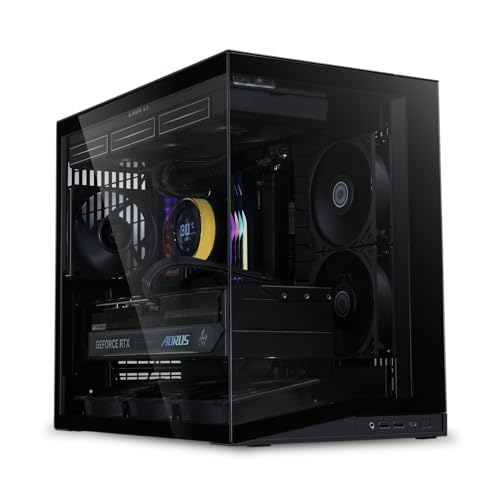
Lian Li O11 Dynamic Mini V2 Flow Midi-Tower Case
Why We Love It

Lian Li UNI Fan SL
Why We Love It

Lian Li Upright GPU Bracket for O11 Dynamic EVO XL
Why We Love It

Lian Li O11D Mini Pcie 4.0 Vertical Gpu Bracket Kit
Why We Love It

Lian Li O11D Mini PCIe 4.0 Vertical GPU Bracket Kit
Why We Love It

Lian Li SUP 01-45L Stand-Up platform case- Independent
Why We Love It
Quick Pick
10 Best Lian Li Smart Displays Of 2026
Quick Pick
Lian Li 8.8" Universal Display for Black ARGB IPS LCD 1920x480 USB Cases
Lian Li 8.8" Universal Display for White ARGB IPS LCD 1920x480 USB SM088W
Lian Li 8.8" Universal Screen-Black-SM088X | Adjustable Mounting for Any Computer Setup - Customizable ARGB Frame - PC Temperature Display Panel - LCD Screen Display
Lian Li 8.8" Universal Screen-White-SM088W | Dynamic Screen Control, Adjustable Mounting for Any Computer Setup, Customizable ARGB Frame, PC Temperature Display Panel
Lian Li O11 Dynamic Mini V2 Flow Midi-Tower Case - Black
Lian Li UNI Fan SL - LCD Wireless 120 - Triple Pack - ARGB Fan - 1.6" LCD Display - 2.4 GHz Wireless Signal for RGB & Fan Control - Controller Included and Required - Black (12SLLCD1W3B)
Lian Li Upright GPU Bracket for O11 Dynamic EVO XL
Lian Li O11D Mini Pcie 4.0 Vertical Gpu Bracket Kit - Black
Lian Li O11D Mini PCIe 4.0 Vertical GPU Bracket Kit - White
Lian Li SUP 01-45L Stand-Up platform case- Independent chamber direct cooling design-510mm PCIe 4.0 riser cable-Pre-installed 3X 120mm fans-Dual ARGB strips-Supports 360mm/280mm AIO-White (SUP01W.US)
Buying Guide: Lian Li Smart Displays
📋 Table of Contents
1What screen size is best for my space and use?
For a living room or kitchen, 10-15 inches is ideal for voice commands and video calls. Smaller 7-8 inch models work well in tight spaces like a countertop or desk, while larger 20+ inch displays are better for group use or media streaming.
2How important is a built-in camera and microphone?
If you plan to use video calls or security features, a high-resolution camera and noise-canceling mic are essential. Some models hide the camera for privacy, but ensure it can be easily disabled if not in use.
3What voice assistant is included, and does it matter?
Most smart displays use a major voice assistant, which supports tasks like setting reminders, playing music, or controlling smart home devices. Check compatibility with your existing ecosystem for seamless integration.
4Can I connect it to other smart home devices?
Look for models that support common smart home protocols. This allows you to control lights, thermostats, and security systems via voice or the display’s interface, making it a central hub for your connected home.
5What app support should I expect?
A smart display with access to a large app store offers more flexibility for streaming, productivity, and games. Ensure it supports the apps you use most, like video platforms or calendar tools, for a more personalized experience.
How we choose
Our editors are people who genuinely love testing and writing about products. We compare each product's real-world usability and strengths, then distill what matters most into our own "Why We Love It" points — so you get an honest, at-a-glance sense of what counts before you buy.