10 Best Lexar Usb Flash Drive Of 2026
Lexar Usb Flash Drive — Reviews, Recommendations & Updated Buying Guide November 2026


Lexar 64GB USB 3.1 Flash Drive
Why We Love It

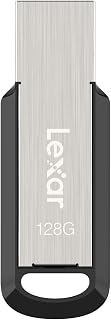
Lexar 128GB JumpDrive M400 USB 3.0 Flash Drive
Why We Love It

Lexar 256GB JumpDrive M400 USB 3.0 Flash Drive
Why We Love It

Lexar JumpDrive S80 USB 3.1 Flash Drive 32GB
Why We Love It

Lexar JumpDrive V40 USB Flash Drive (Black) 16GB
Why We Love It

Lexar 128GB JumpDrive S80 Flash Drive
Why We Love It

Lexar 256GB JumpDrive S80 Flash Drive
Why We Love It

Lexar M22 USB 2.0 32GB Flash Drive
Why We Love It

Lexar 32GB D400 Dual Drive Type-C and Type-A USB 3.2 Flash
Why We Love It
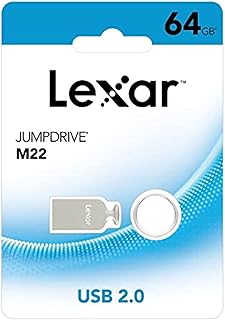
Lexar M22 USB 2.0 64GB Flash Drive
Why We Love It
Quick Pick
10 Best Lexar Usb Flash Drive Of 2026
Quick Pick
Lexar 64GB USB 3.1 Flash Drive, USB-A & USB C USB Stick up to 130MB/s Read, Type-C Thumb Drive Swivel Design, Jump Drive for USB3.0/USB2.0, Memory Stick for Android Device/Tablet/Laptop/PC/Phone
Lexar 128GB JumpDrive M400 USB 3.0 Flash Drive, Up to 150MB/s Read (LJDM400128G-BNBNU)
Lexar 256GB JumpDrive M400 USB 3.0 Flash Drive, Up to 150MB/s Read (LJDM400256G-BNBNU)
Lexar JumpDrive S80 USB 3.1 Flash Drive 32GB, Up To 130MB/s Read, USB Stick for Computer, External Storage Data, Photo, Video (LJDS080032G-BNBAG) | Up To 130MB/s Read, USB Stick, External Storage, LJDS080032G-BNBAG
Lexar JumpDrive V40 USB Flash Drive (Black) 16GB | light weight
Lexar 128GB JumpDrive S80 Flash Drive, 150MB/s Read, USB 3.2 Gen 1
Lexar 256GB JumpDrive S80 Flash Drive, 150MB/s Read, USB 3.2 Gen 1 | Compatible w/ PC & Mac, Backup, Retractable, 256-bit AES Encryption, USB 3.1/3.0/2.0 Backwards Compatible, LJDS080256G-BNBNU
Lexar M22 USB 2.0 32GB Flash Drive, Silver
Lexar 32GB D400 Dual Drive Type-C and Type-A USB 3.2 Flash Drive-100MB/s
Lexar M22 USB 2.0 64GB Flash Drive, Silver
Buying Guide: Lexar Usb Flash Drive
📋 Table of Contents
1What storage capacity should I choose for a Lexar USB drive?
Pick 64GB or 128GB if you need it for regular file transfers and backups; go for 256GB or higher only if you frequently move large video projects or media libraries. Most people find 64GB more than enough for everyday use without paying extra for unused space.
2What's the difference between Lexar's USB 3.0 and USB 3.1 flash drives?
USB 3.1 drives are noticeably faster for large file transfers, reaching speeds up to 1050 MB/s compared to around 150 MB/s on USB 3.0 models. Go for 3.1 if you work with video or large files regularly; USB 3.0 is still fine for documents and photos.
3How do I check if a Lexar USB drive is compatible with my devices?
Lexar drives work with any device that has a USB-A port (computers, TVs, gaming consoles), though you'll need an adapter for newer USB-C only devices. Check the specific model's specs to confirm it supports your operating system if you're using older Windows or Mac versions.
4Is it worth paying more for Lexar over cheaper brands?
Lexar drives offer better reliability and faster speeds, which matters if you're regularly transferring large files or need something that'll last years. For occasional document storage, a budget brand works fine, but Lexar's warranty and performance justify the extra cost for professional or heavy use.
5What security features should I look for in a Lexar USB drive?
Look for hardware encryption if you're storing sensitive data—some Lexar models include this built-in so files stay protected even if the drive is lost. For basic personal use, standard password protection through software is usually sufficient, but businesses should prioritize encrypted models.
How we choose
Our editors are people who genuinely love testing and writing about products. We compare each product's real-world usability and strengths, then distill what matters most into our own "Why We Love It" points — so you get an honest, at-a-glance sense of what counts before you buy.