10 Best Lenovo Thinkpad X1 Of 2026
Lenovo Thinkpad X1 — Reviews, Recommendations & Updated Buying Guide November 2026


Lenovo ThinkPad X1 Carbon Gen 14 Aura Edition w Core Ultra 7
Why We Love It

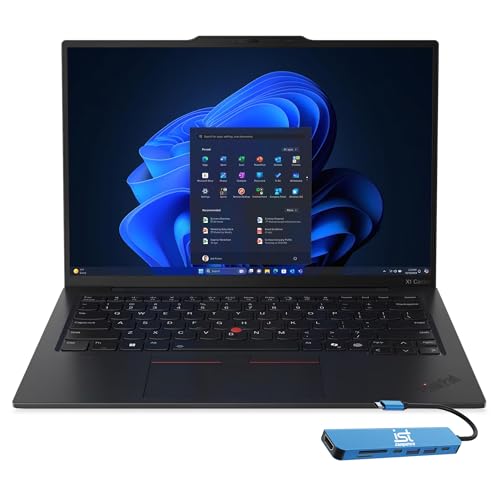
Lenovo ThinkPad X1 Carbon Gen 13
Why We Love It
Lenovo ThinkPad X1 Carbon Gen 14 Aura Edition w/Ultra 5 335
Why We Love It

Lenovo ThinkPad X1 Carbon Gen 13 Aura Edition w/Ultra 7
Why We Love It
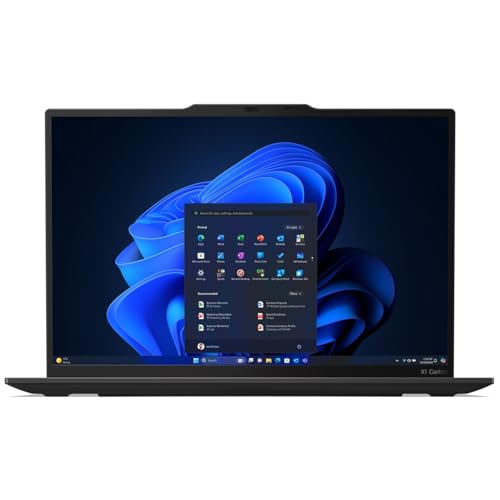
Lenovo ThinkPad X1 Carbon Gen 13 Aura Edition
Why We Love It
Lenovo ThinkPad X1 Carbon Laptop
Why We Love It

Lenovo ThinkPad X1 Carbon Business Laptop
Why We Love It

Lenovo ThinkPad X1 Carbon Gen 12 21KC00A7US 14" Touchscreen
Why We Love It

Lenovo ThinkPad X1 Carbon Business Laptop (14" FHD+
Why We Love It

Lenovo ThinkPad X9 14 Aura Edition Business AI Laptop (14"
Why We Love It
Quick Pick
10 Best Lenovo Thinkpad X1 Of 2026
Quick Pick
Lenovo ThinkPad X1 Carbon Gen 14 Aura Edition w Core Ultra 7 365, 14” Touch
Lenovo ThinkPad X1 Carbon Gen 13, Intel Ultra 7 258V, 32GB DDR5, 1TB SSD
Lenovo ThinkPad X1 Carbon Gen 14 Aura Edition w/Ultra 5 335, 14” 2.8K OLED
Lenovo ThinkPad X1 Carbon Gen 13 Aura Edition w/Ultra 7, 32GB RAM, 1TB SSD
Lenovo ThinkPad X1 Carbon Gen 13 Aura Edition – 14" OLED Laptop – Intel Core Ultra 7 258V – 32 GB LPDDR5X – 512 GB NVMe SSD – Intel Arc Graphics – Wi-Fi 7 – Windows 11 Pro – Eclipse Black
Lenovo ThinkPad X1 Carbon Laptop, 14" 2.8K, Intel Ultra 7 258V, 32GB/512GB
Lenovo ThinkPad X1 Carbon Business Laptop | 14" WUXGA Touchscreen, FP Reader, Backlit KB | Intel Ultra 7 255U 12-Core CPU, 32GB LPDDR5 RAM, 1TB SSD | WiFi 7, Bluetooth 5.4, Thunderbolt 4, No Sim Card
Lenovo ThinkPad X1 Carbon Gen 12 21KC00A7US 14" Touchscreen Notebook - WUXGA - Core Ultra 7 155U - Evo Platform - 32GB - 512 GB SSD - Windows 11 Professional
Lenovo ThinkPad X1 Carbon Business Laptop (14" FHD+ Touchscreen, Intel Ultra 5 135U, 32GB DDR5, 1TB SSD), AI PC, 2x Thunderbolt 4, Long Battery Life, Lightweight, IR Webcam, Backlit, FP, Win 11 Pro
Lenovo ThinkPad X9 14 Aura Edition Business AI Laptop (14" QHD+ OLED Touchscreen, Intel Core Ultra 7 258V, 32GB DDR5, 1TB SSD), 8MP IR Webcam, Wi-Fi 7, FP, Copilot+ PC, Win 11 Pro (Next Gen X1 carbon)
Buying Guide: Lenovo Thinkpad X1
📋 Table of Contents
1How much RAM do I really need for business tasks?
For standard office work like email, spreadsheets, and web browsing, 8GB is sufficient. If you multitask heavily or run virtual machines, aim for 16GB or more. Avoid 4GB unless you're on a strict budget and have minimal software needs.
2Is an SSD or HDD better for a business laptop?
Always choose an SSD for faster boot times, quicker file access, and better durability. SSDs are now affordable and typically offer 256GB or more, which is enough for most business users. HDDs are slower and more prone to damage, so they're only suitable for bulk storage needs.
3What battery life should I look for in a business laptop?
Look for at least 8-10 hours of battery life for a full workday. Laptops with 12+ hours are ideal for frequent travelers or those who work away from power sources. Keep in mind that higher screen brightness and performance settings can drain the battery faster.
4Do I need a dedicated graphics card for business use?
No — integrated graphics are more than enough for typical business tasks like presentations, video conferencing, and document editing. A dedicated GPU is only necessary if you work with 3D modeling, video editing, or graphic design software on the go.
5What ports are essential for a business laptop?
At minimum, look for at least one USB-A port, one USB-C/Thunderbolt port, and an HDMI or DisplayPort for connecting to external displays. A full-sized SD card slot is also useful for photographers or field workers. If your setup requires more peripherals, consider a docking station or USB-C hub.
How we choose
Our editors are people who genuinely love testing and writing about products. We compare each product's real-world usability and strengths, then distill what matters most into our own "Why We Love It" points — so you get an honest, at-a-glance sense of what counts before you buy.