10 Best Kodak Full Hd Projector Of 2026
Kodak Full Hd Projector — Reviews, Recommendations & Updated Buying Guide November 2026


KODAK Luma 450 Portable Full HD Smart Projector | Wi-Fi
Why We Love It


Kodak 75 Mini Portable Projector
Why We Love It

KODAK Luma 350 Portable Smart Projector w/ Luma App
Why We Love It

KODAK FLIK X10 Full HD Multimedia Projector Kit
Why We Love It

Kodak Luma 150 Ultra Mini Pocket Pico Projector
Why We Love It

KODAK Luma 500 Mini Projector
Why We Love It

KODAK Ultra Mini Portable Projector
Why We Love It
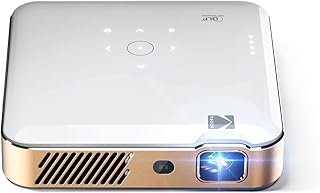
KODAK Luma 500 Mini Projector
Why We Love It
KODAK Projector Screen
Why We Love It

KODAK Luma 150 Type 4 Pocket DLP Pico Projector Kit
Why We Love It
Quick Pick
10 Best Kodak Full Hd Projector Of 2026
Quick Pick
KODAK Luma 450 Portable Full HD Smart Projector | Wi-Fi, Bluetooth, HDMI & USB Compatible Mini Home Theater System Up to 150 | 1080p Native Resolution (4K), 200 Lumens | Tripod Included
Kodak 75 Mini Portable Projector - Rechargeable DLP HD LED Projector with 100 Inch Display, Built-in Speaker: HDMI, USB and Micro SD
KODAK Luma 350 Portable Smart Projector w/ Luma App | Ultra HD Rechargeable Video Projector w/ Onboard Android 6.0, Streaming Apps, Wi-Fi, Mirroring, Remote Control & Crystal-Clear Imaging | Rechargeable, Streaming Apps, Pocket-Sized & Lightweight, Built-In Speaker, HDMI & USB, for Home, Office, Classroom & Gaming
KODAK FLIK X10 Full HD Multimedia Projector Kit | 100" 1080p Mini Compact Portable Home Theater System Bundle with Projection Screen, Remote Control, Tripod Stand, HDMI Cable, Hooks & Carry Case
Kodak Luma 150 Ultra Mini Pocket Pico Projector - Built in Rechargeable Battery & Speaker, Supports 1080p, Connects to iPhone and Android
KODAK Luma 500 Mini Projector | 1080p Full HD Portable Outdoor Projector with Wi-Fi, Bluetooth, HDMI & USB | Google TV 11.0 OS, Netflix Certified, Chromecast Built-In, Black, 150
KODAK Ultra Mini Portable Projector | HD LED DLP Rechargeable Pico Projector - 100" Screen - Includes Soft Case
KODAK Luma 500 Mini Projector | 1080p Full HD Portable Outdoor Projector with Wi-Fi, Bluetooth, HDMI & USB | Google TV 11.0 OS, Netflix Certified, Chromecast Built-In, 150 Lumens, 150” Display
KODAK Projector Screen | 120” Fixed Frame Home Projection Screen with Black Velvet Frame, Durable PVC & Wall Mount Kit | 160° View Angle, 16:9, 1.1, Full HD 4K 8K & Active 3D Ready for Movies & Gaming
KODAK Luma 150 Type 4 Pocket DLP Pico Projector Kit, Mini Projector, Black
Buying Guide: Kodak Full Hd Projector
📋 Table of Contents
1What brightness level (lumens) do I need for my room?
For a dark room or home cinema, 2000-3000 lumens is sufficient, but if you'll use it in a bright living space or during daytime, aim for 3000+ lumens to avoid a washed-out image. Check the room's ambient light and your preferred screen size when deciding.
2How far should the projector be from the screen?
Kodak full HD projectors typically have a throw ratio between 1.2-1.5, meaning you need roughly 1.5 times the screen width as distance—so for a 100-inch screen, place it 12-15 feet away. Check the specific model's throw ratio to confirm it fits your room layout.
3What's the difference between Kodak's full HD projector models?
Kodak's lineup varies mainly in brightness (2000-4000 lumens), connectivity options, and built-in smart features like streaming apps. Higher-end models offer better contrast, quieter cooling, and more port variety, so compare specs based on your room size and content sources.
4Is native full HD (1080p) enough, or should I wait for 4K?
Native 1080p is still excellent for most home use and widely available content, though 4K projectors are becoming more accessible. If your budget allows and you plan to use it for 5+ years, 4K offers future-proofing, but quality 1080p projectors deliver sharp images for movies and gaming.
5What maintenance costs should I expect?
Plan to replace the lamp every 2000-5000 hours (typically every 2-4 years with regular use), which can be a significant ongoing cost. Also factor in occasional cleaning of the lens and air filters to keep the image quality high and prevent overheating.
How we choose
Our editors are people who genuinely love testing and writing about products. We compare each product's real-world usability and strengths, then distill what matters most into our own "Why We Love It" points — so you get an honest, at-a-glance sense of what counts before you buy.