10 Best Kingston Pcie 4 Internal Ssd Of 2026
Kingston Pcie 4 Internal Ssd — Reviews, Recommendations & Updated Buying Guide November 2026

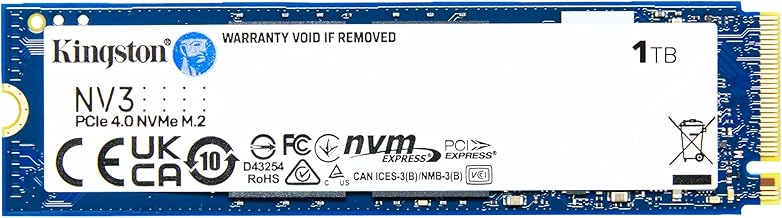
Kingston NV3 1TB M.2 2280 NVMe SSD
Why We Love It


Kingston NV3 NVMe PCIe 4.0 Internal SSD 2TB M.2
Why We Love It

Kingston NV3 NVMe PCIe 4.0 Internal SSD 2TB M.2
Why We Love It

Kingston Fury Renegade 2TB PCIe Gen 4.0 NVMe M.2 Internal
Why We Love It
Kingston 4000GB FURY Renegade PCIe 4.0 NVMe SSD With
Why We Love It
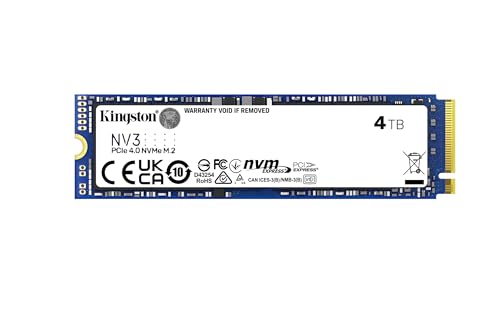
Kingston NV3 NVMe PCIe 4.0 Computer Drive or Storage
Why We Love It

Kingston FURY Renegade G5 PCIe 5.0 NVMe M.2 SSD
Why We Love It

Samsung Memory MZ-VAP4T0BW 9100 PRO 4TB Internal SSD
Why We Love It

Lexar PLAY 2280 2TB SSD with Heatsink
Why We Love It

Crucial E100 2TB M.2 NVMe PCIe Gen4 Internal SSD
Why We Love It
Quick Pick
10 Best Kingston Pcie 4 Internal Ssd Of 2026
Quick Pick
Kingston NV3 1TB M.2 2280 NVMe SSD | PCIe 4.0 Gen 4x4 | Up to 6000 MB/s | SNV3S/1000G
Kingston NV3 NVMe PCIe 4.0 Internal SSD 2TB M.2 2280-SNV3S/2000G
Kingston NV3 NVMe PCIe 4.0 Internal SSD 2TB M.2 2230-SNV3SM3/2T0
Kingston Fury Renegade 2TB PCIe Gen 4.0 NVMe M.2 Internal Gaming SSD with Heat Sink | PS5 Ready | Up to 7300MB/s | SFYRDK/2000G
Kingston 4000GB FURY Renegade PCIe 4.0 NVMe SSD With Heatsink upto 7300/7000 MB/s
Kingston NV3 NVMe PCIe 4.0 Computer Drive or Storage Internal SSD 4TB M.2 2280-SNV3S/4000G
Kingston FURY Renegade G5 PCIe 5.0 NVMe M.2 SSD 4T-SFYR2S/4T0
Samsung Memory MZ-VAP4T0BW 9100 PRO 4TB Internal SSD, PCIe 5.0 x4, NVMe 2.0, SSD Designed for Pros & Gamers, Compatible with PC & Laptops, 5 Year Limited Warranty (UK Version)
Lexar PLAY 2280 2TB SSD with Heatsink, PCle Gen 4x4 NVMe, Perfect for PS5, Speed up to 7400MB/s, High Performance Internal Solid State Drive, Compatible with Playstation 5
Crucial E100 2TB M.2 NVMe PCIe Gen4 Internal SSD, Up to 5,000MB/s, Laptop & Desktop Compatible - CT2000E100SSD8
Buying Guide: Kingston Pcie 4 Internal Ssd
📋 Table of Contents
1What read/write speeds should I expect from a Kingston PCIe 4.0 SSD?
Kingston PCIe 4.0 SSDs typically offer sequential read speeds up to 7,000 MB/s and write speeds up to 5,000 MB/s, depending on the model. These speeds are ideal for heavy workloads like 4K video editing or large game loads, but real-world performance may vary based on your motherboard and system configuration.
2Is a Kingston PCIe 4.0 SSD worth the extra cost over PCIe 3.0?
If your motherboard supports PCIe 4.0 and you work with large files or high-performance applications, the faster speeds and lower latency of PCIe 4.0 are worth the investment. For everyday use or budget builds, a PCIe 3.0 SSD may be more cost-effective with minimal performance loss in most tasks.
3What capacity do I need for a Kingston PCIe 4.0 SSD?
For most users, 1TB offers a good balance between speed and storage for operating systems, apps, and games. Gamers or content creators may prefer 2TB or more, while 500GB is sufficient for lightweight systems or as a secondary drive. Avoid overpaying for unused space unless you plan to store large media libraries or virtual machines.
4Do I need a heatsink with a Kingston PCIe 4.0 SSD?
High-end Kingston PCIe 4.0 models often include a heatsink to prevent thermal throttling during sustained heavy use. If you're using the SSD in a compact or poorly ventilated system, a heatsink is recommended. For standard desktop builds with good airflow, it may not be necessary but won't hurt performance.
5What are common mistakes to avoid when installing a Kingston PCIe 4.0 SSD?
Ensure your motherboard supports PCIe 4.0 and has an M.2 slot compatible with NVMe SSDs. Avoid using a PCIe 3.0 slot, as it will limit performance. Also, always update your BIOS before installation to ensure full compatibility and stable operation with the latest SSD features.
How we choose
Our editors are people who genuinely love testing and writing about products. We compare each product's real-world usability and strengths, then distill what matters most into our own "Why We Love It" points — so you get an honest, at-a-glance sense of what counts before you buy.