10 Best Kingston Fury Of 2026
Kingston Fury — Reviews, Recommendations & Updated Buying Guide November 2026

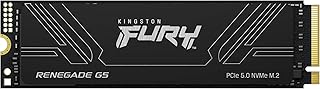
Kingston FURY Renegade G5 PCIe 5.0 NVMe M.2 SSD
Why We Love It


Kingston FURY Renegade G5 PCIe 5.0 NVMe M.2 SSD
Why We Love It

Kingston FURY Beast Black DDR5 16GB 5600MT/s CL40 DIMM
Why We Love It

Kingston Fury Renegade 2TB PCIe Gen 4.0 NVMe M.2 Internal
Why We Love It

Kingston FURY Beast 8GB 3200MHz DDR4 CL16 Desktop Memory
Why We Love It
Kingston 4000GB FURY Renegade PCIe 4.0 NVMe SSD With
Why We Love It
Kingston 1000GB FURY Renegade PCIe 4.0 NVMe SSD With
Why We Love It
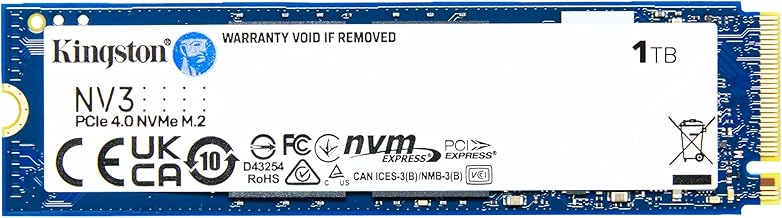
Kingston NV3 1TB M.2 2280 NVMe SSD
Why We Love It

Kingston Fury Beast RGB 8GB 3200MT/s DDR4 CL16 DIMM Computer
Why We Love It

Kingston FURY Renegade Black RGB XMP 32GB 8000MT/s DDR5 CL38
Why We Love It
Quick Pick
10 Best Kingston Fury Of 2026
Quick Pick
Kingston FURY Renegade G5 PCIe 5.0 NVMe M.2 SSD 2T-SFYR2S/2T0
Kingston FURY Renegade G5 PCIe 5.0 NVMe M.2 SSD 4T-SFYR2S/4T0
Kingston FURY Beast Black DDR5 16GB 5600MT/s CL40 DIMM Desktop Gaming Memory Single Module Intel XMP - KF556C40BB-16
Kingston Fury Renegade 2TB PCIe Gen 4.0 NVMe M.2 Internal Gaming SSD with Heat Sink | PS5 Ready | Up to 7300MB/s | SFYRDK/2000G
Kingston FURY Beast 8GB 3200MHz DDR4 CL16 Desktop Memory Single Module KF432C16BB/8
Kingston 4000GB FURY Renegade PCIe 4.0 NVMe SSD With Heatsink upto 7300/7000 MB/s
Kingston 1000GB FURY Renegade PCIe 4.0 NVMe SSD With Heatsink upto 7300/6000 MB/s - black
Kingston NV3 1TB M.2 2280 NVMe SSD | PCIe 4.0 Gen 4x4 | Up to 6000 MB/s | SNV3S/1000G
Kingston Fury Beast RGB 8GB 3200MT/s DDR4 CL16 DIMM Computer Memory KF432C16BB2A/8
Kingston FURY Renegade Black RGB XMP 32GB 8000MT/s DDR5 CL38 DIMM (Kit of 2) Desktop Gaming Memory - KF580C38RSAK2-32
Buying Guide: Kingston Fury
📋 Table of Contents
1What speed (MHz) do I actually need for my system?
For most users, 3200-3600MHz is sufficient for gaming and productivity. If you use heavy workloads like video editing or run a high-end CPU, 3600MHz or higher with a compatible motherboard can improve performance significantly.
2Should I prioritize DDR4 or DDR5 memory?
DDR5 offers faster speeds and higher capacity, but is newer and more expensive. DDR4 is more affordable and widely supported, making it a better choice for budget builds or systems with older motherboards that don’t support DDR5.
3How much capacity (GB) do I need for my use case?
16GB is standard for most users, including gaming and multitasking. For content creation or heavy multitasking, 32GB is recommended. 8GB is the minimum for basic tasks, but may limit performance in modern software.
4What is CAS latency and why does it matter?
CAS latency (CL) measures the delay between a command and data retrieval. Lower CL (e.g., CL16) means faster response times, but it’s only meaningful when comparing modules with the same speed. Balance CL with MHz for the best performance in your system.
5Are RGB or non-RGB modules worth the difference?
RGB modules add visual flair and are great for custom builds with matching lighting. Non-RGB modules are typically more affordable and perform the same. Choose based on aesthetics and whether your case supports RGB lighting.
How we choose
Our editors are people who genuinely love testing and writing about products. We compare each product's real-world usability and strengths, then distill what matters most into our own "Why We Love It" points — so you get an honest, at-a-glance sense of what counts before you buy.