10 Best Kingston Datatraveler 100 Of 2026
Kingston Datatraveler 100 — Reviews, Recommendations & Updated Buying Guide November 2026

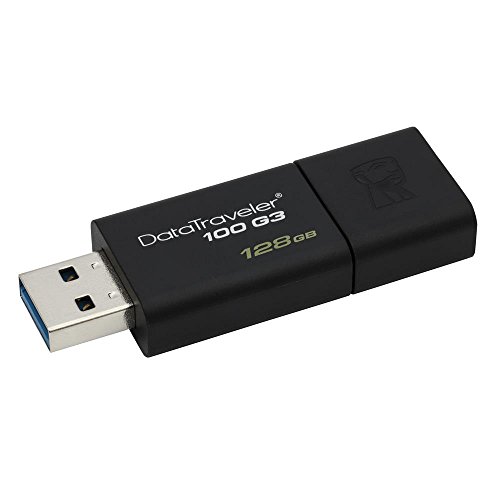
Kingston DT100G3/128GB DataTraveler 100 G3 USB 3.0 Flash
Why We Love It


Kingston DataTraveler SE9 Gen 3-128GB
Why We Love It

Kingston DataTraveler Exodia 128GB USB 3.2 Flash Drive
Why We Love It

Kingston 128GB DataTraveler Kyson High Performance up to
Why We Love It

Kingston DataTraveler Exodia DTX/128GB Flash Drive USB 3.2
Why We Love It

Kingston DataTraveler SE9 Gen 3-256GB
Why We Love It

Kingston DataTraveler SE9 G3 3.2 USB Flash Drive Bundle
Why We Love It

Kingston DataTraveler 70 128GB Portable and Lightweight
Why We Love It

Kingston Pendrive 128 GB USB 3.2
Why We Love It

Kingston 64GB DataTraveler Exodia Flash Drive
Why We Love It
Quick Pick
10 Best Kingston Datatraveler 100 Of 2026
Quick Pick
Kingston DT100G3/128GB DataTraveler 100 G3 USB 3.0 Flash Drive, 128 GB, Black
Kingston DataTraveler SE9 Gen 3-128GB - 220MB/s Reading - Metal - USB Stick 3.2 Gen 1 - Gold
Kingston DataTraveler Exodia 128GB USB 3.2 Flash Drive (DTX/128GBCR)
Kingston 128GB DataTraveler Kyson High Performance up to 200MB/s USB 3.2 Metal Flash Drive DTKN/128GB Bundle with (1) GoRAM Black Lanyard (128GB, 1 Pack)
Kingston DataTraveler Exodia DTX/128GB Flash Drive USB 3.2 Gen 1 SD-with Protective Cap and Keyring in Multiple Colours | USB 3.2
Kingston DataTraveler SE9 Gen 3-256GB - 220MB/s Reading - Metal - USB Stick 3.2 Gen 1 - Gold
Kingston DataTraveler SE9 G3 3.2 USB Flash Drive Bundle 220MBPS
Kingston DataTraveler 70 128GB Portable and Lightweight USB-C flashdrive with USB 3.2 Gen 1 speeds (DT70/128GBCR)
Kingston Pendrive 128 GB USB 3.2
Kingston 64GB DataTraveler Exodia Flash Drive - DTX/64GB (Pack of 10)
Buying Guide: Kingston Datatraveler 100
📋 Table of Contents
1What storage capacity do I actually need?
For basic file transfers, 64GB is usually enough, but 128GB or 256GB is better for large files like videos or photo libraries. If you work with 4K media or software, consider 512GB or 1TB drives for more space and fewer transfers.
2Does USB 3.0 or USB 3.1 make a real difference?
Yes — USB 3.0 offers up to 5Gbps, while USB 3.1 doubles that to 10Gbps. Look for drives with USB 3.1 or newer for faster transfers, especially with large files. Make sure your computer’s port supports the same standard to get the full speed boost.
3What’s the difference between read and write speeds?
Read speed affects how fast you can open files from the drive, while write speed determines how quickly you can save or transfer files to it. For video editing or backups, prioritize drives with balanced or high write speeds, ideally 40MB/s or more for smooth performance.
4Are flash drives with built-in encryption worth it?
If you handle sensitive data, encrypted drives add a layer of security by requiring a password to access files. They’re ideal for professionals or students who share devices. However, they may be slower and more expensive than standard drives, so weigh the need for security against performance and cost.
5What should I look for in a durable flash drive?
Choose drives with a metal casing or rubber coating for better drop resistance. Look for waterproof or dustproof ratings if you work in harsh environments. A retractable or flip cap design also helps prevent accidental damage to the USB connector.
How we choose
Our editors are people who genuinely love testing and writing about products. We compare each product's real-world usability and strengths, then distill what matters most into our own "Why We Love It" points — so you get an honest, at-a-glance sense of what counts before you buy.