10 Best Joysticks Of 2026
Joysticks — Reviews, Recommendations & Updated Buying Guide November 2026


GameSir Nova Lite Wireless Controller for PC
Why We Love It


SQDeal 2 Pack USB Joystick Gamepad Gaming Pad Wired
Why We Love It

Wireless Controller For Ps3 Gamepad
Why We Love It

Thrustmaster T-Flight Hotas X
Why We Love It

Angju USB Wireless Gaming Controller Gamepad for PC/Laptop
Why We Love It

GameSir G7 SE Wired Controller for Xbox Series X|S
Why We Love It

SPEEDLINK SL-650212-BKRD Competition PRO EXTRA USB Joystick
Why We Love It

Smartphone Joystick Controller
Why We Love It
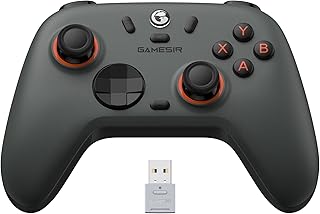
GameSir Nova 2 Lite Wireless Controller with Hall Effect
Why We Love It
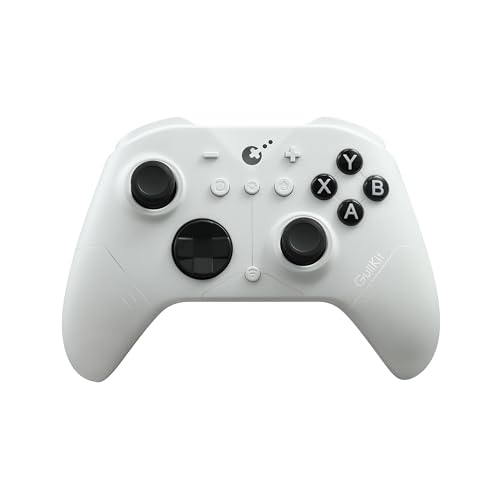
GuliKit ES Pro White TMR Joysticks Fastest Wireless
Why We Love It
Quick Pick
10 Best Joysticks Of 2026
Quick Pick
GameSir Nova Lite Wireless Controller for PC, Hall Effect Sticks & Trigger | Bluetooth Controller Gamepad with Hall Effect Trigger,Turbo,Rumble Vibration, Android, Switch & Steam Deck
SQDeal 2 Pack USB Joystick Gamepad Gaming Pad Wired Controller with Double Vibration Feedback Motors for PC Computer Laptop Window (Black)
Wireless Controller For Ps3 Gamepad,For Bluetooth 4.0 Joystick,For Usb Pc Joypad (Black)
Thrustmaster T-Flight Hotas X - Flight Throttle and Joystick with 12 Programmable Buttons, Detachable Throttle, Adjustable Resistance for Flight Simulator - Compatible with PC - Windows | Detachable design, adjustable resistance, 12 programmable buttons, 5 axes, dual rudder control, preset memory, ergonomic
Angju USB Wireless Gaming Controller Gamepad for PC/Laptop Computer(Windows XP/7/8/10) & PS3 & Android & Steam - [Black] (Black)
GameSir G7 SE Wired Controller for Xbox Series X|S, Xbox One & Windows 10/11, Plug and Play Gaming Gamepad with Hall Effect Joysticks/Hall Trigger, 3.5mm Audio Jack
SPEEDLINK SL-650212-BKRD Competition PRO EXTRA USB Joystick - Anniversary Edition, Retro-Arcade-Stick, schwarz-rot for PCs and Android Devices
Smartphone Joystick Controller, Portable Mobile Gamepad for Android, Universal Touchscreen Game Controller for Mobile Gaming, Compatible with Phone Games, Black, 2Pcs
GameSir Nova 2 Lite Wireless Controller with Hall Effect Joysticks & Triggers, 2.4G & Wired 1000Hz Polling Rate, Macro Back Buttons, PC Gamepad Compatible with PC/Switch/Steam/iOS/Android (Grey)
GuliKit ES Pro White TMR Joysticks Fastest Wireless Controller | Windows PC, Android & IOS, Nintendo Switch 1/2 –, 1000Hz Wired on PC, 730Hz Low Latency Bluetooth, Hall Triggers, Gyro
Buying Guide: Joysticks
📋 Table of Contents
1What's the difference between analog and digital joysticks?
Analog joysticks detect the degree of movement in multiple directions and are better for games requiring precise control like flight simulators or racing, while digital joysticks register only fixed directions and work well for fighting games or retro titles. Your choice depends on the game type you play most—if you need smooth, gradual inputs, go analog; for quick directional commands, digital is fine.
2How do I know if a joystick will work with my console or PC?
Check the joystick's compatibility list against your device—most modern ones support multiple platforms via USB or wireless dongles, but older consoles like PlayStation 2 or Xbox 360 need specific controllers. Look for the connectivity type (USB, 2.4GHz wireless, Bluetooth) and verify it's listed as compatible before buying.
3What should I look for in build quality and durability?
Check for metal components in high-wear areas like the joystick shaft and gate, reinforced cables, and buttons rated for millions of presses—typically 10+ million clicks for arcade-quality sticks. Read reviews mentioning longevity and drift issues, as cheaper models often fail within months of heavy use.
4Is it worth spending more on a premium joystick for casual gaming?
Only if you play fighting games, rhythm games, or flight sims regularly—casual players don't need a high-end stick costing significantly more. A mid-range option with decent build quality will serve you fine for occasional gaming without the premium price tag.
5What size joystick should I choose—compact or full-size?
Full-size arcade sticks offer better comfort and control during long sessions, while compact models are portable and fit tight spaces but feel cramped for extended play. Pick full-size if it stays in one place, or compact if you need to move it frequently between locations.
How we choose
Our editors are people who genuinely love testing and writing about products. We compare each product's real-world usability and strengths, then distill what matters most into our own "Why We Love It" points — so you get an honest, at-a-glance sense of what counts before you buy.